
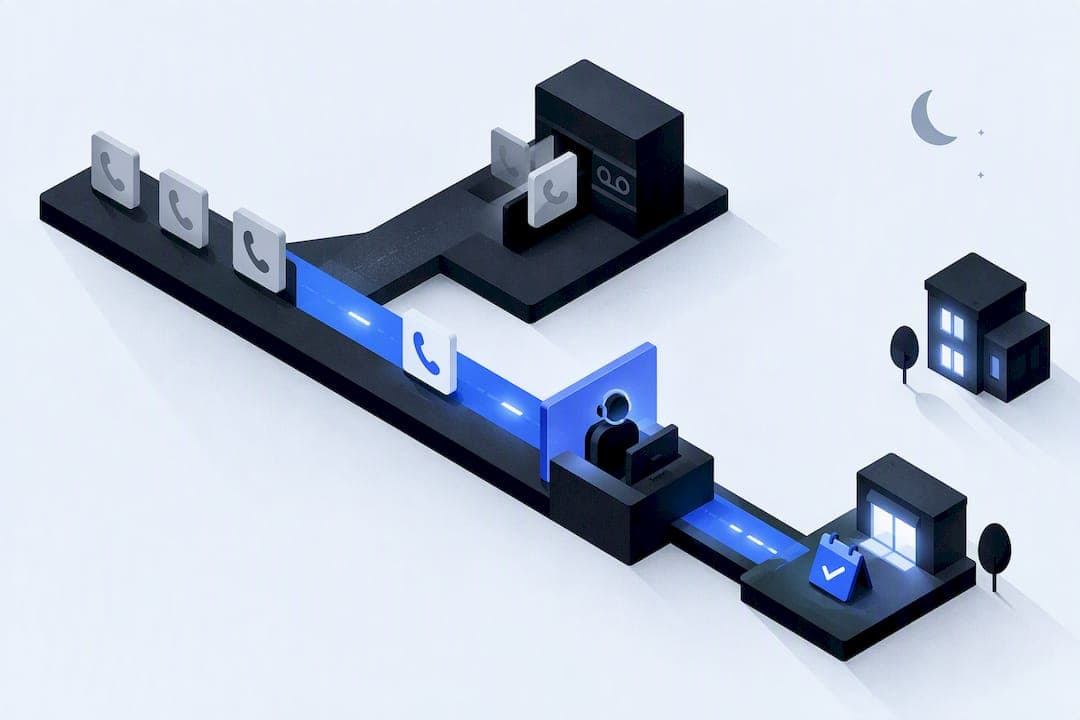
For most small service businesses, an outcome focused after hours answering setup, either AI driven or a hybrid with clear escalation rules, recovers more revenue than voicemail or a metered human only plan. It captures leads instead of losing them, books jobs while competitors sleep, and cuts the cost of missed calls. Specialized providers build this kind of coverage directly for service businesses that need it scoped and secured from day one.
TL;DR:
- Using AI for routine inquiries and bookings can eliminate night shift premiums and handle unlimited calls at a fixed cost.
- Hybrid models, combining AI with escalation to human agents for emergencies, often deliver the best cost-effectiveness for mixed call types.
- Proper setup includes integrating calendars, defining escalation keywords, and testing emergency triggers, which takes less than a day but requires thorough testing.
- Beware of surcharges for night, weekend, or holiday coverage that can significantly increase costs beyond initial quotes.
- Accurate call logs, disclosures, and consent measures are essential to maintaining compliance across multiple states.
Table of Contents
- What after hours answering is and why it matters
- Voicemail, human answering, AI voice agents, or hybrid
- Core features and integrations that actually capture revenue
- Pricing models and the after hours surcharge trap
- How to set up after hours answering and test it
- Call recording and consent: what U.S. businesses need to know
- How Equinox scopes, secures, and delivers after hours coverage
- Get a scoped after hours answering plan
- Sources
- FAQ
What after hours answering is and why it matters
After hours answering covers any inbound call your business gets outside normal operating hours: evenings, weekends, overnight, or holidays. The real distinction is not who or what answers, it is whether the system takes a message or takes action. Message taking logs a name and number. Outcome taking books an appointment, qualifies the caller, and confirms the job before you wake up.
That distinction has financial weight. A significant portion of inbound calls to service businesses land outside standard 9 to 5 hours, and most callers who reach voicemail simply hang up, with industry research putting voicemail abandonment between 80% and 85%. A plumbing company fielding 20 after hours calls a week that loses even a third of those to voicemail abandonment is losing several booked jobs every month, jobs a competitor with live or automated coverage picks up instead. The gap is not a service nicety. It is a leak in the sales funnel that happens every night the phone rings unanswered.
Voicemail, human answering, AI voice agents, or hybrid
Choosing a coverage type comes down to matching your call patterns to what each option actually does well.
Voicemail alone fails because most callers will not leave one. With voicemail abandonment running near the high 70s to mid-80s percent range (https://voksha.com/research/after-hours-economy/), a voicemail-only setup is functionally the same as no coverage for most of your after hours volume.
Human answering earns its cost when calls require judgment: a distressed customer, a compliance sensitive intake, or a situation that needs a real conversation to de-escalate. It struggles with concurrency and gets expensive fast once night and weekend premiums apply.
AI voice agents shine on routine, repeatable intents: booking an appointment, confirming a service window, capturing contact details. They handle unlimited concurrent calls at a flat cost and never need a night shift differential.
Hybrid models split the difference: AI handles the bulk of routine traffic, humans get pulled in only for flagged escalations. That combination usually gives the best cost to coverage ratio for a business with mixed call complexity.
Before picking, run through a short checklist:
- Estimate your after hours call volume from the last three months of logs.
- Rate the average call's complexity: routine booking versus judgment heavy.
- Set a real budget ceiling, including any surcharge exposure.
- Decide how fast an emergency needs a human response.
Pro Tip: If more than half your after hours calls are booking requests or basic questions, start with AI and add human escalation only where the data shows you need it.
Core features and integrations that actually capture revenue
Coverage only pays off when it turns into booked work, not a longer voicemail. A handful of features separate systems that convert from systems that just log.
- Calendar and dispatch integration: the system should push confirmed appointments directly into your scheduling or dispatch software, not just email you a note.
- Lead qualification fields: capture service type, urgency, location, and budget range so the call is ready to act on by morning.
- Escalation rules with keyword triggers: phrases like "no heat" or "flooding" should route instantly to on-call staff, while routine inquiries get logged for next-day handling.
- Timestamped logging: every call, escalation, and handoff needs a record for accountability and dispute resolution.
- Immediate SMS or email confirmation: a text the moment a booking is made keeps the customer engaged and lifts show-up rates.
Without these, you have traded a silent voicemail box for a slightly friendlier one. The integrations and triage logic are what convert a call into a job on the books.
Pricing models and the after hours surcharge trap
After hours answering is priced commonly in four ways: per minute, per call, a flat monthly tier, or per completed booking. Per minute plans can seem cheapest initially but may become costly with longer or complex calls. Per call and monthly tier plans offer more predictability. Per booking pricing aligns cost with results but can get expensive at high volume.
The trap is in the fine print. Many human answering services layer on surcharges for the exact hours you are buying coverage for.
- Night surcharges commonly add 10% to 50% per minute on top of the base rate.
- Weekend surcharges typically add another 10% to 25%.
- Holiday coverage can run 1.5 to 2 times the standard rate.
Stacked together, a service that looks affordable during a sales call can cost far more once nights, weekends, and holidays hit the invoice. Always ask for the full rate card, not just the headline number, before signing.
As a rule of thumb, when your overnight or weekend volume is meaningful, a flat rate AI plan tends to beat a metered human plan on total cost, since the AI rate does not change at 2 a.m. or on the Fourth of July.

How to set up after hours answering and test it
Rolling out after hours coverage is faster than most owners expect, but skipping steps causes missed emergencies or awkward customer experiences.
- Pull three months of call logs and isolate everything after 5 p.m., before 8 a.m., and on weekends to size your real volume and pick coverage hours.
- Set up call forwarding or SIP trunking to route after hours calls to your chosen system.
- Connect your calendar and dispatch software so bookings land where your team already works.
- Configure the IVR and recording settings, including any disclosure language your call recording policy requires.
- Define escalation keywords for true emergencies and route them to on-call staff, logging everything else for the morning.
- Write and test scripts, including deliberate test calls that trigger the emergency path, before going live.
- Set week-one SLA targets, such as answering about 80% of calls within approximately 20 seconds (https://contactcenterusa.com/blog/after-hours-answering-service), and monitor separately for night and weekend performance.
A typical rollout takes minutes to a few hours to configure (https://voksha.com/research/after-hours-economy/), 24 to 72 hours of testing, and a full first week of monitoring before you trust it to run unsupervised.
Pro Tip: Run at least one live test call after 10 p.m. yourself, using your actual phone, before telling customers the line is covered.

Call recording and consent: what U.S. businesses need to know
Recording laws vary by state, and the safest operational rule is to treat every call as if it might touch an all-party consent state. Federal law sets a one-party consent baseline, but at least 11 to 13 states, including California, Florida, and Illinois, require all-party consent, and violations can carry civil penalties.
A workable multi-state fix covers most of the risk with a few concrete steps.
- Play a pre-call IVR disclosure that finishes before recording actually starts.
- Script agents or voice bots to state that the call may be recorded at the opening.
- Build in a short recording-start delay so the disclosure always plays first.
- Offer a clear opt-out path for callers who decline.
- Log every disclosure with a timestamp for your records.
Test the disclosure flow monthly and keep the logs on file. It is the cheapest insurance against a state-level compliance problem.
How Equinox scopes, secures, and delivers after hours coverage
Some providers treat after hours answering as a scoped engagement, not a subscription you configure yourself, offering expert pay-on-savings cloud cost & security review to optimize your setup. Builds are documented with a written data map, least-privilege access, explicit consent flows, and a rollback plan, overseen by a technical lead. Clients typically receive a working voice agent or hybrid setup, documented integrations, escalation rules, test call logs, and handoff training.
— Felix
Get a scoped after hours answering plan
If your team is losing bookings to voicemail or paying surcharges you did not expect, the fastest next step is a free audit of your call logs. Some providers review your actual after hours volume and recommend the coverage model, escalation rules, and cost estimate that fit your business, rather than a generic package.

The audit delivers:
- A breakdown of your after hours call volume and missed booking estimate.
- A recommended coverage plan (AI, human, or hybrid) matched to your call patterns.
- A cost estimate based on your actual volume, not a rate card guess.
- A rollout timeline from configuration to full monitoring.
Request your audit and proposal through Equinox's services page to see what a scoped, security-led build looks like for your business.
Sources
- Call recording consent laws overview — Attorney Assistant
- Managing overflow calls and after-hours call routing — Zendesk Support
- 24/7 Answering Service Cost: The After-Hours Surcharge Trap — GMWARE
FAQ
What counts as after hours answering coverage?
After hours answering covers any inbound call handled outside your normal business hours, whether that means evenings, weekends, overnight, or holidays. The goal is to take action on the call, such as booking an appointment or triaging an emergency, rather than just recording a message.
Is AI or a human better for after hours calls?
AI voice agents work well for routine, repeatable requests like scheduling, since they handle unlimited calls at a flat cost with no night shift premium. Human agents are better suited to complex or high-empathy situations, and many businesses use a hybrid model where AI handles volume and humans handle escalations.
How much does an after hours answering service cost?
Pricing typically follows one of four models: per minute, per call, a flat monthly tier, or per booking. Human 24/7 services often add night surcharges of 10% to 50%, weekend surcharges of 10% to 25%, and holiday rates of 1.5 to 2 times the standard rate, so always request the full rate card before comparing options.
Do I need to disclose that I'm recording after hours calls?
Yes, in most cases. Since several states require all-party consent for recorded calls, the safest approach is a pre-call IVR disclosure, a short delay before recording starts, and a clear opt-out option for callers.
How long does it take to set up after hours answering?
Configuration typically takes anywhere from a few minutes to a few hours, depending on the complexity of your integrations. Plan for 24 to 72 hours of testing plus a full first week of monitoring before relying on the system without supervision.