
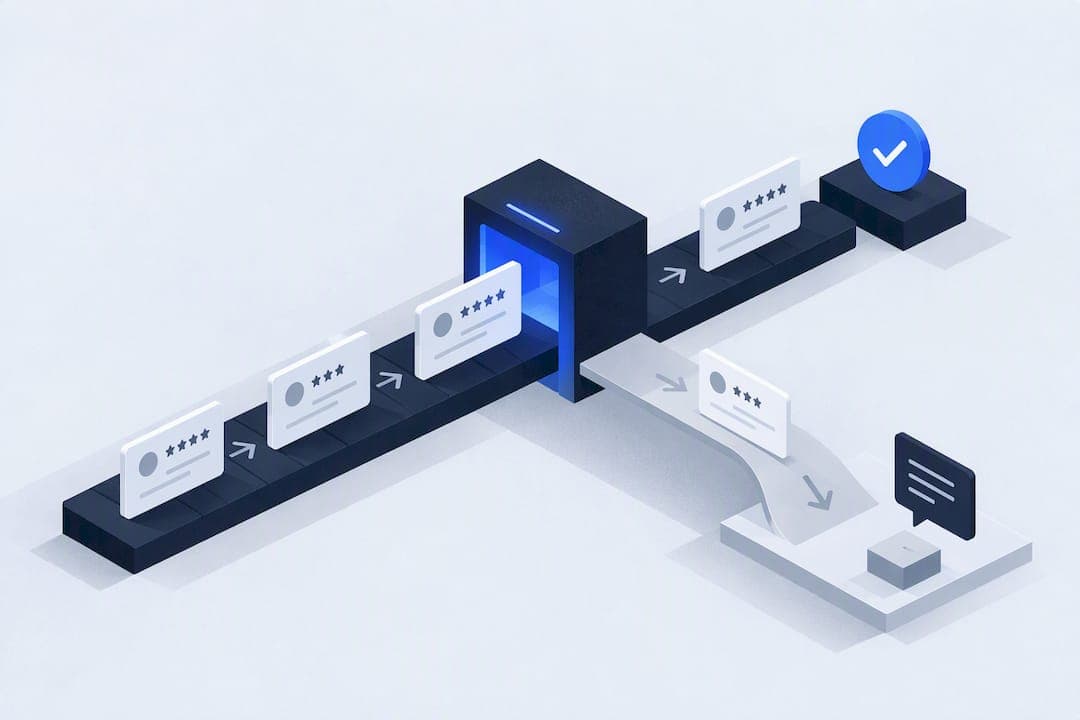
Automating review requests is worth doing for most small and medium businesses: it produces a steadier flow of recent reviews and typically lifts how many customers respond, without adding staff time. BrightLocal's research on review recency explains why timing matters so much, and the FTC's guidance on reviews sets the compliance floor. A simple setup, an SMS or email sent the moment an appointment is marked complete, covers most of the benefit.
TL;DR:
- Automated review requests increase the volume of recent reviews and improve listing visibility by sending timely prompts immediately after service completion.
- Proper setup requires clear trigger events, sequence timing within a few hours, and tracking links for measuring performance, with SMS typically generating faster responses than email.
- Compliance is critical; never route customers based on predicted sentiment or incentivize reviews, and always include clear opt-in options and unsubscribe links to avoid legal issues.
- Multi-location businesses and those handling sensitive data should favor tools with easy data export and security features, avoiding platforms with restrictive contact data ownership.
- Personalizing messages with specific service details and timing enhances response rates, but automation suits high-volume transactions better than low-touch, high-value relationships.
Table of Contents
- What automated review requests do and why they help
- Step-by-step setup: triggers, message sequence, and integrations
- Choosing the right automation option for your business
- Staying compliant: review gating, incentives, and platform rules
- Measuring success: metrics and realistic timelines
- Practical safeguards from a security-led implementation
- Handling negative reviews that come through automation
- Tools and software options for automating requests
- Personalization strategies that lift response rates
- When automation is not the right choice
- How Equinox Strategies builds compliant, secure review automations
- Sources
- FAQ
What automated review requests do and why they help
An automated review request is a message, usually SMS or email, triggered by an event in your booking system or CRM: a job marked complete, an invoice paid, a ticket closed. Instead of a staff member remembering to ask, the system asks every time, consistently and at the same point in the customer relationship.
That consistency changes the math on three fronts.
- More recent reviews: regular small-batch requests keep your profile inside the window customers actually trust.
- Higher response volume: asking systematically catches customers who would never have left a review unprompted.
- Better visibility: platforms and search results favor listings with frequent, recent activity over stale ones.
- More conversions: review-rich listing pages tend to convert better than thin ones, since shoppers use recent feedback to decide.
A large majority of consumers say they only care about reviews written recently, making a regular review cadence important, according to BrightLocal's local consumer review survey, which means a profile with reviews from eight months ago reads as outdated even if the rating is strong. Watch two numbers as your early ROI signal: new reviews logged per month, and any shift in conversion rate on pages where reviews are visible.
Step-by-step setup: triggers, message sequence, and integrations
Building the automation is less about picking software and more about getting the sequence right. Follow this order.
- Pick your trigger event: appointment complete, invoice paid, or ticket closed are the three most reliable because they mark a clear end to the service.
- Map the trigger to your CRM or booking tool: confirm the event fires a webhook or status change your automation can read, not just a manual note.
- Design the message sequence: send the first request within a few hours of the trigger, a single follow-up three to five days later if there is no response, and stop there.
- Choose channel order: SMS tends to get opened faster, email gives more room for a direct review link and your business name, so many businesses use SMS first and email as the follow-up.
- Build in link hygiene: use one unique, trackable link per request so you can tell which channel and campaign produced each click.
- Run the integration checklist: confirm contact matching (no duplicate or mismatched records), explicit opt-in or consent capture, link tracking, and a defined error-handling path for bounced numbers or emails.
- Test before rollout: send sample messages to internal numbers and addresses, click every link to confirm it lands on the right review page, and check deliverability across major carriers and email providers.
Pro Tip: Send the first request while the service is still fresh in the customer's mind, same-day performs better than waiting a week.
A workflow pattern worth borrowing: some platforms branch the request by sentiment, directing a happy customer straight to a public review link and routing a dissatisfied one to a private feedback form instead, a structure documented in Lawmatics' review automation walkthrough. Whatever software you use, record link opens and clicks as fields in your CRM so you can measure request-to-response rate later, not just guess at it.
Choosing the right automation option for your business
Most SMBs fall into one of four categories, and the right one depends on volume, technical staff, and how many locations you manage.
- Built-in CRM flows: if your booking or CRM platform already has a review-request feature, it is usually the cheapest starting point, though customization is limited.
- Email or SMS marketing platforms: these offer more flexible sequencing and segmentation but require you to build the review-request flow yourself.
- Specialist review automation platforms: purpose-built for this single job, often with sentiment routing and multi-location dashboards, at a higher monthly cost.
- Custom done-for-you builds: suited to businesses with complex integrations, multiple data sources, or security requirements that off-the-shelf tools cannot meet.
Low request volume and a single location rarely justify a specialist platform. Multi-location businesses, or any business handling sensitive customer data, should weigh data ownership and maintenance burden as heavily as sticker price: a cheap tool that locks your contact data in its own system can cost more in the long run than a slightly pricier one that exports cleanly.
Staying compliant: review gating, incentives, and platform rules
Review gating, filtering customers so only those likely to leave a positive review are asked, is one of the most common automation mistakes, and it is exactly the kind of practice regulators and platforms are watching for.
- The FTC's Consumer Reviews and Testimonials Rule prohibits buying or soliciting reviews with a predetermined sentiment and requires truthful disclosure for insider reviews.
- The FTC has also warned specifically that generative AI does not exempt deceptive review content from enforcement, a relevant point as more businesses use AI to draft request messages or summarize feedback.
- Google's Maps contributions policy disallows incentivized or inauthentic reviews and requires that listed feedback reflect a genuine experience.
Never route customers based on predicted sentiment, and keep consent and unsubscribe options visible in every message.
Measuring success: metrics and realistic timelines
Three metrics tell you whether the automation is working: request-to-response rate (clicks or completions divided by requests sent), share of reviews posted in the last 90 days, and rating trend over time. Add a fourth if you can track it: conversion rate on pages where reviews are visible versus pages without them.
- Use a unique, UTM-tagged link per campaign so you can separate SMS performance from email performance.
- Add fields in your CRM for request sent, link clicked, and review posted, so the funnel is visible without manually checking each platform.
- Build a simple dashboard, even a spreadsheet, that totals new reviews by month and flags any sudden rating drop.
In the first 30 days expect a response spike as your backlog of recent customers gets contacted; by 60 to 90 days response rate should settle into a steady, repeatable pattern tied to your actual service volume.
Practical safeguards from a security-led implementation
Review-request automation touches customer contact data, so the implementation matters as much as the message copy. These systems are built around a scoped, documented, security-led approach: least-privilege access to customer records, a written data map of where information flows, and a rollback plan if something needs to be undone.
- Data mapping: document every system the request touches, from CRM to messaging platform to review link.
- Consent flow: capture explicit opt-in before the first message goes out, not after.
- Rollback plan: know how to pause or reverse the automation without losing historical data.
- Single accountable lead: one person or team owns the integration end to end, so nothing falls into a gap between tools.
Pro Tip: Ask any automation provider to show you the data map before signing, if they cannot produce one, that is a red flag.
Handling negative reviews that come through automation
A negative review arriving through an automated request is not a sign the automation failed, it is a sign a real customer had a real problem, and automation simply made it easier for them to say so. The fix is a response process, not a change to the request itself.
Respond publicly and promptly, acknowledging the specific issue rather than posting a generic apology. Move the detailed conversation offline by inviting the customer to call or email, but leave the public acknowledgment in place so other readers see you engaged. Never delete or suppress a negative review through the automation tool itself, and never route unhappy customers away from the public review platform while sending happy ones straight to it, since that pattern is the review gating the FTC and Google both prohibit.

If a pattern of negative reviews points to a real operational problem, such as a recurring scheduling issue, treat the automation's feedback as a diagnostic tool rather than just a reputation task. Some businesses add a private feedback step before the public ask, not to filter sentiment, but to catch service issues early. If you use this pattern, apply it to every customer equally and make the public review option available to everyone, not just those who responded positively to the private step.
Tools and software options for automating requests
Review request automation tools generally fall into tiers by scope rather than by brand. CRM-native tools (built into platforms many service businesses already use for scheduling and invoicing) typically cover trigger-based sending and a basic review link, with limited customization of sequence timing. Marketing automation platforms add more flexible segmentation and multi-channel sequencing, letting you combine SMS, email, and sometimes voice reminders, but you build the review flow yourself inside a more general tool. Specialist review platforms focus specifically on review generation, often adding sentiment routing, multi-location dashboards, and review widgets for your website, at a correspondingly higher monthly cost.
A fourth option worth knowing about: QR-code based collection, useful for in-person triggers like a receipt or a completed service ticket, where a customer scans a code on the spot rather than waiting for a text or email. Get Reward QR is one example of this category, pairing a physical touchpoint with a digital review link.
Whichever tier you pick, the deciding factors are the same: how many locations you manage, whether you need sentiment routing, and whether your current CRM already has a usable trigger. Businesses evaluating platform-driven results sometimes look at case study patterns from providers like SaaSLaunch Reviews to see how similar-sized teams structured their rollout before committing to a tier.

Personalization strategies that lift response rates
A generic "please review us" message underperforms one that references the specific service. Mentioning the technician's name, the service type, or the completion date in the request text signals the message is not a mass blast, and customers respond to that signal even when they know, rationally, that it was automated.
Segment your sequence by service type where volume allows: a plumbing repair and a full system installation warrant different message tones, since one is a quick fix and the other is a bigger purchase decision. Timing personalization matters too, a same-day request after a quick repair performs differently than a same-day request after a multi-day project, where customers may want a day or two to judge the result before commenting.
Keep the message short regardless of personalization level: one sentence of context, one clear ask, one link. Over-personalizing into a long message tends to reduce completion rate rather than improve it, since customers are reading this on a phone screen between other tasks.
When automation is not the right choice
Full automation suits transactional, high-volume services, but a low-volume, high-touch business, think a boutique consultancy with a handful of clients a year, often gets better results from a personal ask than a templated text. A hybrid model works for most businesses in between: automate the routine, repeat-service requests, and keep a manual, personal ask for your highest-value or most relationship-driven accounts. Test automation on a subset of customers before rolling it out to everyone, so you catch tone problems early.
— Felix
How Equinox Strategies builds compliant, secure review automations
Done-for-you review request automations can be designed as part of broader lead generation and AI voice and messaging agent work, scoped and documented before a single message goes live.
- Scoping: we map your triggers, contact data, and existing CRM before building anything.
- Integration: the automation connects to your booking or invoicing system with least-privilege access and a written data map.
- Testing and handoff: sample sends, link checks, and deliverability testing happen before launch, with a single accountable lead for support after.

If you want a review request system built this way, see Equinox Strategies' services and get a scoped plan for your business.
Sources
- Local Consumer Review Survey — BrightLocal
- The Consumer Reviews and Testimonials Rule: Questions and Answers — Federal Trade Commission
- Prohibited & restricted content - Maps user generated content policy — Google Support
FAQ
Is review gating illegal?
Review gating, filtering customers so only likely positive reviewers get asked, violates Google's Maps contributions policy and runs against the spirit of the FTC's rule against conditioning incentives on sentiment. It can result in review removal or account penalties, so businesses should ask every customer the same way.
What is the best way to request a review?
Send the request through SMS or email immediately after a clear trigger, like an appointment finishing or an invoice being paid, with a short, neutral message and one direct link. Following up once within a week, without pressuring sentiment, tends to work better than a single blast or repeated reminders.
What is a review request?
A review request is a message asking a customer to share public feedback about a recent purchase or service, typically sent through SMS, email, or a QR code at the point of service. Automated versions trigger the message based on an event in a CRM or booking system rather than relying on staff to remember.
How do I use AI to generate review requests?
AI can draft personalized request text, such as referencing the service type or technician name, but the content still has to meet the same truthfulness standards as any other review solicitation. The FTC has stated that generative AI does not exempt deceptive review content from enforcement, so AI-drafted messages still need human review for accuracy and neutral tone.