
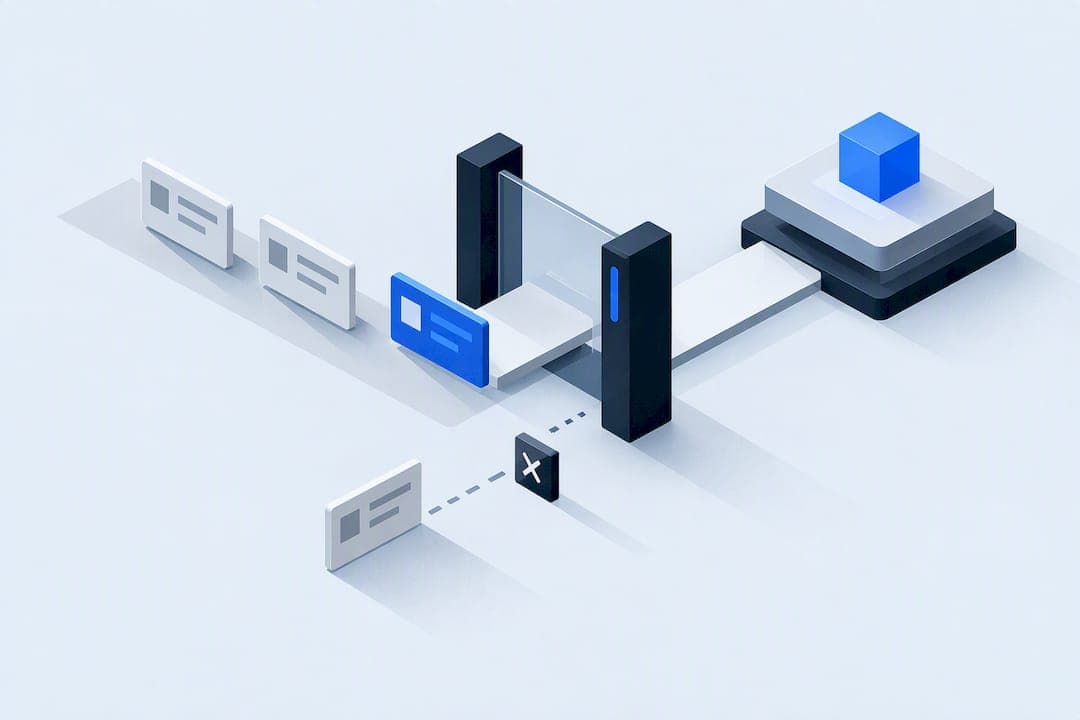
A change control process is a documented workflow that captures requests, assesses their impact, and enforces auditable approvals and rollbacks before anything touches a live project or system. It follows a clear sequence: request, assess, approve, implement, close. Done well, it protects your scope, schedule, and budget while leaving a paper trail anyone can review later.
TL;DR:
- Route requests into standard, normal, or emergency tiers; standard changes are preapproved, while high risk changes need impact review and change control board approval.
- Require every request to name its requester, date, reason, description, and priority, then record each decision and rationale in a shared change log.
- Before deployment, test in staging against a defined pass standard and document a tested rollback; if rollback is impossible, require extra testing and senior approval.
- Notify affected teams before implementation, tell customers when their workflows will change, and send rollout updates and confirmation after deployment.
- Track decision time, change success, emergency rollback, and incidents after deployment; audit the log periodically and revise procedures when reviews reveal recurring gaps.
Table of Contents
- How the change control process works step by step
- Who owns change decisions: the change manager and CCB
- Templates and artifacts every change control process needs
- Testing, rollout, and rollback planning for safe changes
- Communicating changes without slowing the team down
- Measuring whether your change control process actually works
- Why disciplined change control matters for automated workflows
- FAQ
- Sources
How the change control process works step by step
Every change control process runs through the same backbone, even when the project, team size, or risk level changes. What varies is how much scrutiny each step gets.
- Request initiation. Anyone on the project, a team member, a client, a vendor, can submit a change request, but it has to include a description, the reason for the change, the requester's name, and the date. Vague requests ("make it faster") get sent back before they enter the queue. Intake and triage. A change manager or coordinator logs the request and sorts it by urgency and risk. A typo fix on an internal report is not the same animal as a database schema change touching customer billing.
- Impact analysis. Someone qualified reviews how the change affects scope, schedule, cost, quality, and compliance, and who else needs to weigh in. PMI and PMBOK guidance treats this evaluation step as essential to protecting an approved project baseline, since unmanaged changes are how scope creep happens.
- Approval gates. Routine, low-risk changes might get a single sign-off from a team lead. Major changes, the kind that shift deadlines, budgets, or compliance posture, go to a change control board.
- Implementation planning. Once approved, the change gets scheduled, tested, and paired with a rollback plan before anyone touches production.
- Closeout. The team updates baselines, records the final outcome in the change log, and captures what worked or didn't for next time.
Not every change needs the full treatment. A scalable process sorts requests into tiers:
- Standard changes: pre-approved, low-risk, repeatable (a password reset policy update).
- Normal changes: need assessment and approval but follow the regular workflow.
- Emergency changes: fast-tracked with a lighter approval chain, but still logged and reviewed afterward.
Skipping tiers is where teams get into trouble: either everything gets the heavyweight treatment and people start avoiding the process, or nothing does and audits turn up undocumented changes nobody can explain.
Who owns change decisions: the change manager and CCB
Someone has to own the process, or it drifts into whoever shouts loudest getting their change approved first.
- Change manager: tracks incoming requests, runs triage, chases down impact assessments, and keeps the change log current. This role doesn't usually have final approval authority on major changes, but owns the process itself.
- Change control board (CCB) or configuration control review board (CCRB): a small standing group, often the project manager, a technical lead, a QA representative, and a business stakeholder, that meets on a set cadence to review and approve or reject change requests above a certain risk threshold. CRR configuration and change management guidance recommends formalizing this board with a charter that spells out membership and decision rights.
- Delegation thresholds: set a dollar amount or schedule-impact threshold below which a team lead can approve alone, and above which it escalates to the CCB or senior leadership.
- Decision records: every approval, rejection, or deferral gets written down with a reason, not just a status flag.
Templates and artifacts every change control process needs
Several documents carry the weight of the entire process. Skip one and you lose either the audit trail or the ability to plan the change safely.
- Change request form: captures requester, date, description, business justification, and priority. Each field exists for a reason: justification keeps people from submitting changes nobody actually needs, and priority feeds triage.
- Change log: the master record of every request, its status, and the final decision. PMI treats the change log as a mandatory project document precisely because it's the audit trail auditors, clients, and future project managers will want to see.
- Impact analysis template: fields for risk level, mitigation plan, cost estimate, schedule impact, and compliance considerations.
- Configuration baseline / CMDB update: once a change lands, the configuration management database or baseline documentation needs to reflect the new state, or the next person who looks it up gets a wrong answer.
A resume version control approach some recruiting teams use to avoid inbox overwrites follows the same logic: without a single source of truth and a clear audit trail, teams end up working from outdated versions without realizing it.
Pro Tip: Keep the change log in the same tool your team already checks daily, a shared tracker or project management board, not a separate spreadsheet nobody opens.

Testing, rollout, and rollback planning for safe changes
A change that passes review but fails in production is still a failure. CISA's safe software deployment guidance recommends building testing and controlled deployment into the change lifecycle itself, not treating them as an afterthought.
- Validation gates: test in a staging or model environment before anything goes live, with a defined pass or fail standard. A UAT checklist is a practical way to structure this gate before sign-off.
- Controlled rollout methods: canary releases (a small subset of users first), blue/green deployments (a parallel environment you can switch to instantly), or phased rollout by region or user group, chosen based on how reversible and how risky the change is.
- Rollback readiness: a documented, tested rollback procedure, not a plan to figure it out if something breaks.
- Incident detection and review: monitor immediately after deployment and run a blameless root cause analysis if something fails, focused on process gaps, not blame.
When automatic rollback isn't possible, treat the change as higher risk by default: add extra testing and require explicit senior sign-off before deployment.
Communicating changes without slowing the team down
Notifications matter as much as approvals. A change nobody heard about causes almost as much disruption as one that wasn't tested.
- Internal teams: notify before implementation so support and operations aren't caught off guard.
- Customers or end users: notify ahead of any change affecting their workflow, with a clear description of what's changing and when.
- Regulators or compliance stakeholders: notify per contractual or regulatory timelines where they apply.
- Timing: a pre-deployment notice, a during-rollout status update for extended rollouts, and a post-deployment confirmation.
- Training: make sure anyone affected knows what's different before go-live, not after.
If the process feels heavier than the change itself, people start routing around it. PMI practitioners note that overly rigid change processes drive exactly this kind of bypassing, so usability matters as much as rigor.
Measuring whether your change control process actually works
A process that exists on paper but never gets reviewed tends to decay. Track a handful of indicators and revisit them regularly.
- Time-to-decision: how long a request sits before approval or rejection.
- Change success rate: the share of changes implemented without rollback or incident.
- Emergency rollback rate: how often a change has to be reversed after deployment.
- Post-change incidents: problems traced back to a recent change within a defined window.
| KPI | What it tells you |
|---|---|
| Time-to-decision | Whether approval gates are bottlenecking delivery |
| Change success rate | Whether impact analysis is catching real risks |
| Emergency rollback rate | Whether testing and rollback planning are adequate |
| Post-change incidents | Whether monitoring and closeout reviews are thorough |
Run periodic audits of the change log itself, not just the changes in it, to confirm records are complete and decisions are documented. Pair that with a lessons-learned session after major changes and update your standard operating procedures when the same gap keeps showing up.
Why disciplined change control matters for automated workflows

Every automation project eventually runs into the same question: what happens when something needs to change after launch. Teams that treat change control as paperwork tend to skip the rollback plan, and that's exactly where automated workflows fail loudest, a webhook pointed at the wrong endpoint, a credential rotated without updating every connected system.
The practice I push hardest on is scoping every change with a written rollback plan before anyone touches a live integration. It's a small habit that prevents the kind of cascading failure that's hard to explain to a client afterward. If you're building or maintaining automated systems and want that discipline applied to your own workflows, our templates here are a solid starting point, and we're happy to help if you need it done for you.
— Felix
FAQ
What are the 5 steps of the change control process?
Most frameworks describe five core steps: request, assess, approve, implement, and close. Some teams add a sixth step for post-change review, but the five-step version covers the essential path from idea to documented outcome.
What are the six steps in the change control process?
A six-step version typically splits assessment into impact analysis and risk review, or adds a dedicated closeout and lessons-learned step after implementation. The exact split varies by framework, but request, triage, assess, approve, implement, and close is a common version.
Can you provide an example of a change control process?
A typical example: a team member submits a request to update a payment integration, a change manager logs it and flags it as high risk, impact analysis estimates cost and schedule effects, a change control board approves it with conditions, the team tests it in staging with a rollback plan ready, deploys it in a controlled rollout, and closes it out by updating the change log and configuration baseline.
What are the 7 steps of the change management process?
Some models extend the core workflow to seven steps by separating intake, triage, impact analysis, approval, implementation planning, deployment, and closeout into distinct stages. The AATB change control best practices guide frames this as three broader phases, assessment, implementation, and closeout, each containing multiple sub-steps.
Does a change control process slow down project delivery?
A well-scaled process, with tiers for standard, normal, and emergency changes, adds minimal delay for low-risk changes while reserving thorough review for the changes that genuinely need it. Processes that apply the same heavy approval chain to every request are the ones that create bottlenecks and encourage teams to bypass them.