
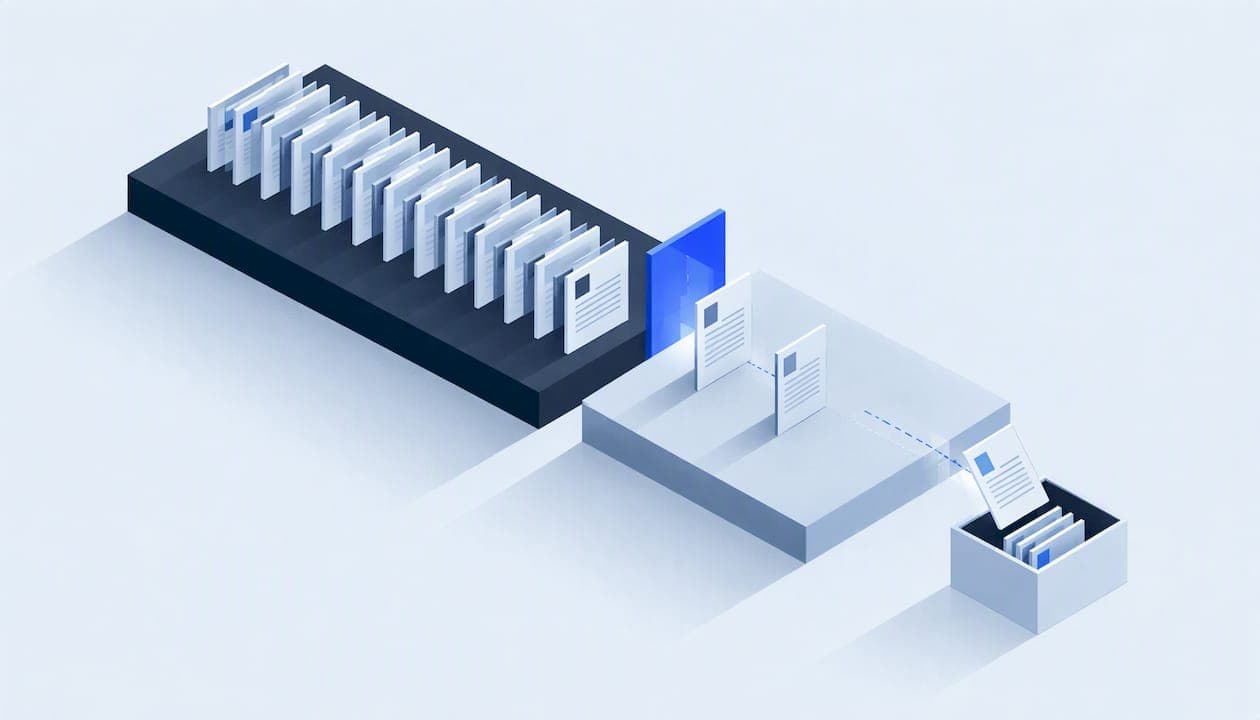
A data retention policy is a short written rule set that says what business data you keep, for how long, where it lives, who can touch it, and how it is destroyed when the clock runs out. For a service business, that means call recordings, customer addresses, job photos, estimates, invoices, technician files and every copy of them sitting in your CRM, inbox, phones and shared drives. This guide shows you how to build one that people follow, with the US record-keeping rules that set your minimums.
TL;DR
- No single US rule covers all your records. Retention periods depend on the record type: tax, payroll, personnel, customer data, job files.
- Federal minimums are concrete: four years for employment tax records, one year for personnel records.
- A policy is two documents: a short policy (scope, owners, legal hold, disposal, review) and a schedule listing each data category with a period.
- Deleting from your CRM is not enough. Copies in email, texts, spreadsheets and AI chat tools need the same rules.
- When a charge or lawsuit is filed, normal deletion stops until the matter is closed.
Table of Contents
- What a data retention policy actually does
- Do small businesses really need a written policy?
- Federal minimums you should know
- What to put in the policy itself
- Building the retention schedule
- Legal holds: when the schedule stops
- Where policies fail: the copies you forgot
- Access reviews belong in the same policy
- Proving you followed the policy
- Our perspective
- Where Equinox fits
- A 30-day rollout plan
- FAQ
- Sources
What a data retention policy actually does
Most owners hear "retention policy" and think of compliance paperwork. In practice it answers three plain questions: what do we have, why are we keeping it, and when does it go?
The second question matters most. A retention policy is a record of your business decisions: if someone challenges you, you need to justify why you held specific customer data for a certain length of time. A date with no reason behind it is weak. A date tied to a tax rule, a warranty window or a legal duty is defensible.
It also cuts risk and clutter. Every old lead list, unneeded photo of a customer's home interior and stale spreadsheet of gate codes is something that can leak. Data you deleted on schedule cannot be breached.
Retention, backup and archive are different jobs
- Retention sets how long a record must or may be kept.
- Backup is a safety copy for recovery after failure. It should follow the retention clock too, or deleted data lives on in backups for years.
- Archive moves old records to cheaper, restricted storage while you still need them.
- Disposal is the end: secure deletion or shredding, with proof you did it.
Do small businesses really need a written policy?
If you hold customer names, phone numbers, addresses, payment details and employee files, yes, put it in writing. Even guidance aimed at small organizations in the UK says a formal policy is best practice, though occasional, low-risk processing may not need a complex one. That is UK law, not US law, but the logic travels: even a small shop has to review what it holds and delete what it no longer needs.
The US has no single federal data retention statute for general businesses. What you have is a patchwork: tax rules, employment rules, industry rules, state privacy and breach laws, and contract terms with insurers and commercial clients. The US Chamber of Commerce makes the same point: no universal retention rule applies to every record, so you categorize first.
A written policy also makes onboarding easier. A new dispatcher or office manager can read two pages instead of guessing.
Federal minimums you should know
These are the rules most service businesses hit first. Treat them as floors, and confirm state requirements with your accountant or attorney.
| Record type | Minimum under federal guidance | Source |
|---|---|---|
| Employment tax records | At least four years after the tax is due or paid, whichever is later | IRS |
| Documents supporting the Employee Retention Credit for wages paid after June 30, 2021 | At least six years | IRS |
| Personnel and employment records | One year; for involuntary terminations, one year from the termination date | EEOC |
| Payroll records under the ADEA | Three years | EEOC |
| Records supporting income, deductions or credits on a tax return | As long as needed to prove what the return reports | IRS |
What about the "seven year" rule?
You will see seven years quoted everywhere. It is a common conservative habit for financial records, not a single federal rule. The IRS ties tax record retention to what the document proves, so the right period depends on the record. Pick seven years only if your accountant or attorney recommends it for a category, and write down why.
Customer data and the FTC Safeguards Rule
If your business counts as a financial institution under the FTC's Safeguards Rule, the rule requires you to securely dispose of customer information no later than two years after it was last used to serve that customer, unless you have a legitimate business need or legal requirement to keep it longer, or targeted disposal is not technically feasible. Many trades businesses are not covered, but some that offer financing or similar services may be. Ask your attorney whether you are. Even if you are not, two years of inactivity is a useful starting benchmark for customer contact data that has no other reason to be kept.
What to put in the policy itself
The policy should be short. One practical breakdown is that the policy covers scope, owners, a legal-hold clause, approved disposal methods with evidence, and an annual review, while a separate schedule lists each data category. Here is that structure adapted for a service company.
- Scope. Which systems and people it covers: CRM, phone system, call recordings, email, shared drives, accounting, field apps, technicians' phones.
- Owners. One named person accountable for each data category. In a small company that is often the owner, the office manager and whoever runs IT.
- Legal hold. A clause that suspends all deletion when a claim, charge, audit or lawsuit is possible.
- Disposal methods. How each medium is destroyed (secure deletion, shredding, certified wipe of old laptops and phones) and what evidence you keep.
- Exceptions. Who can approve keeping something longer, and how that is recorded.
- Review cycle. At least once a year, plus whenever you add a major system.
Building the retention schedule
The schedule is a table. Each row is a data category with a trigger, a period, a reason and a disposal method. Here is an example layout for a home-services company. The periods are placeholders to confirm with your accountant and attorney, not advice.
| Category | Trigger | Period (example) | Reason | Disposal |
|---|---|---|---|---|
| Unconverted leads | Last contact | 24 months | No sale, no ongoing need | Delete from CRM and email lists |
| Estimates and quotes | Quote date | Match your warranty and contract terms | Disputes, warranty claims | Delete in CRM and file storage |
| Completed job files and photos | Job close | Match warranty and claims window | Warranty, insurance, defect disputes | Archive, then delete |
| Call recordings and transcripts | Call date | Short, defined window set by your attorney | Training, dispute resolution, consent rules | Automated purge |
| Employment tax records | Tax due or paid | Minimum four years | IRS | Shred or secure delete |
| Personnel files | Hire or termination | Minimum one year, often longer | EEOC | Secure delete |
| Payment data | Transaction | Only what the processor and law require; never store full card numbers you don't need | Risk reduction | Tokenize or delete |
Two habits keep the schedule honest. First, give every row a reason you could say out loud to a regulator. Second, when two rules conflict, the longer legal duty wins, and you document it.
Don't forget state rules and contracts
State privacy and breach notification laws, licensing boards, insurance carriers, manufacturer warranty programs and commercial client contracts can all set longer or shorter periods. Water damage restoration firms working with insurers and roofing firms handling storm claims should check their carrier and contract terms before finalizing any claim-related row.
Legal holds: when the schedule stops
This is the part that trips people up. When a discrimination charge or legal action is filed, your normal destruction schedule must pause. Under EEOC rules, once a charge is filed, you must preserve all personnel records relevant to that charge until the final disposition of the action.
Make the hold mechanical, not memory-based:
- Name who can issue a hold (owner or attorney).
- Keep a written list of held matters and the people and systems involved.
- Turn off automated deletion for those records the same day.
- Release the hold in writing only when counsel says the matter is closed.
An auto-delete rule that keeps running after a claim is filed can destroy evidence you were required to keep. If you suspect a claim is coming, call your attorney before the next purge cycle.
Where policies fail: the copies you forgot
A policy that only governs the CRM is nearly useless. Staff forward estimates to personal email, export lead lists to spreadsheets, paste customer details into AI chat tools and text photos from their phones. The guidance on enforcing retention outside the system of record says the policy must explicitly control copies employees make, backed by technical controls that block or log them, not just written rules.
For a field-service company, a practical checklist:
- Name the system of record for each category and ban parallel spreadsheets.
- Use company accounts only for customer communications.
- Set a rule on AI tools: what customer data may or may not be pasted in.
- Put retention settings on email and messaging, not just on the CRM.
- Make sure backups roll off on the same schedule.
- Wipe devices when a technician leaves or a phone is replaced.
If your CRM is already messy, fix the data before you automate deletion. Our guide on CRM data cleanup and quality rules covers the merging and ownership rules that make retention rules easier to apply, because you cannot expire records you cannot identify.
Access reviews belong in the same policy
Many managers assume a written policy is the finish line. It is not. The FTC's Safeguards guidance says to determine who has access to customer information and reconsider on a regular basis whether they still have a legitimate business need for it. Data you keep on schedule is still exposed if a former dispatcher's login works.
Add a quarterly or semiannual access review to the policy: list who can see what, remove what is no longer needed, and record that you did it. The same FTC guidance stresses that safeguards cannot stay static as your systems change, so build change management into your security process. If you want an outside reference on keeping security work current as tools evolve, this trust and security overview shows how one software company describes its own approach. Our write-up on a change control process shows how to stop undocumented system changes before they quietly break your retention rules.

Proving you followed the policy
Deleting data is only half the job. You need evidence: a dated log showing what was purged, by whom or by which automated rule, and under which schedule row. Keep exception approvals and legal hold records with it. Handbooks, acknowledgments and policy versions should be stored somewhere an auditor or insurer can see them. If you manage a lot of employee-facing policies, policy management software built for HR teams is one way to track versions and acknowledgments.
Also plan for incidents. If something does leak, a clear inventory of what you held tells you who to notify and what you could have deleted. Our incident response automation playbook for field operations walks through that side.
Our perspective
We build lead response systems, voice agents and custom software for US service businesses, so we see where retention actually breaks: not in the policy document, but in the tools around it.
A voice agent records calls. A lead system captures names and addresses. An automation copies a record from your CRM into a calendar, an email and a report. Each of those is a new copy with its own lifespan. If nobody wrote down where the data goes, nobody can delete it.
That is why we scope and document every build. We work with least-privilege access, written data maps, explicit consent flows and rollback plans, and a single accountable technical lead. A written data map is the raw material of a retention schedule: it tells you every place a record lives. Retention should be designed in at the start, because retrofitting deletion across five connected systems is far harder than deciding the period before you connect them.
Our advice: start small. List your ten most sensitive data categories, assign an owner and a period to each, switch off one unneeded copy this week, and schedule the annual review now. A two-page policy that people follow beats a thirty-page one nobody opens.
— Felix
Where Equinox fits
If your retention headaches come from lead data scattered across inboxes, call logs and spreadsheets, the fix is usually a cleaner, integrated system with one record per customer. We design lead generation, AI voice and messaging agents, and done-for-you automations with documented data flows and security built in. See what we build at Equinox Strategies, or read our guide on caller identity verification for service businesses to see how we approach customer data at the front door.
A 30-day rollout plan
Week 1: inventory. List every system that stores customer or employee data, including phones, email and shared drives. Name the system of record for each category.
Week 2: draft. Write the two-page policy and the schedule. Confirm tax, payroll and personnel rows against the IRS and EEOC rules above, then send the draft to your accountant and attorney.
Week 3: configure. Set retention rules in email, CRM and storage where the tools allow. Remove duplicate spreadsheets. Set up the legal hold procedure and the disposal log.
Week 4: train and calendar. Walk staff through the rules in a short meeting, have them sign an acknowledgment, and put the access review and annual policy review on the calendar.
FAQ
What is a good data retention policy?
A good policy is short, specific and enforced. It lists each data category with a period and a reason, names an owner, includes a legal-hold clause, and requires logged disposal and an annual review. If your staff cannot tell you where a customer record lives or when it gets deleted, the policy needs work.
Does the US have data retention laws?
There is no single federal law for all business data. Instead, specific rules apply by record type, such as IRS employment tax recordkeeping and EEOC personnel record rules, plus industry and state requirements. Ask your attorney which apply to your trade and state.
How long should data be retained?
Only as long as you have a legal, contractual or genuine business reason. Tax and payroll records have federal minimums of three to six years depending on the type. Customer lead data with no ongoing relationship should be reviewed much sooner, and the FTC's two-year benchmark for covered institutions is a useful reference point.
Does a small business need a data retention policy?
Yes, a simple one. Even where the law does not demand a complex document, you still need to review what you hold and delete what you no longer need. A two-page policy and a one-page schedule are enough for most small service companies.
Sources
- IRS: Employment tax recordkeeping
- IRS: Recordkeeping
- EEOC: Recordkeeping requirements
- FTC: Safeguards Rule, what your business needs to know
- ICO: Storage limitation principle (UK)
- Proton: Data retention policy, a practical guide
- Jazz Security: How to write a data retention policy
- US Chamber of Commerce: How long to keep business documents