
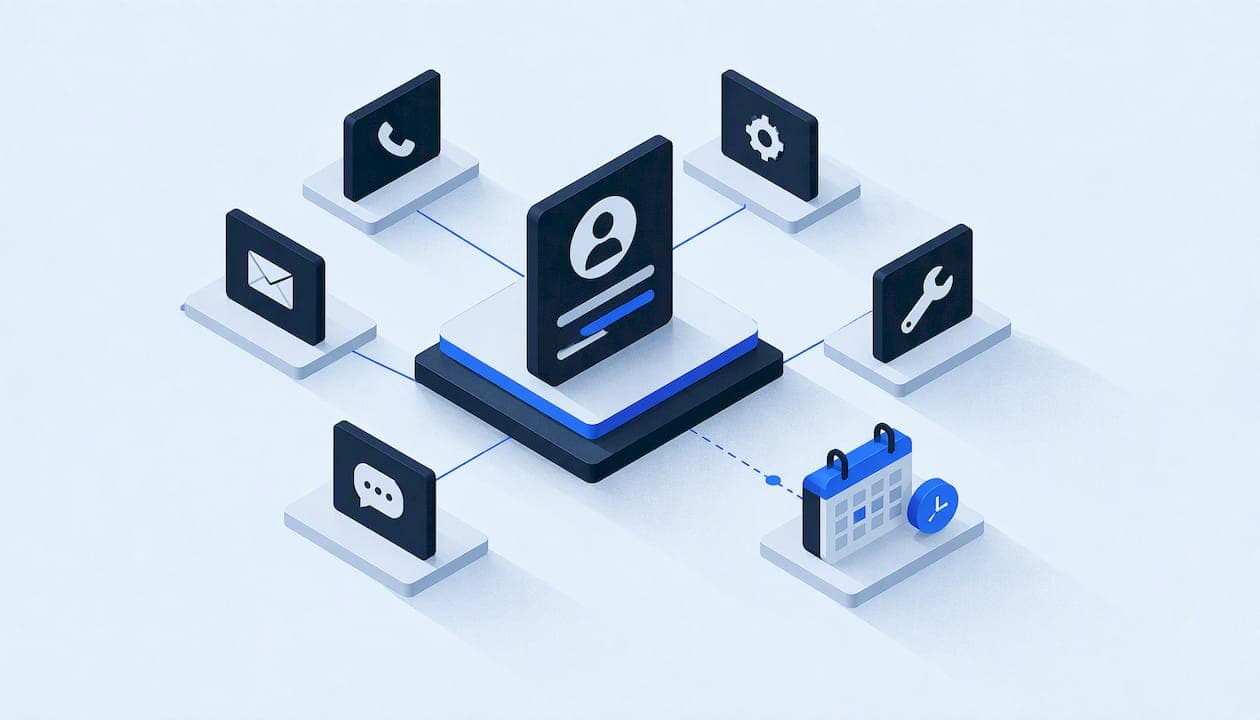
A single customer view (SCV) is one record per customer that pulls together every call, text, form fill, quote, job and calendar appointment, so anyone on your team sees the same story. For a service business, you do not need a giant data warehouse to get it. You need a short list of fields, clear rules for matching people, and a calendar that stays in sync with your job system. This guide shows how to build that, in the order we would do it.
TL;DR
- A single customer view is a unified record built from scattered touchpoints such as CRM entries, website activity and service history. Different vendors also call it a customer 360 or a golden profile.
- Skip the "universal profile." Start from one decision, like who gets dispatched or who gets a callback, and collect only the fields that decision needs.
- Match records with strict rules first (verified phone, email, address), and send ambiguous matches to a human review queue instead of auto-merging.
- Two-way calendar sync is the part your techs and front desk feel every day. It is what stops double-booking.
- Log every merge, split and access event. If you handle sensitive financial data, the FTC Safeguards Rule may apply to you.
Table of Contents
- What a single customer view means in a service business
- Why it matters most at the moment of the lead
- Don't build a "universal profile"
- Step by step: building the view
- Security and compliance: the part people skip
- Our perspective
- Where Equinox fits
- Frequently asked questions
- Sources
What a single customer view means in a service business
Most definitions online come from retail, banking and media. Adobe describes an SCV as an integrated record of customer data gathered from separate touchpoints, used to deliver consistent service and better decisions. The same idea goes by other names: customer 360, unified customer view, unified customer record.
In an HVAC, plumbing, roofing or water damage restoration company, the "touchpoints" look different:
- A missed call at 9:40 p.m. during a burst-pipe emergency
- A Google Local Services lead that arrives as a message
- A web form submitted from a phone
- A voicemail nobody transcribed
- An estimate sent from your field software
- A tech's appointment on a Google or Outlook calendar
- A warranty callback three months later
Without a single view, each of those lives in a different tool. The front desk asks a caller for their address twice. The estimator does not know the customer already complained. A lead gets called back by two people, or by nobody.
The goal is simple: when a phone rings or a message lands, the person responding sees who this is, what they asked for, what has already happened, and what is scheduled next.
Why it matters most at the moment of the lead
Speed decides who gets the job. One contractor-focused analysis reports that responding within 60 seconds lifted booking conversion to 47%, while waits beyond 30 minutes dropped it to around 4%. The same write-up says most home service companies do not answer within five minutes. Treat those figures as one vendor's dataset rather than a universal law, but the direction matches what most owners already feel: the first responder usually wins.
A single customer view helps here in two ways. It lets an automated or human responder reply with context instead of a generic "we got your message." And it stops duplicate or conflicting outreach, which makes you look disorganized at exactly the wrong moment.
If your leads come from paid local channels, stop paying for missed Google Local Services leads covers the response side in more detail. Roofing companies working storm surges can also look at this storm-season roofing lead follow-up approach, which shows how verified leads and CRM routing fit together.

Don't build a "universal profile"
The most common mistake is trying to capture every data point about every customer in one giant record. It sounds thorough. In practice it creates slow systems, sync failures and a bigger security surface.
Practitioners writing on this topic recommend the opposite: start with the decision, not the platform. Define which outcome needs to improve, who makes the decision, what data materially helps, and what action changes when that data is available. Then collect the minimum set of trusted attributes.
For a service company, good starting decisions look like this:
| Decision | Who makes it | Minimum fields needed |
|---|---|---|
| Who calls back a new lead, and how fast | Front desk or automated agent | Name, phone, source, service requested, time received, status |
| Which tech goes to an emergency | Dispatcher | Address, issue type, urgency, tech availability, service history at that address |
| Whether to send a follow-up quote reminder | Sales or office manager | Quote amount, date sent, last contact, customer replies |
| Whether to offer a maintenance plan | Office manager | Equipment installed, last service date, plan status |
Each row defines a small, useful record. You can add fields later, but only when a real action depends on them. That keeps the system fast and easier to secure, because fewer people and tools touch fewer sensitive fields.
Step by step: building the view
1. Pick one decision and one pain point
Choose the problem that costs you money now. For most small service businesses it is lead response: calls that go to voicemail, texts nobody sees, and follow-ups that depend on someone remembering. Write down the one sentence that describes success, such as "every inbound inquiry gets a response within a minute and lands in one record."
2. List your sources and name an authority for each field
List every system that holds customer data: phone system, website forms, ad platforms, CRM, field service software, accounting, calendars. For each key field (phone, email, service address, name), decide which system is the source of truth. Guidance on avoiding duplicates says to define authoritative sources for key identifiers first, then set the rules for when records may merge. Without that, two systems overwrite each other and nobody knows which phone number is right.
3. Clean before you merge
Merging dirty data produces dirty profiles faster. Before connecting anything, set quality rules: standardized phone formats, address formatting, required fields, and what counts as a duplicate. Our walkthrough on CRM data cleanup and quality rules before you merge covers this, and the 500-row match test for lead data enrichment shows how to check match quality on a sample before you touch the full database.
4. Set matching rules: strict first, humans for the gray area
Identity resolution is not a one-time project. The advice from practitioners is to use deterministic matching for high-confidence links, such as an exact verified phone number or email, and to keep manual review queues for ambiguous cases so you do not create junk profiles.
In a service business, think of the ambiguous cases you already know:
- A landlord and a tenant sharing a service address
- A husband and wife using one phone
- A property manager who calls about dozens of addresses
- A commercial account with several contacts
An automatic merge would collapse these into one confusing record. A review queue, or a rule that links records without merging them, keeps them straight. Remember too that matching is not the finish line: one analysis argues that treating identity resolution as the main objective is why many customer data projects fail, because matching more records does not by itself improve service.
5. Connect the calendar both ways
Calendar integration is where the single view becomes visible to your whole team. If your job system and your Google Calendar or Outlook calendar only talk one way, a tech who blocks off a morning on their phone will still get booked into it.
What to ask for in a two-way sync:
- Appointments created in the job system appear on the tech's Google or Outlook calendar.
- Changes made on the calendar, such as a moved time or a personal block, flow back to the job system.
- Availability is checked live before a booking is confirmed, whether a person or an AI agent is booking.
- Each calendar event links back to the customer record, so the tech sees the history on the way to the job.
- Cancellations and reschedules trigger the right customer message automatically.
Test it with edge cases before going live: an all-day event, a recurring appointment, two techs on one job, and a time zone change if you cover more than one zone.
6. Route leads inside the view
Once records and calendars agree, assignment gets easier. Round-robin routing, territory rules and after-hours handling all depend on reliable data. Our guide to round robin lead assignment for CRM admins shows how to test assignment rules on a batch before they run live. If your pipeline stages are vague, pipeline stage design gives five criteria for stages that mean something.
7. Bring in the phone channel
For many service businesses the phone is the biggest data leak. Calls that are not answered, voicemails that never get transcribed, and ad clicks that cannot be tied to a caller all leave holes in the record. Useful fixes include voicemail transcription routes that feed the CRM, and secure Google Ads call tracking with CRM integration so you know which campaign produced which job. When an inbound caller claims to be an existing customer, caller identity verification keeps the single view from becoming a way to leak someone else's information.
Security and compliance: the part people skip
A single view concentrates data. That is its value and its risk. Every merge, split and access event should be logged, so you can show who saw what and when.
The FTC Safeguards Rule (16 CFR Part 314) sets standards for administrative, technical and physical safeguards for customer information. It covers financial institutions under the FTC's jurisdiction, and the requirements include a designated Qualified Individual, a written risk assessment, access controls and an incident response plan. Whether it applies to you depends on what you do. A contractor that arranges its own customer financing or collects sensitive financial details may be in scope, while one that only takes card payments through a processor may not. Ask your attorney or compliance adviser to confirm.
Size matters too. Firms holding customer information on fewer than 5,000 consumers are exempt from four specific requirements, including the written risk assessment, but they are not exempt from the rule overall. Check the current text with your adviser before relying on any exemption.
Even where the rule does not bind you, the design habits are sound:
- Least-privilege access. The dispatcher sees addresses and job notes. The bookkeeper sees invoices. Nobody needs everything.
- A written data map. One page that lists which fields live where and who can read them.
- Explicit consent flows. Record when and how a customer agreed to texts or calls.
- Rollback plans. If an automation merges the wrong records, you can undo it.
- Audit logs. Every merge and access event is recorded.
Our perspective
We build automations for US service businesses, and the pattern we see is consistent: the failure is rarely a missing tool. It is that five tools each hold a piece of the customer, and nothing makes them agree.
So we resist the big-bang "customer 360" project. We scope one decision, usually lead response, write down the fields and the data map, and connect the phone, messaging, CRM and calendar around it. Each build is documented, security-led and delivered by a single accountable technical lead, so you know who to call when something misbehaves.
We also think a single view should be inspectable. You should be able to see how records are matched, what the automation can touch, and how to roll it back. If a vendor cannot show you that, the view is a black box that happens to hold your customers' data.
— Felix
Where Equinox fits
If your leads, calls and calendars live in separate places and follow-up depends on memory, that is the problem we scope first. Equinox Strategies offers lead generation, AI voice and messaging agents, done-for-you automations, the operating layer underneath them, and custom software built from your brief when standard platforms cannot fit how you work. We publish no prices, so the first step is a scoped conversation about your setup.
Frequently asked questions
What is the difference between a single customer view and a CRM?
A CRM is a tool. A single customer view is the outcome: one reliable record per customer, fed by the CRM and your other systems. Many companies own a CRM and still lack a single view because calls, calendars and job software sit outside it.
Is a customer 360 the same thing?
In practice, yes. Customer 360, unified customer view and golden profile are common names for the same idea. Vendors use them differently, so ask what data a given product actually combines.
Do I need two-way calendar sync?
If more than one person books jobs, yes. One-way sync lets a calendar change go unnoticed by your job system, which is how double-booking happens. Two-way sync keeps both sides honest, with Google Calendar and Outlook as the common choices.
How much data should I put in the record?
As little as the decision needs. Start with the fields that change an action, such as callback, dispatch or quote follow-up, and add more only when a real workflow depends on them. A smaller record is faster and easier to protect.
Sources
- How to create a single customer view (SCV), Adobe
- Build Customer 360 around a specific business decision, NHIMG
- Build a single customer view without duplicate identities, NHIMG
- Why customer data initiatives fail when identity resolution is the objective, NHIMG
- 16 CFR Part 314, Standards for Safeguarding Customer Information, eCFR
- FTC Safeguards Rule checklist, LegalClarity