
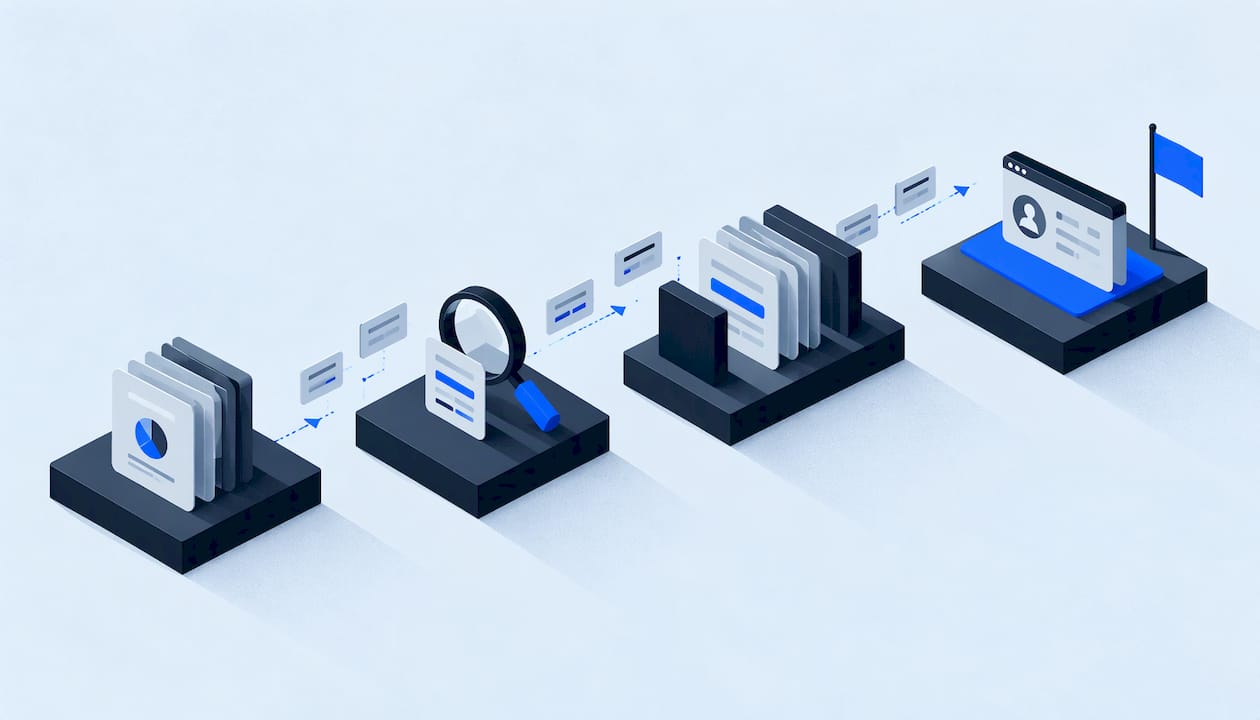
A CRM migration goes well when you treat it as two projects at once: moving the data and moving the way your team works. The checklist below covers eight phases, in order: goals, audit, backup, mapping, test load, cutover, go-live and post-migration checks. It is written for service businesses such as HVAC, plumbing, roofing and restoration companies, where a lead that sits unanswered for a day is usually a lost job. If you want a technical owner to run the plan end to end, Equinox Strategies scopes and documents every build, which is the habit this whole checklist rests on.
TL;DR
- Define goals, scope, owners and success metrics before you export a single record. That is the step that keeps the project from stalling.
- Back up everything, clean and dedupe before the move, and map every field on paper. Importing dirty data and fixing it later is how problems multiply.
- Load a sample into a staging space first, check record counts and spot-check complex records, then have the people who use the CRM daily test their real tasks.
- Plan the freeze window, the delta load and a written rollback before cutover day. Keep the old system readable afterward.
- After go-live, watch lead response, follow-ups and integrations daily for the first weeks, not just record totals.
Table of Contents
- What a CRM migration actually includes
- Phase 1: Set goals, scope and ownership
- Phase 2: Audit your current CRM and decide what moves
- Phase 3: Back up first, then clean
- Phase 4: Map every field on paper
- Phase 5: Test load, reconcile and run user acceptance testing
- Phase 6: Prepare people, cutover and a way back
- Phase 7: Go-live day
- Phase 8: Post-migration checklist
- Where migrations go wrong, and how to reduce the risk
- Our view on migrations
- Getting help with the move
- FAQ
- Sources
What a CRM migration actually includes
Most people picture an export and an import. The real scope is wider. Salesforce defines CRM migration as moving customer data, configurations and business processes between platforms. That covers contacts, accounts, opportunities, activities, notes, documents, custom fields, workflows, reports, dashboards, user permissions and integrations.
For a service business, translate that list into your own terms:
- Customer and property records, with phone numbers, addresses and job history
- Open leads, estimates and quotes, and where each one sits in your pipeline
- Call logs, texts, emails and notes your office staff rely on
- Technician or crew assignments, calendars and appointment history
- Automations: missed-call text-backs, estimate follow-ups, review requests
- Integrations with accounting, phone systems, web forms and ad platforms
Capsule describes migration as both a technical data project and a change-management project, because team habits and operating processes have to move too. Keep that in mind as you work through the phases. A perfect data transfer still fails if the front desk does not know where to find things on Monday morning.
Phase 1: Set goals, scope and ownership
Salesforce advises beginning with clear business goals, scope, stakeholders, timelines and measurable success metrics, which helps keep the project on track and avoids costly delays. In practice, write down a one-page brief before anything else.
Checklist for phase 1
- Why are you moving? Name the specific failure: slow lead response, leads that never reach a salesperson, two systems that disagree about a customer, reports nobody trusts. Each reason becomes a test you run after launch.
- Need-to-have versus nice-to-have. List the processes the new CRM must support on day one, such as dispatch handoff, estimate follow-up and call logging. Park the rest for a later release.
- One accountable owner. Pick a single person who decides on mapping questions and signs off on go-live. Committees stall migrations.
- A timeline with a freeze date. Many small-business plans run a few weeks end to end. Choose a start outside your busiest season: for roofing, avoid the weeks after a hailstorm; for HVAC, avoid the first heat wave or cold snap.
- Success metrics. Examples: median time to first response to a new lead, percentage of leads with an owner assigned, number of missed follow-ups per week, duplicate rate.
This is also the moment to decide who does the work. A migration touches your phones, forms, calendars and billing. If nobody on staff has the time or the technical background, assign it to a technical lead with a documented scope instead of squeezing it between service calls.
Phase 2: Audit your current CRM and decide what moves
Not everything deserves a trip to the new system. One retention guide suggests moving current customers, qualified leads in active sales processes, open deals, active cases, current contracts and recent communications, and archiving prospects with no engagement for 18 or more months and completed deals older than two years. Treat those as sensible starting thresholds, then adjust to your sales cycle. A roofing company with a decade-long replacement cycle may want older job records than a drain-cleaning business.
Use a simple three-bucket sort:
| Bucket | Examples | What to do |
|---|---|---|
| Migrate | Active customers, open estimates, scheduled jobs, current service agreements, recent conversations | Clean, map and load |
| Archive | Old closed deals, long-silent leads, historical notes | Export to secure, access-restricted storage |
| Delete | Obvious junk, test records, exact duplicates, records you have no legal or business reason to keep | Remove after the backup is verified |
Check legal and contractual retention needs before you delete anything. Warranty records, insurance-claim files for restoration work and licensing paperwork often have retention periods set by contracts, insurers or state rules. Ask your attorney or accountant about those, not the CRM vendor.
Also inventory what surrounds the CRM: every form, phone line, integration and automation that creates or reads records. This inventory becomes your integration checklist in Phase 6. Our guide to master data management for SMBs explains how to decide which system is the source of truth for each type of data.

Phase 3: Back up first, then clean
Copper recommends backing up a full export of all CRM objects in secure storage with restricted access, and verifying record counts. Do that before any cleanup so you can always return to the original.
Backup checklist
- Export every object: contacts, companies, deals, activities, notes, attachments, custom field definitions, users and permissions.
- Record the count of each object in a simple sheet. You will compare against it later.
- Store the export somewhere with limited access. A CRM export is a full copy of your customer list, so treat it like the live system. For businesses covered by it, the FTC's Safeguards Rule calls for encrypting customer information both on your system and in transit. Ask your attorney whether the rule applies to your business.
- Note what the export cannot carry. Email threads, call recordings and attachments often need a separate path.
Then clean. Copper lists the usual culprits: missing contact details, outdated emails, duplicate company records, old deals and inconsistent formatting. Fix them while the data sits in one place. The steps for setting quality rules before you merge work well here: decide what counts as a duplicate (same phone, same email, same service address) before you start merging, so two people do not apply two different rules.
Service businesses have their own cleanup traps:
- The same customer entered under a spouse's name, a business name and a property manager's name
- Phone numbers in six formats, which breaks matching and text automations
- Leads with no source, which makes ad spend impossible to judge later
- Deals stuck in a stage from 2022 that nobody closed
Phase 4: Map every field on paper
Mapping is where most migrations are won or lost. For each object, write down the source field, the destination field, the format, who owns it and what happens when the value is blank. Our data mapping steps and template give you a layout you can copy.
Mapping checklist
- Create equivalent custom fields in the new CRM before loading anything.
- Match picklist values one to one. If your old CRM has "Hot," "Warm" and "Working," decide what each becomes.
- Standardize phone numbers, state abbreviations, date formats and currency.
- Define record relationships: which contacts belong to which accounts, which jobs to which properties.
- Map users and ownership so every open lead keeps a responsible person.
- Translate pipeline stages. Your old stages may not fit the new tool, and a migration is a chance to fix them. See pipeline stage design for service business deals for five criteria worth applying.
- Document any field you decide not to migrate, and why.
Mapping is also where security choices belong. Decide who gets access to what in the new system before the data lands, and keep access to the minimum each role needs. Every Equinox build follows the same principle, with least-privilege access and a written data map as standard deliverables.
Phase 5: Test load, reconcile and run user acceptance testing
Never make your first import the real one. Load a sample into a staging space or sandbox, including your messiest records, and check it.
Devart's guidance is to verify the accuracy and completeness of migrated data, test key workflows, automations and integrations, and run user-acceptance testing with key stakeholders. Turn that into three layers:
- Counts. Compare totals per object against the sheet you made during backup. Differences must be explained by records you deliberately excluded.
- Spot checks. Open a couple dozen records by hand, especially long-running customers with deep histories. Look at fields, owners, related contacts, notes and attachments.
- Rules checks. Look for blanks in fields that must never be blank, such as phone, source or owner. Filter for duplicates that survived.
Then test the behavior, not just the data:
- A new web form submission creates a lead, assigns an owner and triggers the first response.
- A missed call produces a task or text, depending on your setup.
- An estimate sent from the CRM starts the follow-up sequence and stops when the customer replies.
- A booked job appears on the correct calendar.
- Reports match the numbers you trusted in the old system.
- Permissions work: a technician sees what they need and nothing more.
Have two or three people from each team run their real daily tasks. Our user acceptance testing checklist with a paste-ready template lays out how to record results and sign off. If your new CRM routes leads among several reps, run a sample through your assignment logic too, as in this round robin lead assignment test.
Phase 6: Prepare people, cutover and a way back
This is the phase most competing checklists leave thin, and it is where service businesses get hurt, because the phones keep ringing during the move.
Staff preparation
- Tell the team what is changing, when, and what is staying the same. Show the new screens before go-live, not on it.
- Train by role: dispatchers, estimators, office staff and owners each need different views.
- Write a one-page cheat sheet for the five tasks everyone does daily: find a customer, log a call, create a lead, schedule a job, send an estimate.
- Name a go-to person for questions during the first two weeks.
Cutover plan
- Freeze window. Choose the hour when the old system stops accepting changes. Pick a slow time of day or week, and tell the team in advance.
- Delta load. Records created or changed between your full load and the freeze must be moved too. List how you will capture them.
- Integration order. Switch phones, web forms, ad platforms, accounting and calendars in a planned sequence, and test each as you go.
- Interim lead capture. Decide what happens to a call or form submission that arrives mid-switch. A shared inbox or a manual log for a few hours beats a lost lead.
- Written rollback. State the conditions that trigger a return to the old system (for example, leads not being created or assigned) and the exact steps. Decide this before cutover day, not during it.
- Change control. Keep a record of every adjustment made during the move so nobody has to guess later. A change control process keeps undocumented tweaks from piling up.
Keep the old CRM available in read-only mode for a period after cutover so staff can look up history while you confirm nothing is missing. Two weeks is a common minimum in migration guides; set the period that fits your sales cycle.
Phase 7: Go-live day
Go-live should be dull if the earlier phases were done. Keep the checklist short:
- Confirm the final backup of the old system exists and the counts are recorded.
- Run the delta load, then switch the old system to read-only.
- Send one test lead through each entry point: web form, phone, text, ad platform.
- Confirm each test lead is assigned, notified and followed up automatically.
- Have your accountable owner on call through the first full business day.
- Check inboxes, call logs and the lead list at the end of the day for anything that failed to arrive.
Phase 8: Post-migration checklist
People ask what a post-migration checklist is. It is the set of checks that confirms the new CRM does the job you bought it for. Devart advises reviewing data formatting, testing core functions, monitoring performance and resolving the issues you find. For a service business, make it concrete.
First week, daily
- Compare new leads received (web, phone, referrals) against leads that appear in the CRM. Any gap means an integration is broken.
- Review the time to first response for every new lead.
- Check that every open estimate has an owner and a next step.
- Collect questions and errors from staff in one shared list, and fix them in order of impact.
Weeks two to four
- Re-run the record count comparison and spot checks on any data added since cutover.
- Look for new duplicates created by forms and integrations.
- Compare your success metrics from Phase 1 with the old baseline.
- Review permissions, remove accounts of former staff and confirm each role sees only what it needs.
- Update your written data map and process documents to match the system as it actually runs.
- Once you are confident, archive the old system's export in restricted storage and close its access.
Where migrations go wrong, and how to reduce the risk
| Problem | What it looks like | What prevents it |
|---|---|---|
| Dirty data moved as is | Duplicate customers, double texts, bad reports | Clean and dedupe first, with written rules |
| Unmapped fields | Notes or job details missing after the move | Field-by-field map, signed off by the owner |
| Broken integrations | Web forms or calls no longer create leads | Integration inventory and per-entry-point tests |
| Lost ownership | Open leads with no assigned person | Map users first, check for blank owners |
| Staff not ready | People keep using the old system or spreadsheets | Role-based training, cheat sheet, named support person |
| No way back | A failed cutover stalls the office | Written rollback conditions and read-only old system |
Most of these are process problems, not software problems. That is why the checklist spends so much time on scoping, mapping and testing, and so little on the import button.
Our view on migrations
Most migration trouble we would expect to see starts before the first export: nobody wrote down what the system is supposed to do, so nobody can say whether the new one does it.
That is why we scope and document every build. A written data map, least-privilege access, explicit consent flows and a rollback plan are part of how we work, and a single accountable technical lead owns the result. For a service business, the point of a new CRM is that no lead is missed and every follow-up happens. We design the migration around those outcomes, not around the import.
If your CRM, phones, forms and calendars each hold part of the picture, the cleanest fix is to connect them end to end as one workflow, so the move is also the moment fragmentation ends.
Felix
Getting help with the move
If your team is small and the phones never stop, a migration is easy to postpone and easy to get wrong. Equinox Strategies builds lead generation systems, AI voice and messaging agents, done-for-you automations and custom software for US service businesses, with each project scoped, documented and security-led. If your goal is a CRM that captures every inquiry and follows up on schedule, see how we work and what we build.

When you are ready to talk through your own migration, the Equinox Strategies site is the place to start.
FAQ
How do you migrate from one CRM to another?
Set goals and scope, audit and back up your data, clean and map every field, load a sample into a staging space, test it, then cut over with a freeze window and a rollback plan. Finish with post-migration checks on lead response, follow-ups and integrations. The phases above give the order.
What is a post-migration checklist?
It is the list of checks you run after go-live to confirm the new CRM works as intended. It covers record counts, spot checks of complex records, integration tests, permission reviews, staff questions and your success metrics. Run it daily for the first week and then weekly for about a month.
What does migration mean in CRM?
It means moving customer data, configurations and business processes from one CRM platform to another. According to Salesforce, that includes records, custom fields, workflows, reports, permissions and integrations, not only contacts.
What data should you migrate and what should you archive?
Migrate current customers, active leads, open deals, current contracts and recent communications. Archive long-silent prospects and old closed deals in secure storage, using thresholds such as 18 months of inactivity as a starting point. Check contract and legal retention needs with your attorney before deleting anything.
Sources
- CRM Migration: Tips for a Smooth Transition, Salesforce
- CRM migration: a 4-week plan for switching CRMs, Capsule
- CRM Data Retention: What to Keep, Purge, and Archive
- CRM data migration best practices, Copper
- CRM Migration Guide: Key Steps and Best Practices, Devart
- FTC Safeguards Rule: What Your Business Needs to Know