
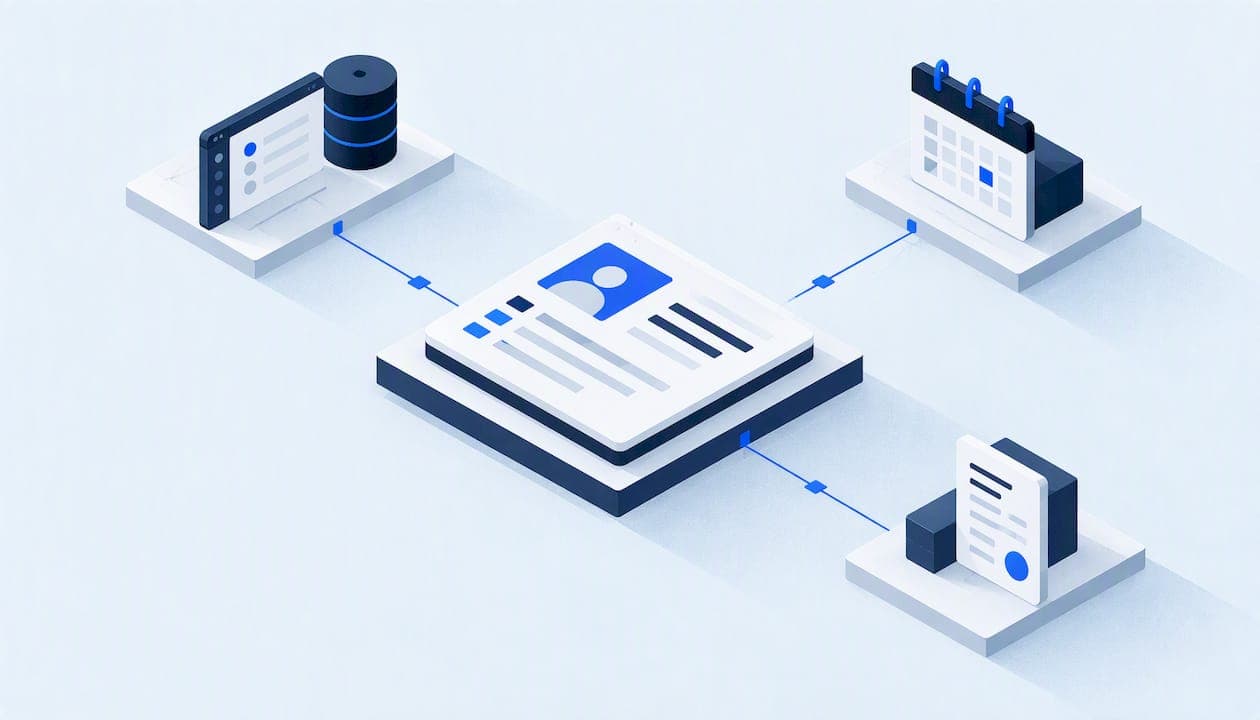
Master data management (MDM) means keeping one trusted record for each customer, vendor, product, location and asset your business depends on, and making sure every system you use reads from that same record. For a small or midsize company, it rarely means buying an enterprise platform. It means deciding which data is your "master" data, who owns it, which tool holds the authoritative copy, and how changes flow to the other tools. If your CRM says one thing, your scheduling app says another and your billing system says a third, this guide shows you how to fix it without a six-figure project.
TL;DR
- Master data is the stable core of your business: customers, suppliers, employees, products or services, locations and assets. Orders, invoices and payments are transactions, not master data.
- For an SMB, MDM is mostly ownership and rules: one system of record per data type, written matching rules, and controlled ways to create and update records.
- Start with customers. A single customer record across CRM, scheduling, billing and phones fixes missed follow-ups and duplicate visits fastest.
- Treat privacy and security as part of the design: least-privilege access, encryption, a data inventory and documented data flows.
- Software helps, but policies, ownership and governance are what make the record trustworthy.
Table of Contents
- What master data management means for a small business
- What counts as master data in a service business
- How MDM relates to customer data management
- The core activities, in plain terms
- Keeping records consistent across CRM, scheduling, billing and phones
- Customer data exchange and interoperability
- Benefits, costs and honest limits
- Protecting customer data while you consolidate
- A 30-day starting plan
- Our perspective
- Where Equinox Strategies fits
- FAQ
- Sources
What master data management means for a small business
Enterprise vendors describe MDM as a program that spans the whole organization. The core idea is simpler. Dun & Bradstreet defines master data as the consistent identifiers and attributes that describe a business's core entities, the "nouns" such as people, places and things, as opposed to the transactions involving them. MDM is the set of practices that keeps those nouns accurate and consistent wherever they appear.
Teradata-style language talks about a "golden record": one unified, trustworthy version of each entity. That phrase is useful because it names the goal. When a dispatcher, a bookkeeper and a salesperson all look up the same customer, they should see the same name, address, phone number, history and consent status.
If you run a plumbing, HVAC, roofing, restoration or general contracting company, you already do informal MDM. Your office manager probably knows which of three duplicate entries for a repeat customer is the "real" one. The problem is that this knowledge lives in someone's head, and your software cannot use it.
What counts as master data in a service business
There is no universal list. NinjaOne's guidance points out that what qualifies depends on your business model and operational needs, and that transactional data records events such as sales, invoices and purchase orders. A practical test: if a record outlives any single job and many systems refer to it, it is probably master data.
For most service companies, that gives you five domains:
| Domain | Examples | Where it usually lives today | Typical failure |
|---|---|---|---|
| Customers | Homeowners, property managers, commercial accounts, insurers | CRM, scheduler, phone system, billing | Duplicates, outdated phone numbers, missing consent |
| Locations | Service addresses, billing addresses, gate or access notes | Scheduler, CRM, paper notes | One customer with three spellings of one address |
| Vendors and suppliers | Parts houses, subcontractors, labs | Accounting, email | Duplicate vendors, stale payment details |
| Services and products | Service catalog, price book, part numbers | Quoting tool, billing | Different prices in different tools |
| Assets and staff | Equipment installed at a property, vehicles, technicians | Field service app, spreadsheets | Warranty and maintenance dates nobody can find |
One small-business guide from the UK, Dr. Dave Heath's piece on master data for SMEs, names customers, suppliers, employees and products or services as the four categories most small firms need to control. Our table adds locations and assets because service work is tied to physical places and equipment.
Two other data types sit next to master data. Transactional data covers orders, invoices, shipments and payments. Reference data covers things like country codes, currencies, units and industry codes. Keep them separate in your thinking: you fix master data once, while transactions pile up every day.
How MDM relates to customer data management
Searchers often type "customer data management" instead of MDM, and the two overlap heavily. An academic study from Sweden, Customer Data Management, describes it as evolving from MDM, focused on standardized maintenance processes, clear ownership and a unified view of customer data across different sources. The same research argues that MDM is not just a software purchase: policies, procedures, ownership and governance are what create a unified information environment.
For an SMB, then, customer data management is the part of MDM you should do first. Customers touch the most systems, drive the most revenue and carry the most legal risk, since they involve phone numbers, addresses and consent for calls and texts.
We cover what the finished state looks like in our guide to a single customer view for service businesses.
The core activities, in plain terms
Dun & Bradstreet lists the typical MDM activities: defining entities and relationships, matching and deduplicating records, standardizing values, choosing authoritative values with survivorship rules, assigning stewardship, and distributing trusted records through integrations. Here is what each looks like in a ten-to-fifty-person company.
- Define the entity. Decide what a "customer" is. Is it a person, a household, a property or a billing account? A property manager with forty buildings is one customer with forty locations, not forty customers.
- Match and deduplicate. Write the rule for when two records are the same. Same mobile number and same last name? Same service address? Decide which fields are strong evidence and which are weak.
- Standardize. Pick one format for phone numbers, state abbreviations, address lines and names. Standardizing before merging prevents false mismatches.
- Set survivorship rules. When two records disagree, which wins? Common choices: the most recently verified value, the value from the billing system for billing fields, the value entered by a human over one scraped by a tool.
- Assign stewardship. One named person owns each domain. They approve merges, handle exceptions and review quality.
- Distribute. Push the trusted record to every tool that needs it, through integrations rather than retyping.
Our write-up on setting quality rules before you merge CRM records goes deeper on steps two to four. If you are enriching records from outside sources, the 500-row match test for lead data enrichment shows how to check match quality before you trust it.
Keeping records consistent across CRM, scheduling, billing and phones
This is where most small businesses actually struggle, and it is less about technology than about choosing a pattern. There are three workable ones.
One system is the master, the others subscribe. You pick the CRM (or the field service platform) as the system of record for customers. New customers are created only there. Other tools receive the record and are not allowed to create competing ones. This is the simplest pattern and the right default for most SMBs.
Different systems own different fields. The CRM owns contact and consent data, the billing system owns payment terms and balances, the scheduler owns appointments and access notes. A matching key, such as an internal customer ID, ties them together. This works when each tool is genuinely best at its slice.
A thin hub in the middle. A small integration layer holds the unified record and syncs outward. It costs more to build, but it makes sense when you have four or more tools, legacy software, or no single platform that can play master.
Whichever you choose, four habits keep records consistent:
- Create a shared customer ID and store it in every system. Matching on names and phone numbers alone will always drift.
- Block record creation at the edges. Phone agents, web forms and technicians should search before they create. Many duplicates start at the front desk on a busy morning.
- Log every automated change so a bad sync can be traced and rolled back.
- Review a sample monthly. Pull fifty records, compare them across systems and track the error rate. A short monthly check beats a big cleanup every two years.
The CRM data hygiene playbook for sales leaders is a good companion on keeping the CRM side clean day to day.
Customer data exchange and interoperability
Two of the less common queries around this topic are "customer data exchange" and "customer data interoperability." In plain terms, they ask how customer information moves between systems, and whether the receiving system interprets it the same way the sending one did.
IBM's whitepaper Pathway to master data management describes master data integration as using integration services to acquire, transform and deliver trusted data across business applications in real time. It also frames MDM as both a data-integration capability and a business discipline that processes core-entity facts consistently across applications.
McKinsey's 2024 analysis, Elevating master data management in an organization, says MDM can distribute reference data through web services such as REST APIs. It also notes that integration may require modeling, mapping and transforming data so systems can work with both newer and older technologies.
For a small business, the practical meaning is this:
- Agree on field meanings. If your CRM stores "status" as Lead, Customer, Past Customer, and your scheduler uses Active, Inactive, write a mapping table and keep it in a shared document.
- Agree on formats. Phone numbers in one pattern, dates in one pattern, addresses validated the same way.
- Use APIs and webhooks over CSV exports whenever the tools support them, because exports go stale the moment they are created.
- Document every data flow: which system sends what, to whom, how often and what happens on failure. This is also a security requirement, as discussed below.
AI voice agents and automated follow-up make interoperability matter more. An agent that answers a call needs to know whether the caller is an existing customer, which property they mean, and whether they have opted out of texts. If those facts live in separate tools that do not agree, the agent will confidently do the wrong thing. For identity checks on calls, see security-first caller identity verification.
Benefits, costs and honest limits
The benefits are real but should be stated modestly. IBM says MDM can help some companies cut new-product introduction time from weeks to days. That is a large-enterprise result, and a service business will feel the benefit in different places:
- Faster lead response, because the right person and history appear on the first call.
- Fewer duplicate or conflicting follow-ups to the same customer.
- Cleaner reporting, since a customer counts once in revenue, referral and repeat-business numbers.
- Less rework in billing, where mismatched addresses and names cause disputes.
- Easier compliance work, because you know where customer information lives.
The costs are mostly time and attention: deciding definitions, cleaning existing records, assigning a steward and maintaining rules. Software or integration spend comes on top and depends on your stack.
The limits matter too. McKinsey identifies integration obstacles including compatibility problems, data migration, upgrades and latency, and says old and new systems must be modeled, mapped and transformed. Those hit small businesses hard when they connect packaged applications that were never designed to share a customer ID. Some tools simply do not expose the fields you need. In that case your options are to change tools, add a middle layer, or accept a manual step and document it.
And a tool will not fix ownership. Dun & Bradstreet's view is that a reliable master record needs rules for who may create, approve and update data, not just a central database. If no one owns the data, any system will degrade into duplicates again within a year.
Protecting customer data while you consolidate
Centralizing customer data concentrates risk. A single clean record is more valuable to you, and to an attacker. Build protection in from the start.
The FTC's guide Protecting Personal Information: A Guide for Business recommends five principles: take stock, scale down, lock it, pitch it and plan ahead. Applied to MDM:
- Take stock: inventory every system and spreadsheet that holds customer data before you merge anything.
- Scale down: do not carry fields into the master record that you do not need.
- Lock it: restrict access and encrypt.
- Pitch it: delete data you no longer need, securely.
- Plan ahead: write down what you will do if something goes wrong.
The NIST quick-start guide, Getting Started with the NIST Cybersecurity Framework, recommends unique accounts, least-privilege access, multifactor authentication, encryption in storage and transit, secure deletion, vulnerability remediation and documenting expected data flows. Each maps onto MDM design: one login per person, so the audit trail means something; technicians seeing only the jobs they need; integrations holding only the permissions they require.
Privacy is a separate question from security. NIST's 2023 post, Data Analytics for Small Businesses: How to Manage Privacy Risks, warns that using customer data can cause privacy harms beyond breaches, including unexpected disclosure, discrimination and economic loss. When you unify records, ask what new uses the merged data enables and whether customers would expect them. Store consent status in the master record so calling and texting automation can check it, and see our AI outbound calling checklist and compliant review request automation steps for how that plays out under TCPA and platform rules.
If you handle financial information
Some service businesses, for example those that arrange financing or collect certain consumer financial data, can be "financial institutions" under FTC rules. For covered businesses, the FTC Safeguards Rule requires a written information-security program that fits your size, activities and data sensitivity. It includes a qualified individual, risk assessment, safeguards, testing, training and service-provider oversight. The FTC also says covered businesses must review access controls, inventory where customer information is stored or transmitted, encrypt when feasible, use multi-factor authentication, dispose of data securely and monitor authorized users. If that might apply to you, confirm with your attorney or compliance adviser. A walkthrough of mapping the Safeguards Rule's requirements to IT evidence can help you see what an auditor would ask to see.
A 30-day starting plan
You do not need to launch a program. Run a small, bounded first pass.
Week 1: Scope. List your systems and what customer data each holds. Choose one domain, customers, and one system of record. Name the steward.
Week 2: Rules. Write definitions (what is a customer, what is a location), formats, matching rules and survivorship rules on one page. Add a field for a shared customer ID.
Week 3: Clean. Back up everything. Standardize, then dedupe in the system of record, merging only what meets your rules and logging each merge. Route uncertain matches to the steward.
Week 4: Connect and control. Sync the ID and key fields to scheduling, billing and phone tools. Change intake so staff search before creating. Set a monthly sample check.

Write each automation as a runbook with inputs, outputs, owners and a rollback step. Our guide to security-first automation runbooks shows a format.
Our perspective
Most of the messy data we see in service businesses was not caused by bad software. It came from several good tools added over the years, each creating its own version of the customer, with no one assigned to reconcile them. Buying a bigger tool on top rarely helps.
We approach it the opposite way. Scope the data first, write down the data map, decide who may create and change each record, and only then connect tools. We favor least-privilege access, explicit consent flows and rollback plans on every build, because a unified record that cannot be undone or audited is a liability. We also believe in a single accountable technical lead and in transparent process and code, so you can check what we built instead of trusting a promise.
We would rather show you a documented data flow than a slide deck. If we cannot explain how a record moves from the first call to the invoice, it is not ready to automate.
— Felix
Where Equinox Strategies fits
If your records are fragmented and leads slip through, we build the layer that fixes it: lead capture, AI voice and messaging agents, done-for-you automations and custom software where standard platforms cannot do the job, all scoped and documented with security-first design. See what we offer on the Equinox Strategies site and tell us which systems you run today.
FAQ
Is master data management still relevant for small businesses?
Yes, in a lighter form. You will not need a dedicated MDM platform, but you still need one trusted record per customer, clear ownership and rules for changes. Without them, automation and AI tools simply spread bad data faster.
What is the difference between MDM and a CRM?
A CRM is a tool that stores customer relationships and sales activity. MDM is the discipline of keeping core records consistent across all your tools. A CRM can serve as your system of record for customers, but only if you also set rules and ownership around it.
How much of my data should be in the master record?
Only what several systems share and need to agree on: identity, contact details, locations, consent status and a shared ID. Leave transactions such as invoices and payments in their own systems and link them to the master record.
Where should a small business start?
Start with customers and one system of record. Inventory where customer data lives, write matching and survivorship rules, clean the records and then sync a shared ID to your other tools. Keep the first pass small enough to finish in a month.
Sources
- Dun & Bradstreet: What Is Master Data?
- NinjaOne: What Is Master Data?
- Dr. Dave Heath: Master data for SMEs
- Customer Data Management (DiVA)
- IBM: Pathway to master data management
- McKinsey: Elevating master data management in an organization
- FTC: Protecting Personal Information
- NIST: Getting Started with the Cybersecurity Framework
- NIST: Data Analytics for Small Businesses
- FTC Safeguards Rule
- CRM data hygiene playbook
- Mapping the FTC Safeguards Rule to IT evidence