
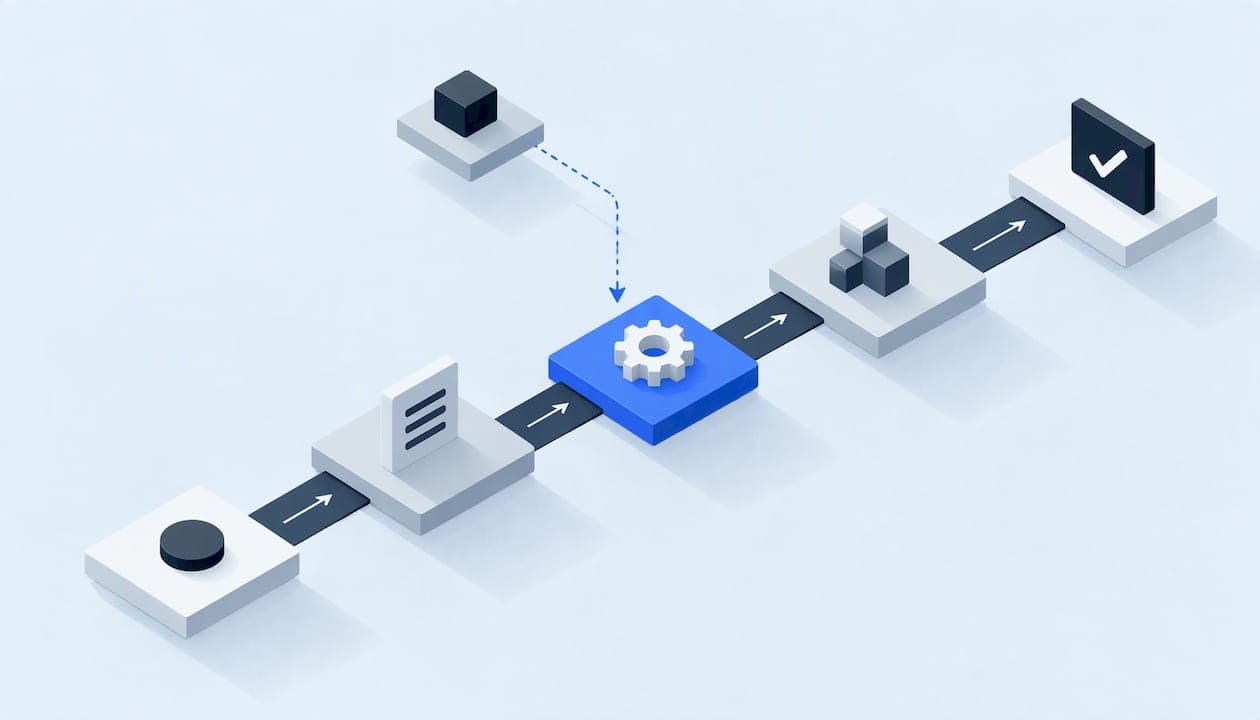
Process mapping for automation means drawing the process as it actually runs today, from the trigger to the final outcome, with every handoff, decision and exception, before anyone configures a tool. For a service business, that usually starts with the path a lead takes from first contact to a booked job. If that path is unclear on paper, automating it only makes the confusion run faster.
This guide walks through the method we use: scoping, mapping the current state, choosing a map type, finding exceptions, deciding what to automate first, and running the discovery workshop that ties it together. It includes a worked example for an HVAC or plumbing company.
TL;DR
- Map the as-is process first, including the messy parts. APQC describes process mapping as documenting the current process step by step so you can redesign it toward a future state.
- Pick one process with a clear trigger, a clear end and one owner. Lead response and follow-up is the best starting point for most field service companies.
- Use a swimlane map when more than one person or system touches the work, because handoffs are where leads get lost.
- Write down exceptions, waiting time and rework. An automation needs far more precision than a diagram made only for discussion.
- Validate the map with the people who do the work, using a recent real job, before anything is built.
Table of Contents
- Why mapping comes before automation
- Start with scope: one process, one owner
- How to map the current state, step by step
- Choosing a map type and level of detail
- A worked example: from missed call to booked job
- Exceptions: where automations break
- Deciding what to automate first
- Running the discovery workshop
- Our perspective on mapping first
- Where we can help
- Keep the map alive after launch
- FAQ
- Sources
Why mapping comes before automation
Most failed automations do not fail because of the software. They fail because the process underneath was never written down. One person answers the phone, another checks the calendar, a third remembers to call back, and the rules live in people's heads.
A process map makes that visible. The FEMA preparedness toolkit describes a process map as a visualization of an existing process from start to finish that identifies inputs, actions and outputs. IBM notes that mapping helps organizations spot bottlenecks and redundancies before they implement changes or automation.
A useful caution comes from Scrum Alliance: mapping does not fix a process by itself. Its value is an accurate, shared picture of the current state, so that bottlenecks, redundant steps and ownership gaps are visible before anyone proposes changes. Treat the map as evidence, not as the solution.
In a service business the cost of skipping this step is concrete. A missed call becomes a lost job. A web form lands in an inbox nobody owns. A quote goes out and nobody follows up. None of these are technology problems first. They are gaps in the process.

Start with scope: one process, one owner
The most common mistake is mapping "the business." Map one process. APQC recommends defining the purpose, outcome, scope, start and end points, stakeholders, constraints, and the connections to upstream and downstream processes before you draw anything.
For a lead response process, a scope statement can be four lines:
- Trigger: a call, text, web form or review-site message arrives.
- End: the customer has a confirmed appointment, or is marked as not a fit with a reason.
- In scope: intake, qualification, scheduling, and follow-up on unbooked leads.
- Out of scope: dispatch routing, invoicing, and warranty claims (separate maps later).
The out-of-scope line matters. Affine's guidance on scoping stresses naming what is excluded so the project does not drift. Every extra process you pull in doubles the number of exceptions you have to document.
Then name one process owner: the person who understands the process and can make decisions about it. When three people disagree on how a callback should work, someone has to settle it. Without an owner, the map becomes a record of the disagreement.
How to map the current state, step by step
The sequence below blends the approaches from APQC and FEMA with what we see in service company projects.
- Collect information from the work itself. APQC lists interviews, workshops, process mining or a focused project as ways to gather process information. For a small company, interviews plus a look at real records (call logs, the CRM, the shared inbox) are enough.
- Identify inputs and outputs. A SIPOC-style view (suppliers, inputs, process, outputs, customers) keeps the boundaries honest. APQC also suggests analyzing roles and responsibilities with a tool such as RACI.
- Map the common path first. Draw what happens in the typical case, then add decision points and variations.
- Record what happens, not what should happen. If the front desk texts the customer from a personal phone, that goes on the map. You are documenting, not auditing.
- Make every handoff explicit. Who gets it, how (email, sticky note, verbal), and what happens if they do not act.
- Capture waiting, rework and manual checks. Time between steps is often the real problem.
- Validate with the people who do the work. FEMA recommends validating the finished map with process stakeholders. Walk a recent real job through it, step by step, and fix every place where reality differs.
Only after validation do you design the future state. Skipping the validation is how a tidy diagram turns into an automation that breaks on the first odd call.
Choosing a map type and level of detail
You do not need formal notation to start. IBM advises choosing the map type by complexity: simple flowcharts for linear tasks, and swimlane diagrams for cross-functional processes where handoffs are the main concern. Scrum Alliance makes the same point: swimlanes are most effective when several roles or teams touch one process.
| Map type | Best for | Shows well | Weak spot |
|---|---|---|---|
| SIPOC | Framing scope in the first hour | Inputs, outputs, customers, boundaries | No sequence or decisions |
| Flowchart | A short, single-owner task | Order of steps and decisions | Hides who does what |
| Swimlane | Lead intake, scheduling, follow-up | Ownership and handoffs between roles and systems | Gets crowded past about 25 steps |
| Detailed process model | Anything that will be built and tested | Rules, data, exceptions, system actions | Slow to produce, too heavy for discussion |
In practice we start with a SIPOC to agree on scope, move to a swimlane for the current state, and then write the future-state version at the detailed level the build requires. Lanes usually include the customer, the front desk or answering service, the dispatcher or estimator, the technician, and each system involved (phone, CRM, calendar, messaging).
Levels of detail
You may see processes described in levels, from a broad process group down to individual tasks and work instructions. Keep the idea simple: the top level is for agreeing on boundaries, the middle for ownership and handoffs, and the bottom for the exact rules an automation will follow. Most of the useful work for automation happens at the bottom level, and that is the one most teams skip.

A worked example: from missed call to booked job
The example below is illustrative, a composite of the pattern many HVAC, plumbing and restoration companies share. It is not a client result. The National AI Centre lists customer enquiry handling and booking management among the common service processes worth mapping, and this is exactly where we start.
Current state, as the owner describes it: "We call everyone back the same day."
Current state, as the map shows it after pulling the last 30 leads:
| Step | Who | System | What really happens | Wait |
|---|---|---|---|---|
| 1. Lead arrives | Customer | Phone, form, text | Calls after hours go to voicemail | Overnight |
| 2. Log the lead | Front desk | Notebook or inbox | Written down when someone has time | Hours |
| 3. Qualify | Front desk | None | Questions vary by who answers | Minutes |
| 4. Schedule | Dispatcher | Calendar | Checks a separate calendar by hand | Hours |
| 5. Confirm | Front desk | Personal phone | Text sent if remembered | Unknown |
| 6. Follow up if unbooked | Nobody assigned | None | Depends on memory | Days or never |
Three findings appear in nearly every map like this. Step 6 has no owner. Step 2 has no single place where leads live. And the qualification questions differ between people, so a rule cannot be automated until the team agrees on one version.
Future state, drafted from the map: every channel creates one record in one place; an answering step collects the same required fields every time; scheduling checks one calendar; the customer gets a confirmation; unbooked leads trigger a follow-up sequence with a named human owner when the sequence ends without a reply.
Notice that this redesign fixes ownership and data before it adds any technology. The AI voice agent or text automation is the last piece, and it now has clear instructions. If you are tracking results afterward, the call center KPIs that matter for service businesses give you measures such as speed to answer and abandonment to watch.
Exceptions: where automations break
A map made to explain a process to colleagues can be loose. A map made to build an automation cannot. The Object Management Group's BPMN guidance makes the point that an executable model must give a process engine enough detail to decide what happens next, including automated activities, human tasks, decisions, events and data flow. The same idea applies without any BPMN software: if a person has to guess, the automation will guess too.
For each step, ask these questions and write the answers on the map:
- What happens if the customer does not answer, or answers with something unexpected?
- What if the information is incomplete, such as no address or an address outside your service area?
- Which cases must always go to a human (gas smell, active flooding, an angry repeat customer)?
- What happens if a connected system is down or a message fails to send?
- What consent do you have to text or call this person, and where is it recorded?
- Who is notified when the automation cannot finish a step?
Emergency handling deserves special attention in trades like restoration and plumbing. The map should state the exact words or conditions that route a contact to a person immediately, and who that person is at 2 a.m. Our write-up on incident response automation for field operations covers how to design those escalation paths.
Also map the data. Each step reads or writes something: a name, phone number, address, job type, photo, consent flag. Write down where each item is stored and who can see it. This is the basis of least-privilege access and a written data map, and it is much cheaper to draw at this stage than to retrofit after launch. If your records are already messy, set quality rules before merging CRM data so the automation does not copy bad data at scale.
Deciding what to automate first
Once the map exists, resist the urge to automate all of it. The National AI Centre suggests picking processes that are high volume, painful, data-rich and contained. Lead response fits well: it happens daily, hurts when it fails, produces clear data, and has a defined start and end.
A simple scoring pass on each step works well:
- Frequency: how many times a week does this step happen?
- Pain: how often does it fail or get delayed, and what does a failure cost?
- Rule clarity: can you write the decision rule in two sentences?
- Risk: what is the damage if it goes wrong (a missed lead, or a wrong message to a customer)?
High frequency, high pain, clear rules and moderate risk go first. Steps with unclear rules go back to discovery. Whether that means pausing a build is a judgment call, but forcing an automation onto a decision nobody has agreed on is the most expensive way to find out.
Start small. IBM's guidance recommends a proof of concept with a subset of the team before scaling, which limits risk and allows iteration. And treat each change as a hypothesis: Affine suggests defining a measure up front, such as elapsed time or rate of incomplete returns, so you can tell whether the change worked. For lead response, time to first reply and share of leads with a booked outcome are good candidates. If your pipeline stages are fuzzy, five criteria for pipeline stage design will help you define outcomes the measures can use.
Running the discovery workshop
A scoping or discovery workshop is where the map gets made and validated with the whole team. The format below is what we use for a single process. It fits in a half day for a small company, and the structure matters more than the length.
Before the session
- Name the process owner and confirm scope in writing: trigger, end, in and out.
- Ask each attendee to bring two or three real recent examples, one smooth and one that went wrong.
- Pull a sample of records: the last 20 to 30 leads, call logs, and the messages sent.
- Send a list of the systems involved so access questions are answered early.
Who attends
The process owner, the people who do each step (front desk, dispatcher, estimator, a technician if they touch the process), and whoever controls the systems. Owners of small companies often want to skip this and describe the process themselves. The people doing the work will always know exceptions the owner does not.
Agenda
| Block | Time | Purpose | Output |
|---|---|---|---|
| 1. Goals and scope | 30 min | Confirm trigger, end, in and out of scope, success measures | Signed-off scope statement |
| 2. Walk the current state | 90 min | Trace real examples step by step on a swimlane | Draft as-is map |
| 3. Handoffs and waiting | 30 min | Mark every handoff, delay and rework loop | Annotated pain points |
| 4. Exceptions and risk | 45 min | List special cases, emergency routing, consent and data handling | Exception list and data map |
| 5. Prioritize | 30 min | Score steps on frequency, pain, clarity and risk | Ranked automation candidates |
| 6. Next steps | 15 min | Assign owners and open questions | Action list with names and dates |
End with documents, not impressions: the validated as-is map, the exception list, the data map, the ranked list, and a one-page scope for the build. Anything marked "open" goes on a list with an owner, and it is resolved before building starts.
Our perspective on mapping first
We have a strong opinion here: the map is the product's foundation, and the software is the smaller part. Service businesses come to us with a symptom, usually missed leads, slow follow-up or tools that do not talk to each other. The cause is almost always a process that has never been written down in one place.
So every engagement starts with a scoped, documented map, a written data map, explicit consent flows and a rollback plan. A single accountable technical lead owns it from discovery to launch, so the person who heard your exceptions is the person who builds the fix. We would rather spend a week finding the unowned step than ship an automation that politely automates a gap.
We also prefer to show our work. You should be able to read what was built and why, and check that it does what the map says. A diagram nobody can trace to the running system is just decoration.
— Felix
Where we can help
If you would rather not run this alone, our team handles the mapping, scoping and build for US service businesses: lead generation, AI voice and messaging agents, done-for-you automations and custom software. We start with the scoped, documented process map described above, then build only what the map supports.

If you want a second pair of eyes on a process map you have already drawn, send it to us. We will tell you where the gaps are before any build is priced.
Keep the map alive after launch
A map is accurate on the day it is validated and starts drifting the next week. Affine points out that periodic reviews and versioning are needed so maps stay accurate as business rules and system configurations change. Set a review date, keep the old version when you change it, and update the map before you update the automation, never after.
Three practices keep this from becoming paperwork:
- Route changes through one process. Our guide to change control for undocumented changes shows a lightweight way to do it.
- Test against the map. Use the exceptions list as test cases, following a UAT checklist before each release.
- Write the runbook. When something fails, whoever is on call should know what to check first. See our guide to automation runbooks for service businesses.
FAQ
What is the difference between process mapping and process mining?
Mapping is the manual work of documenting a process from interviews, observation and records. Process mining derives the process from system event data. APQC lists both among ways to collect process information, and a small company without much system data will usually start with mapping.
Can AI draw the process map for me?
AI tools can turn notes or transcripts into a first-draft diagram quickly, and that can save time. The draft still has to be checked against what really happens, because a tool cannot know about the exception only your dispatcher handles. Validate every AI-drafted map with the people who do the work.
How long does it take to map one process?
For one contained process such as lead intake and follow-up, expect a scoping session, a few interviews and a validation pass. A half-day workshop plus a few days of follow-up is a reasonable shape for a small company. Complex processes with many systems take longer.
Do I need special software or notation?
No. A whiteboard, a spreadsheet or a simple diagram tool is enough to start, and plain swimlane boxes are understood by everyone in the room. Formal notation becomes useful only when a build team needs rules specified exactly.
What should I do if the team cannot agree on how the process works?
Treat that as the finding. Record each version, run recent real examples through them, and ask the process owner to decide. Do not start building until the disagreement is resolved.
Sources
- APQC: What is Process Mapping?
- APQC: How should end-to-end processes be mapped and modeled?
- FEMA Preparedness Toolkit: Process Mapping
- IBM: What is Process Mapping?
- Scrum Alliance: Process Mapping Guide
- Affine: Business Process Mapping
- National AI Centre: Map your processes