
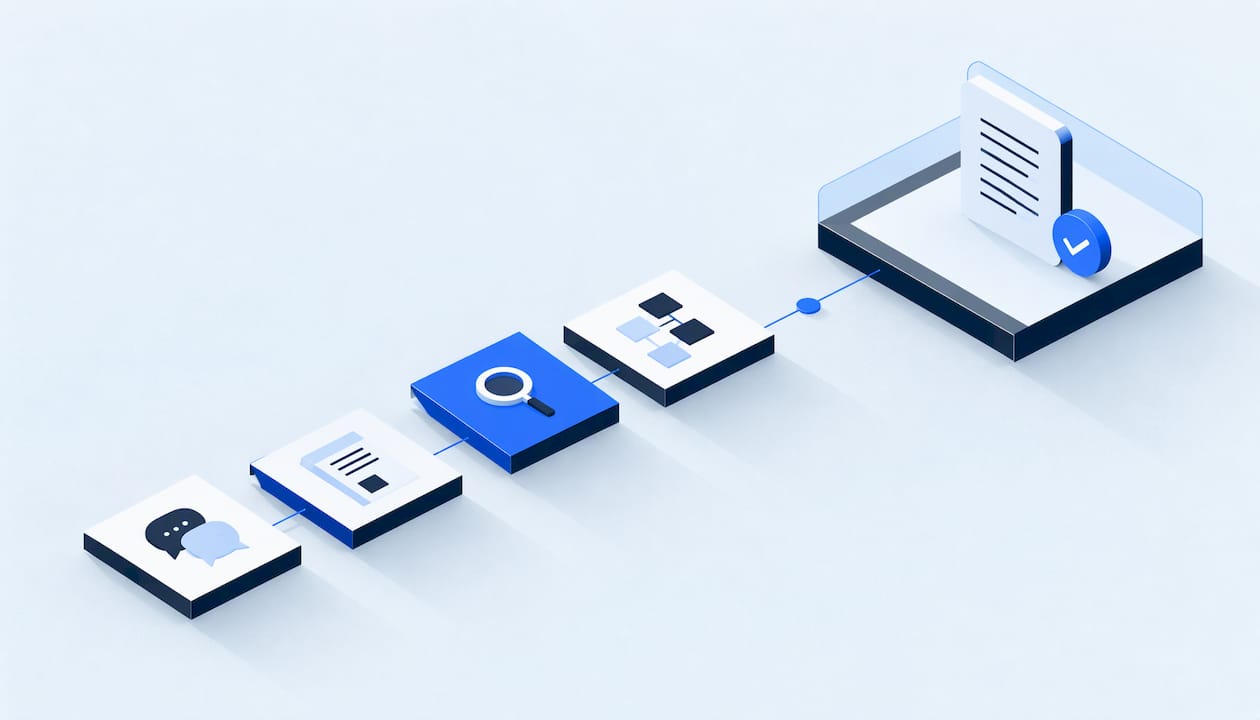
Requirements gathering is the work of collecting, clarifying and writing down what a project must achieve before anyone builds it. The reliable method has six parts: name one outcome, interview the people who do the work, run a short discovery workshop, map the data, write testable requirements, and get written sign-off with a change process behind it. This guide walks through each part, with examples from service businesses such as HVAC, plumbing, roofing and water damage restoration.
TL;DR
- Start with one measurable outcome (for example, "every inbound call gets a response in under a minute"), not a feature list.
- Interview the people who touch the work before you hold a workshop. Keep the workshop to 4 to 7 people and about two hours.
- Write each requirement with an ID, an owner, a priority and a way to verify it. Every requirement needs at least one acceptance test.
- Map every field that moves between systems before you scope an integration.
- Put exclusions and a change control process in the scope document, then get sign-off.
Table of Contents
- What requirements gathering is, and why it pays off
- Business requirements, technical requirements and user stories
- The requirements gathering process, step by step
- A discovery workshop agenda that fits in two hours
- Map your data before you scope the integration
- Write requirements that can be tested
- What a business requirements template should contain
- A project scoping checklist
- Common mistakes
- Our perspective
- Turn your requirements into a working system
- FAQ
- Sources
What requirements gathering is, and why it pays off
Atlassian describes requirements gathering as collecting, clarifying and documenting what a project needs, usually early and often before detailed planning. Done well, it prevents unclear scope, aligns stakeholders, supports realistic timelines, clarifies ownership and reduces rework.
The U.S. Department of Energy's software quality guidance lists four activities: gathering, documenting, verifying and managing changes. It treats gathering as an iterative conversation between customers, managers and practitioners, not a one-time form.

The stakes are real. A chapter from Cleveland State University's open project management textbook reports that 37% of organizations named inaccurate requirements gathering as a primary cause of project failure, according to a Business Analysis for Practitioners practice guide. PMI notes that fixing wrong requirements late in a project can be extremely expensive.
For a service business, the cost looks like this: a booking automation that ignores after-hours emergency calls, a CRM that cannot tell a warranty visit from a new estimate, or a follow-up sequence that texts a customer who already booked. None of these are coding errors. They are requirements nobody asked about.
Business requirements, technical requirements and user stories
Get the vocabulary straight early, because teams talk past each other without it.
- Business requirements say what the organization wants to accomplish. ProjectManager.com splits requirements into business requirements and technical requirements, which explain how the work must be carried out.
- Functional requirements say what the system must do. Non-functional requirements cover how well: speed, security, availability, audit trails.
- User stories describe what a person wants to be able to do. Aha! explains that stories focus on experiences while requirements focus on functionality.
So which do you use? Both, for different jobs. Scrum.org frames a story as a business need: the product owner states what the user needs, and the development team designs the functionality that fulfills it. Stories are good for starting conversations and breaking work into pieces. Requirements are better when you need a formal record that testers, auditors and the person signing the budget can all point to.
A practical pairing for a plumbing company:
| Level | Example |
|---|---|
| Business requirement | Every inbound lead is contacted within one minute, 24 hours a day |
| User story | As a dispatcher, I want missed calls to be texted back automatically so I don't lose emergency jobs |
| Functional requirement | When a call is missed, the system sends an SMS within 60 seconds containing a booking link |
| Non-functional requirement | Customer phone numbers are stored encrypted and visible only to the roles that need them |
| Acceptance test | Call the line after hours and confirm the SMS arrives in under 60 seconds and logs to the customer record |
The requirements gathering process, step by step
- Define one outcome and the boundary. Write a single sentence with a number in it. Write what is explicitly not part of the project.
- Map the stakeholders. List who uses the system, who pays for it, who approves it, who is affected by it and who holds the data. In a restoration company that is often the owner, the intake coordinator, project managers, estimators and the person who handles insurance paperwork.
- Collect evidence before opinions. Pull recent call logs, missed-call counts, support tickets, lead sources, booking rates and any existing process documents.
- Interview individually first. People describe how work really happens one on one, and the same people go quiet in a group. A business analyst writing about discovery workshops recommends preliminary conversations and show-and-tell sessions before the workshop itself.
- Hold a discovery workshop (agenda below) to resolve conflicts and agree on priorities.
- Document, verify and validate. Write the requirements, check their quality, then confirm with stakeholders that they say what the business needs.
- Baseline and manage change. Sign off, then handle every later request through a defined process.
Jama's guidance follows the same arc: define scope and objectives, map stakeholders, choose elicitation techniques, keep requirements in one central place, and refine through iterative stakeholder feedback before development begins.
Choosing how to elicit
Match the technique to the question.
- Interviews for how work is done today and where it hurts.
- Observation (sitting with the front desk for an hour) for the steps nobody thinks to mention.
- Document and data review for what is actually happening versus what people remember.
- Workshops for trade-offs and priorities that need several voices at once.
- Prototypes or walkthroughs for checking that you understood.
A discovery workshop agenda that fits in two hours
Preparation decides whether the session works. One published workshop format suggests picking one measurable outcome, bringing recent interviews, tickets, surveys and analytics, and inviting four to seven people, with a board that has a parking lot for solutions so people stop jumping ahead to features.
A version adapted for a service business process:
| Time | Block | Output |
|---|---|---|
| 0:00 to 0:10 | Frame the outcome and the boundary | One agreed sentence |
| 0:10 to 0:30 | Review the evidence (call logs, response times, lost-lead counts) | Shared facts |
| 0:30 to 1:00 | Walk the current process from first contact to paid invoice | Process map with pain points marked |
| 1:00 to 1:20 | Cluster pain points and name the data involved | Grouped problem list |
| 1:20 to 1:40 | Prioritize: must, should, could | Ranked list |
| 1:40 to 2:00 | Owners, open questions, next steps | Action list with names and dates |
Keep a facilitator separate from the person with the strongest opinion. Anything that sounds like a solution goes to the parking lot until the problem is understood.
Questions worth asking in the room
- What happens today when a call comes in at 9 p.m. on a Saturday?
- Who decides whether a lead is qualified, and by what rule?
- Which system is the source of truth for a customer's address, job history and payment status?
- What must never happen automatically (for instance, texting someone who opted out)?
- Who needs to see which reports, and how often?
- What would you stop doing by hand if this worked perfectly?
- What is the first thing you would check to know it is working?
Map your data before you scope the integration
Most integration surprises are data surprises. Before you scope anything that connects two systems, write a data map: a table of every field that moves, where it starts, where it lands, who owns it and how it is transformed.
| Field | Source | Destination | Format rule | Owner | Sensitive? |
|---|---|---|---|---|---|
| Customer phone | Call tracking | CRM contact | E.164 format, one primary number | Office manager | Yes |
| Job type | Intake form | Scheduling tool | Fixed list: repair, replace, inspect, emergency | Operations | No |
| Consent to text | Web form | CRM and messaging tool | Yes/no with timestamp and wording shown | Owner | Yes |
| Invoice status | Accounting | CRM deal record | Read-only sync, one direction | Bookkeeper | Yes |
Three questions to settle for each row: which system wins when two disagree, what happens when a field is blank, and who can see it. That last answer becomes your access-control requirement. Consent belongs in the map as its own field so that follow-up automation can be checked against it.
If you also need to decide whether to build or buy the pieces that sit around the map, our build versus buy scorecard gives you six criteria to score them against.
Write requirements that can be tested
A good requirement is clear, complete, consistent, unambiguous and testable. Modern Requirements' BABOK guide separates two checks: verification asks whether a requirement meets quality standards, which the analyst team can do alone, while validation asks whether it reflects what the stakeholder needs and requires structured stakeholder review.
Compare:
- Weak: "The system should respond to leads quickly."
- Strong: "When a web form is submitted, the system sends a text and an email within 60 seconds and creates a CRM record with the lead source."
The second can be tested. Martin Glinz of the University of Zurich makes the point directly: every requirement should have at least one acceptance test case, and review (walkthroughs, inspections, author and reviewer cycles) is the main way to validate. If you cannot write the test, rewrite the requirement. When it is time to run those tests with the business, a UAT checklist with a paste-ready template saves you from inventing the format under deadline.
Document the why too. The Cleveland State chapter stresses that documenting is more than writing down what users ask for: record the decisions and the reasons, or you risk redoing work when a dropped feature comes back during testing.
What a business requirements template should contain
Published templates vary, but they converge. Monday.com's list of ten components includes an executive summary, business goals, scope, functional and non-functional requirements, stakeholder mapping, success metrics, timeline, risk analysis, budget and compliance requirements. Mailchimp adds that you should write the executive summary last so it matches what the document ended up saying.
For the requirement entries themselves, Asana suggests giving each one an ID, priority, owner and a way to verify it, keeping the ID stable through revisions so reviewers can follow decisions and changes. A lean entry looks like this:
| Field | Example |
|---|---|
| ID and version | REQ-014, v2 |
| Business need and source | Stop losing after-hours emergency calls (owner interview) |
| Requirement statement | Missed calls trigger an SMS within 60 seconds |
| Priority | Must |
| Verification | After-hours test call, SMS received and logged |
| Owner and approver | Office manager; owner |
| Dependencies and assumptions | Business phone number can forward to the messaging tool |
| Change history | v2: added consent line to SMS text |
A project scoping checklist
Scope is where gathered requirements become a commitment. One published scoping checklist walks through drafting scope, prioritizing, setting boundaries and exclusions, defining success criteria, negotiating, and getting sign-off. Use it like this:
- One success metric, written with a number
- Requirements listed with IDs, owners and acceptance tests
- Priorities set as must, should, could
- Explicit exclusions (what we are not doing)
- Constraints: timeline, budget, people, systems that cannot change
- Data map and access list reviewed
- Risks and assumptions written down
- Named approver and sign-off recorded
- Change control process agreed
One practical rule on size: a published AI scoping guide suggests keeping the first release to a short must list, roughly five to seven core features, with a second-phase backlog scoped separately. That keeps a first release small enough to finish and prove.
If budget is part of the conversation, breaking the work down with a work breakdown structure is how you turn a requirements list into an estimate you can defend.
Change control after sign-off
Requirements will change. The point is that changes arrive in the open. The scoping checklist above describes the loop: compare the request to the original scope, assess effort, timeline, dependencies and cost, then accept, defer, decline or negotiate, update the scope document, and re-baseline if the change is large. Our guide to a change control process that stops undocumented changes covers the paperwork side in more detail.
Common mistakes
- Skipping the front line. Owners describe the process they intend. Dispatchers and coordinators describe the one that runs.
- Writing solutions as requirements. "Use tool X" is a design choice. "Notify the on-call tech within two minutes" is a requirement.
- No exclusions. What is not included is as important as what is.
- No owner for each requirement. Unowned requirements go unverified.
- Treating gathering as a one-off. Asana notes that it starts at initiation but continues through the project.
- Moving too fast. PMI points out that teams often skip detailed documentation because they think it slows things down, which leads to misunderstood expectations, missed schedules, cost overruns and restarts.
Our perspective
We see the same pattern in service businesses: the lead response problem is rarely a missing tool. It is an undocumented process spread across a phone, a spreadsheet, a calendar and somebody's memory.
That is why we start every engagement with scoping. Our builds are scoped and documented before anything is configured: a written data map, explicit consent flows, least-privilege access and a rollback plan. One accountable technical lead owns the work from the first call, so the person who heard your requirements is the person who builds against them.
We would rather hand you a document you can check than a promise. If a requirement cannot be tested, it is not ready to build. That discipline is what lets voice answering, qualification, follow-up and reporting connect end to end instead of living as separate pieces.
Felix
Turn your requirements into a working system
If you run an HVAC, plumbing, roofing, restoration or general contracting business and your requirements point to missed leads or fragmented follow-up, this is the work we do. Equinox Strategies builds lead generation systems, AI voice and messaging agents, done-for-you automations and custom software, all scoped and documented first.

See what we build and how the process works, or start from our services and bring your draft requirements to the first conversation. For inspiration on the next layer of documentation, our security-first automation runbooks show how a scoped build is operated afterward.
FAQ
How long should requirements gathering take?
It scales with the project. A single automation with two systems may need a few interviews and one two-hour workshop. A multi-system build needs more rounds. Because gathering is iterative, plan for review cycles rather than a fixed number of days.
Who should be in the discovery workshop?
Keep it to roughly four to seven people: the decision maker, the people who do the work daily, and whoever owns the data or the systems involved. Interview everyone else beforehand so their input still counts.
Should I use user stories or a requirements document?
Use stories to start conversations and break work into pieces, and a requirements document when you need a formal, testable record to sign off. Many teams keep stories as the front end and write requirements with acceptance tests behind them.
What is the difference between verifying and validating requirements?
Verification checks that a requirement is well written: clear, complete, consistent and testable. Validation checks that it reflects what stakeholders actually need, usually through walkthroughs, prototypes or structured review.
What should happen when someone asks for a change after sign-off?
Write the request down, assess its effort, timeline, dependencies and cost, then decide whether to accept, defer, decline or negotiate. Update the scope document and tell everyone affected.
Sources
- Atlassian: What is Requirements Gathering?
- U.S. Department of Energy: Requirements management guidance
- CSU Ohio Pressbooks: Eliciting Requirements
- PMI: Starting right
- ProjectManager.com: Requirements Gathering guide
- Aha!: User stories vs. requirements
- Scrum.org: User Stories are Needs Described from the Business Perspective
- BA Career Mentor: How to Run Discovery Workshops
- Jama Software: Requirements Elicitation
- Outcomify: Opportunity Discovery Workshop
- Modern Requirements: Requirements Analysis and Design Definition
- University of Zurich: Validating Requirements
- Monday.com: Business Requirement Document Guide
- Mailchimp: How to Write a Business Requirements Document
- Asana: Business Requirements Document Template
- Asana: Requirements Gathering
- GitScrum: Clear Project Scope Best Practices
- Pertama Partners: Managing AI Scope Creep