
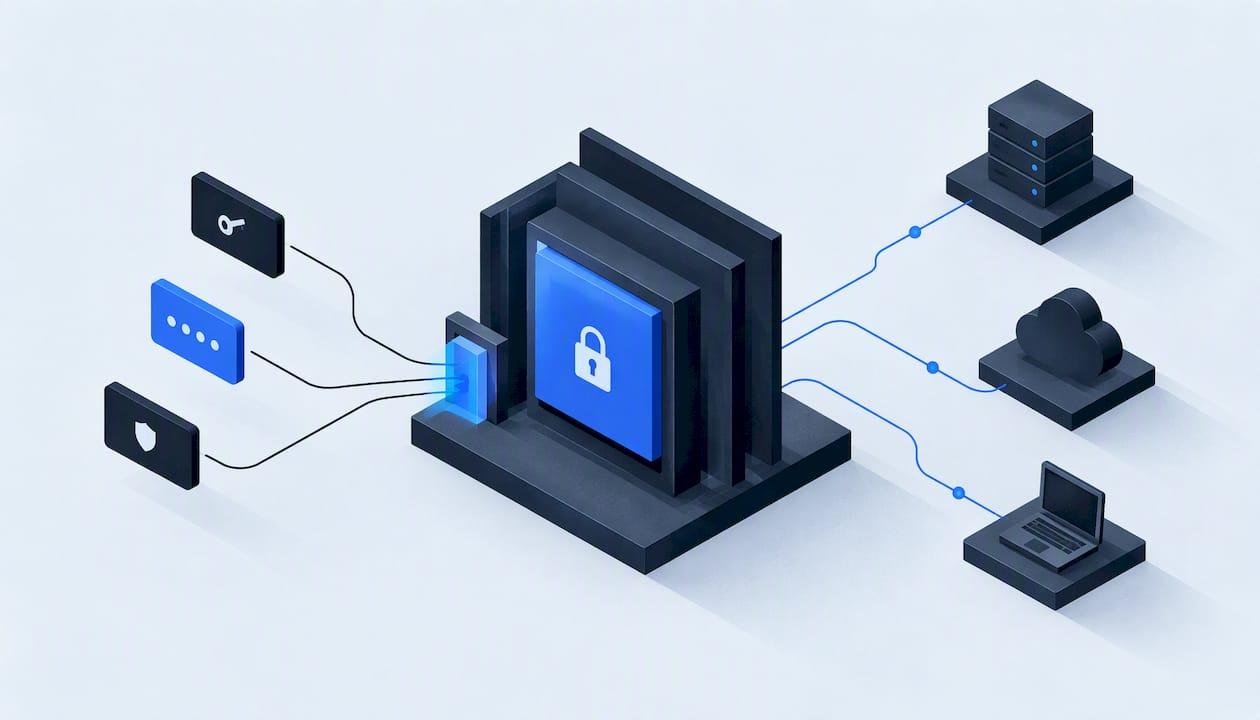
Secrets management means keeping every API key, password, token and certificate your software uses in one protected place, handing each one only to the people and systems that need it, and changing them on a schedule. For a small business, it comes down to four habits: get secrets out of code and shared files, give each tool its own key, rotate on a calendar, and know exactly what you will do the day a key leaks. This guide walks through each habit in plain terms, with a plan a small team can finish in a few weeks.
TL;DR
- A secret is any credential that lets software act on your behalf: API keys, database passwords, SSH keys, tokens and certificates. Usernames and server names are not secrets, though you should still handle them with care.
- Never keep secrets in source code, spreadsheets, chat threads or shared documents. Put them in a designated secrets store and give every tool or person its own key.
- Rotate keys on a set schedule (CISA suggests at least every 90 days) and revoke immediately when a key may be exposed.
- Start small: inventory what you have, move the highest-risk keys first, and add logging so you can see who used what.
- A password manager is not always enough once automations, voice agents or custom software start calling each other.
Table of Contents
- What counts as a secret in a small business
- Why secrets in code and shared files fail
- How to store API keys securely
- A rotation routine a small team can keep
- Secrets management best practices, in order of payoff
- Doing it affordably
- Our perspective: secrets are an operations problem first
- Where secrets management meets your automations
- Build the habit: a four-week plan
- FAQ
- Sources
What counts as a secret in a small business
Most owners think of passwords for people. Secrets are the credentials for machines. IBM describes secrets management as protecting nonhuman credentials, such as certificates, API keys, passwords and tokens, that automated systems and services use to authenticate and reach organizational resources. Cloudflare's definition is similar: credential data that non-human application components use to authenticate to one another, including encryption keys, API keys, SSH keys, tokens, passwords and certificates.
In a service business, that list shows up in ordinary places:
- The key that connects your CRM to your scheduling tool.
- The token that lets a missed-call text-back system send messages from your business number.
- The API key a voice agent uses to read your calendar and write new appointments.
- The database password behind a customer portal or a quoting tool.
- The payment processor's secret key.
- The login a contractor created for a one-off integration and never closed.
Imperva draws a useful line between secrets and identifiers. Passwords and connection strings are secrets. Usernames, IP addresses and DNS names are identifiers: not secret, but still worth handling carefully. The distinction matters for effort. Microsoft's guidance is to minimize the number of secrets you manage and avoid treating nonsecrets as secrets, which cuts both work and cost. Do not vault your company name. Do vault anything that, in a stranger's hands, would let them act as you.
Why customer data raises the stakes
NIST's small business security fundamentals note that business information includes employee, tax, proprietary and customer information, and define information security as protecting information and systems from unauthorized access, use, disclosure, disruption, modification or destruction. A leaked key is rarely a problem in itself. It is a door into the customer records, call logs and calendars behind it.
Why secrets in code and shared files fail
The common shortcuts are all variations of one mistake: a credential sitting in plain text where more people can read it than should. A key pasted into a script, a password in a shared spreadsheet, a token in a text file on a desktop, a key forwarded in an email to a contractor.
OWASP's DevSecOps verification standard explains the problem. Plaintext credentials in source code, configuration files or build scripts can be exposed to anyone with repository or system access. Without secret-specific access controls, rotation or audit trails, a leak is hard to contain. A central store keeps credentials encrypted and out of the code, and makes rotation and revocation possible. Payment providers say the same thing: Stripe advises keeping secret API keys out of source code and developer environments because they can be exposed or compromised.
The real damage of the shortcut is not the first leak. It is that you cannot answer three questions afterward: who had the key, where is it used, and what breaks if we change it. If you cannot answer those, you will hesitate to rotate, and a key that never rotates is a key that stays dangerous.
How to store API keys securely
The principle is simple: one designated place for secrets, encrypted, with controlled access and a record of every use. Microsoft Learn's secrets guidance recommends secure key stores, encryption at rest and in transit, network isolation, least-privilege access, a distinct key for each consumer, immediate regeneration after compromise, and monitoring and logging of secret access.
Choose the right kind of store
You have three realistic options, and the right one depends on who uses the secret.
| Situation | What fits | Watch out for |
|---|---|---|
| Staff logging into web tools by hand | A business password manager with shared vaults and per-person access | It stores human logins well but is not built for software fetching keys at runtime |
| Software, automations and custom apps that call each other | A designated secrets manager, ideally from the cloud provider you already use | Misconfigured permissions, which matter more than the product |
| Very small setup with one or two integrations | Environment variables set in your hosting platform, never committed to code | No rotation or audit trail unless you add them |
OWASP recommends a designated secrets-management solution in any environment and generally prefers cloud-provider solutions, because their barrier to entry and risk of misconfiguration are lower than self-hosted systems. That is good news for a small business: you do not need to run your own vault server. AWS describes the goal as securely storing and rotating the credentials you need, auditing access, controlling access finely, and removing credentials you no longer need.
When a password manager is not enough
A password manager is the right first step and far better than a spreadsheet. You have outgrown it when a machine, not a person, needs the credential: a workflow that fires when a call is missed, an agent that books jobs, an app that pulls records overnight. Those systems need to fetch a key at runtime without a human copying and pasting it, and you need a log of which system asked. That is the job of a secrets manager or a platform's built-in secret store.

Give every consumer its own key
If your scheduling integration and your reporting dashboard share one key, you cannot revoke one without breaking the other, and you cannot tell which one misbehaved. Issue one key per tool, scoped to only what it must do. A tool that only reads the calendar should not hold a key that can delete customers. When something goes wrong, you revoke one narrow key and the rest of the business keeps running.

A rotation routine a small team can keep
Rotation is where good intentions usually die, because it feels risky. The fix is to make it boring and rehearsed.
CISA describes API key rotation as generating a new key, replacing the old or compromised one, then revoking and securely deleting the old key. It recommends typically rotating keys at least every 90 days and reviewing dependent applications first, because rotation can cause downtime.
The five-step rotation
- List what depends on the key. Check which workflows, apps and vendors use it. If you do not know, that is your first finding.
- Create the new key in the issuing service, with the same narrow permissions as the old one.
- Store it in your secrets store and update each dependent system to read it from there.
- Test while both keys are live. Run a real transaction: send a test text, book a test appointment, pull a test record.
- Revoke and delete the old key only after you have confirmed traffic is using the new one.
Put the 90-day review on a shared calendar with a named owner. Rotate your most sensitive keys, such as payment and customer-database credentials, first, and expand from there. Where a vendor supports short-lived credentials, use them: a key that expires on its own shrinks the window in which a leak can be abused.
When to rotate right now
Do not wait for the calendar in these cases:
- A key was pasted into email, chat, a ticket or a public repository.
- An employee or contractor with access has left.
- A laptop or phone with saved credentials was lost.
- A vendor reports a breach.
- A log shows use of the key from somewhere unexpected.
In each case, regenerate the key immediately, as Microsoft advises for any compromise, and revoke the old one at the issuer. Revoking first is the priority when exposure is confirmed: the old key is the danger, and replacing it comes second. Then check logs for use you do not recognize.
Secrets management best practices, in order of payoff
The practices below follow the OWASP secrets management cheat sheet: centralize, keep secrets out of code and plaintext configuration, apply least privilege, audit requests and use, rotate and revoke when no longer needed or possibly compromised, and encrypt backups and test restoring them. Here is how that translates into an order of work.
- Inventory first. A one-page list: what each secret is, what system it unlocks, who owns it, when it was last changed. Without this, nothing else works.
- Move the riskiest secrets out of code and files. Payment, customer database and messaging credentials come first.
- Apply least privilege. Each key gets the narrowest permission that works. Each person gets access only to the vaults they need.
- Turn on logging, and never log the secret itself. Record a key identifier or a hash so you can trace use without writing the value into a log file.
- Schedule rotation and write down the rotation steps for each key.
- Scan for leaks. AWS recommends checking your development processes to ensure secrets are not embedded in source code. Do the same check on any custom software your vendors deliver.
- Protect backups. A vault backup is a copy of everything. Encrypt it and test that you can restore it.
- Offboard fast. When someone leaves, remove their access and rotate anything they could read.
This connects to broader housekeeping. A written data retention policy limits how much customer data any leaked key could expose, and a change control process keeps new integrations from quietly introducing new keys nobody tracks.
Doing it affordably
Secrets management does not have to mean a new platform and a new line in the budget. Three habits keep cost and complexity down.
Reduce the count. Every secret you eliminate is one you never rotate or protect. Close unused integrations, delete old test accounts, and drop contractor logins after the job ends. Microsoft's advice to minimize secrets is the cheapest control there is.
Use what you already have. If your tools run on a major cloud platform or a modern hosting service, it likely offers a built-in secret store. Starting there is lower-risk than standing up your own vault, which fits OWASP's preference for cloud-provider solutions.
Sequence the work. One workflow at a time is enough. Pick the integration that touches customer data, bring it fully under control, and use it as the template for the rest.
Our perspective: secrets are an operations problem first
We build lead response systems, voice agents and custom software for service businesses, and most of the secrets we see at risk were not stolen by clever attackers. They were left lying around by well-meaning people trying to get something working on a Tuesday afternoon. A key in a shared doc. A password in a text message to a technician. A login nobody remembers creating.
So we treat secrets as part of scoping, not an afterthought. Every build we do is scoped and documented before it starts, and that documentation includes least-privilege access, a written data map showing what information moves where, explicit consent flows for customer contact, and a rollback plan. A rollback plan matters for secrets in particular: you can rotate a key calmly only when you know what changes with it and how to undo it if something breaks.
We also believe in a single accountable technical lead on each project. When five vendors each hold a piece of the integration, nobody owns the full list of keys, and that is how orphaned credentials pile up. One person who can say what each credential does, and who can answer for it, is worth more than another tool.
Our advice for an owner starting this week: do not shop for software yet. Write the inventory. Most businesses discover they have twice as many credentials as they thought, and that is the finding that makes the rest of the work obvious. For how we think about response when something does go wrong, see our incident response automation playbook and our automation runbooks.
— Felix
Where secrets management meets your automations
If you run HVAC, plumbing, restoration, roofing or general contracting, your secrets are increasingly held by the systems that answer calls, qualify inquiries and follow up on leads. Each connection between those systems is a credential, and each one needs an owner, a scope and a rotation date.
That is the work we do at Equinox Strategies: lead generation, AI voice and messaging agents, done-for-you automations and custom software, built with scoped access and documented data flows so the integrations are secure as well as functional. If your lead response and operations tools are stitched together with keys nobody has reviewed, talk to us about a scoped automation build.

Build the habit: a four-week plan
| Week | Focus | Outcome |
|---|---|---|
| 1 | Inventory every credential and its owner | A one-page register |
| 2 | Move payment, customer data and messaging keys into a secrets store | No high-risk keys in code, files or chat |
| 3 | Split shared keys, narrow permissions, turn on access logging | One key per tool, a visible audit trail |
| 4 | Write rotation steps, set 90-day reminders, rehearse one rotation | A repeatable routine and a leak response you have practiced |
After the first month, review the register quarterly. Add new integrations to it the day they are created, not after.
FAQ
How often should we rotate API keys?
CISA's guidance is to typically rotate keys at least every 90 days, and to review dependent applications first because rotation can cause downtime. Rotate immediately if a key is exposed, a person with access leaves, or a vendor reports a breach. Your most sensitive keys deserve the tightest schedule.
Is a password manager enough for secrets management?
For people logging into web tools, a business password manager is a solid choice. It is less suited to software that needs to fetch credentials automatically and leave a log of each request. When automations or custom apps are involved, use a designated secrets store, preferably one from your cloud provider.
What should we do if an API key leaks?
Revoke it at the issuing service right away, then create a replacement with the same narrow permissions and update the systems that depend on it. Review logs for activity you do not recognize, and find out how the key got exposed so it does not recur. Payment or customer-data keys deserve the fastest response.
Do we need a dedicated secrets manager at our size?
You need a designated place for secrets, but not necessarily a standalone product. OWASP recommends a designated solution in any environment and tends to favor cloud-provider options for their lower setup and misconfiguration risk. A built-in secret store on the platform you already use is often enough.
Sources
- Secrets Management Cheat Sheet, OWASP
- Small Business Information Security: The Fundamentals, NIST
- What is Secrets Management? IBM
- What is secrets management? Cloudflare
- What is Secret Management, Imperva
- Architecture strategies for protecting application secrets, Microsoft Learn
- Secret Management, OWASP DevSecOps Verification Standard
- Best practices for managing secret API keys, Stripe
- Best practices for protecting secrets, Microsoft Learn
- SEC02-BP03 Store and use secrets securely, AWS Well-Architected
- API key rotation countermeasure, CISA