
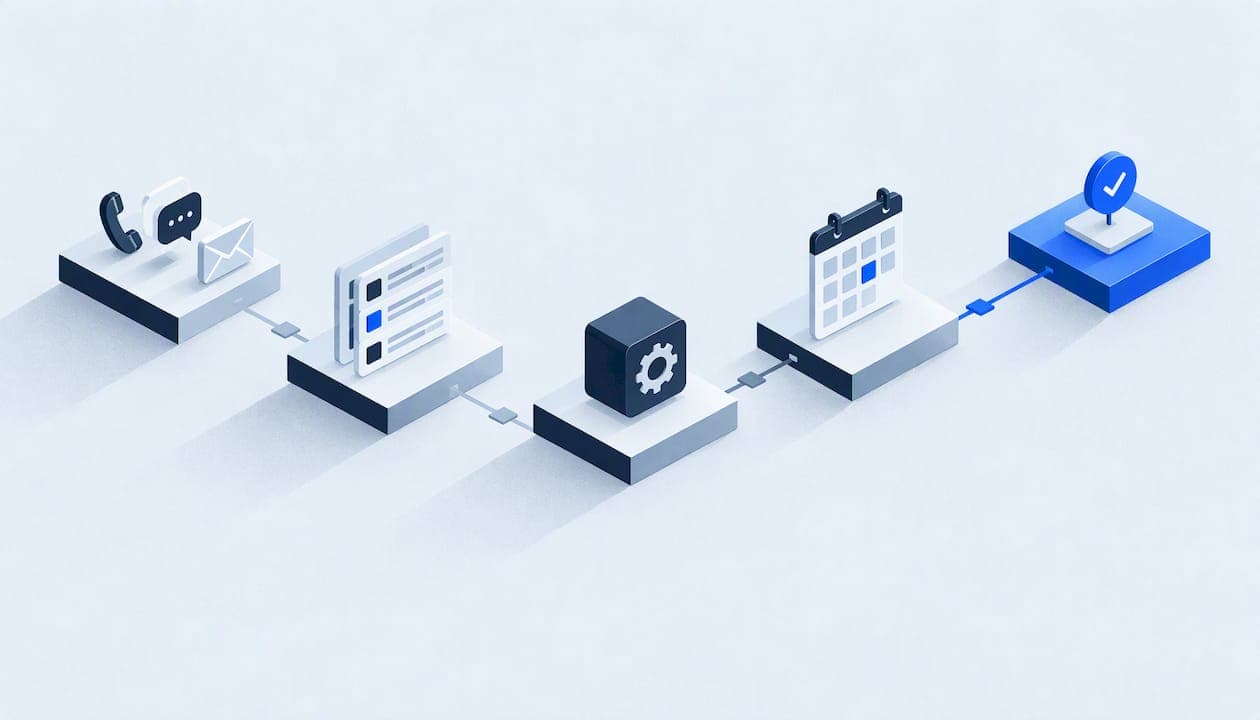
AI appointment setting means software that answers a new inquiry by call, text or web chat, asks the questions you would ask, and puts a confirmed slot on your real calendar without a person in the loop. For an HVAC, plumbing, roofing or restoration company, the value is simple: the lead that arrives at 9 p.m. or while your crew is on a roof gets a response and a booking, not a voicemail. The risk is just as simple: a badly connected agent double books, promises slots you do not have, or texts people who never agreed to be texted. This guide covers how it works, what to check, what it costs and how to roll it out safely.
TL;DR
- An AI appointment setter qualifies an inquiry and books it against your live calendar, by voice or text, around the clock. Ordinary scheduling links only wait for the customer to act.
- Results depend on integration: calendar, CRM, lead forms and dispatch rules must share one source of truth, or you get double bookings and missed handoffs.
- Inbound calls and replies to people who contacted you are the safest place to start. Outbound calls and texts bring TCPA consent rules.
- Pricing is usually a mix of setup, a monthly platform or service fee and usage. Ask for every line before you sign.
- Start with a narrow pilot, a human handoff at any point and a weekly review of transcripts.
Table of Contents
- What AI appointment setting actually is
- From first response to confirmed appointment
- Calls, texts and after-hours coverage
- Integration: where most projects succeed or fail
- What to assess to prevent missed leads and bad bookings
- Privacy, consent and communications rules
- What AI appointment setting costs
- Our perspective
- How Equinox can help
- A rollout plan that limits risk
- FAQ
- Sources
What AI appointment setting actually is
A traditional scheduler, such as a booking link, shows open times and waits. It does nothing for the customer who calls instead, writes a vague message, or abandons the form halfway. An AI booking agent starts the conversation. It answers, understands what the person needs in plain language, decides whether the job fits your services and area, and offers times that match your technician availability.
Three capabilities separate it from ordinary scheduling software:
- Conversation. It handles free-form speech or text, interruptions and follow-up questions, not a fixed form.
- Qualification. It collects the details that decide the visit: address and ZIP, type of problem, urgency, equipment age, whether water is actively leaking, whether the caller owns the property.
- Action. It writes the booking, sends the confirmation and updates the customer record, instead of handing a note to someone else.
If you want the scheduling side in more depth, our guide to automated appointment scheduling for US service businesses walks through calendars, buffers and confirmation rules.
From first response to confirmed appointment
A well-built flow has the same stages whether the channel is a phone call or a text thread.
1. Capture and respond
The inquiry arrives from a phone call, a web form, a missed-call text-back, an ad lead or a chat widget. The agent responds in seconds. Speed is the main reason this works: a lead who waits an hour has usually called the next company.
2. Qualify
The agent asks a short, fixed set of questions your office would ask. Keep the list tight. Five or six questions that decide routing beat fifteen that exhaust the caller. Emergencies, such as active water damage, gas smell or no heat in freezing weather, should skip normal booking and go straight to your on-call person.
3. Offer and book
The agent reads availability from your calendar or dispatch system, applying your rules: service area, job duration, travel buffer, technician skills and same-day cutoffs. It offers two or three options and books the one the customer picks.
4. Confirm and remind
A confirmation goes out immediately with the date, window, address and what to expect. Reminders follow, with a simple way to confirm, cancel or reschedule. No-shows drop when the customer can change the plan in one reply instead of calling back.
5. Hand off and record
The full transcript, the answers collected and the booked slot land in the customer record. When the agent cannot decide, it passes the conversation to a person with the context attached, so the customer does not repeat themselves.

Calls, texts and after-hours coverage
A capable agent covers more than the first booking:
- Answering calls when your front desk is busy, on another line or closed.
- Texting back missed calls and form submissions.
- Rescheduling and cancellations against the same calendar, freeing the slot so another job can fill it.
- After-hours intake, with emergency routing rules you define in advance.
- Follow-up on quotes and estimates that have gone quiet.
Voice is the hardest channel to get right because callers speak over the agent, have accents and noisy backgrounds, and give addresses in odd ways. If phones are your main lead source, read our buyer's guide to AI voice agents for service businesses before comparing tools, and see how AI voice receptionists handle secure intake under US rules.
Integration: where most projects succeed or fail
The AI itself is rarely the weak point. The wiring around it is. Before you commit, map these four connections.
| Connection | What it must do | What goes wrong without it |
|---|---|---|
| Calendar or dispatch system | Read real availability and write bookings instantly | Double bookings, slots your crew cannot reach |
| CRM or customer records | Create or match the contact, store transcript and source | Duplicate customers, lost history |
| Lead forms and ad sources | Trigger a response within seconds and tag the source | Leads wait in an inbox, reporting is blind |
| Phone system | Forward, fall back to humans, pass caller ID | Dropped calls, no escalation path |
Two design choices matter more than any feature list. First, pick one source of truth for availability. If the agent keeps its own calendar and your office keeps another, you will have conflicts within a week. Second, make writes safe: the agent should hold a slot, confirm it, and release it if the booking fails, so partial bookings never reach your techs.
This is the reason many small businesses outgrow stitched-together tools. When a standard platform cannot model your rules, such as emergency tiers, multi-technician jobs or insurance-driven restoration intake, a custom layer on top is often cheaper than endless workarounds.
What to assess to prevent missed leads and bad bookings
Before going live, test the failure modes, not the demo.
- Missed leads. Send test inquiries through every source: a call at 2 a.m., a form with a typo in the phone number, a text from a number outside your area. Confirm each produces a record and a response.
- Incorrect bookings. Check that the agent refuses jobs you do not do, addresses outside your service area and times inside your buffers.
- Double bookings. Book the same slot from two channels at once. One must lose gracefully and offer another time.
- Poor handoffs. Ask for a human at several points in a call. The transfer should carry the summary, and if nobody answers, the agent should take a message and promise a callback window you can actually keep.
- Identity and access. If the agent can change or cancel existing appointments, it needs a way to verify the caller. See our piece on caller identity verification for service businesses.
- Silent failures. An agent that quietly stops writing to the calendar looks fine until customers complain. Our 30-day monitoring plan for AI agents shows what to watch.
Privacy, consent and communications rules
This is the part that turns a good pilot into a lawsuit when ignored. It is general information, not legal advice: have a telecom or privacy attorney review your scripts and consent language before you launch outbound.
Inbound is simpler. When a customer calls you or fills out your form, replying about the request they made is the lowest-risk use. Still, tell people they are talking to an AI and offer a human at any point.
Outbound is regulated. In February 2024 the FCC confirmed that the Telephone Consumer Protection Act's rules for artificial or prerecorded voices apply to AI-generated voices. In practice, the FCC's ruling means robocalls and robotexts to consumers generally require prior express consent unless an exemption applies, and consumers can revoke consent by any reasonable means, which you must honor in a timely manner.
For marketing, the FTC's Telemarketing Sales Rule guidance is the starting point for what counts as informed consent and how to handle opt-outs. Practical safeguards:
- Record where and when each consent was given, and what wording the customer saw.
- Make "STOP" and plain-language opt-outs work across voice and text, and sync them everywhere.
- Keep quiet hours and calling-time limits in the agent's rules.
- Limit what the agent can see: role-based access, masked card and ID details, and a written map of where customer data goes.
If outbound calling is on your roadmap, use our AI outbound calling pilot checklist and check caller ID reputation so your booking calls are not labeled spam.
What AI appointment setting costs
Public pricing varies widely, and the headline monthly fee is rarely the full bill. Expect these components:
| Cost element | How it is usually charged | Question to ask |
|---|---|---|
| Setup and integration | One-time fee or project scope | Which systems are included, and who owns the work? |
| Platform or service fee | Monthly subscription | What happens when volume grows? |
| Usage | Per minute, per call or per message | Are overages capped? |
| Phone numbers and texting | Carrier and registration fees | Who handles texting registration? |
| Custom work | Scoped hourly or fixed project | Is the code and documentation yours? |
| Monitoring and changes | Monthly support plan | Who fixes it when your pricing or hours change? |
Our AI receptionist cost breakdown shows how a plan that looks cheap can grow once minutes, add-ons and integrations are counted. The best comparison is the cost of one booked job against what you lose today: count your missed calls for two weeks, multiply by your close rate and average ticket, and you have a ceiling for what the system can justify.
Our perspective
Most failed AI booking projects we see were not failures of the AI. They were failures of scope. Someone bought a tool, pointed it at a calendar and hoped. We think the work should go in the opposite order: write down the workflow, map the data, decide who may see what, define what the agent may never do, and only then build.

That is why every Equinox build is scoped and documented, with least-privilege access, a written data map, explicit consent flows and a rollback plan, delivered by one accountable technical lead. We would rather show you how the system works, process and code, than hand you marketing claims. If the agent misbehaves on a Tuesday, you should know exactly where to look and how to switch it back.
Our advice for a first project: automate inbound booking and confirmations, keep a human one step away, and expand only after the transcripts show the agent is doing what you would want a new hire to do.
— Felix
How Equinox can help
We build lead response and booking systems for US service businesses: lead generation, AI voice and messaging agents, done-for-you automations and custom software, connected to the calendar, records and reporting you already run. Pricing is scoped to your project, so tell us how your leads arrive today and we will outline what a first phase would cover.
A rollout plan that limits risk
- Week 1: baseline. Log missed calls, response times and booking rates by source.
- Week 2: scope. Write your qualification questions, emergency rules, service area, buffers and handoff contacts.
- Weeks 3 to 4: build and test. Connect calendar, CRM and forms. Run the failure tests above.
- Weeks 5 to 6: limited launch. Route after-hours and overflow calls only, with daily transcript review.
- Ongoing: expand and monitor. Add channels, reminders and follow-up once metrics hold, and review weekly.
The NIST AI Risk Management Framework is a useful lens here: it frames trustworthy AI around qualities such as reliability, security, transparency and privacy, which line up neatly with the checks above.
FAQ
Is an AI booking agent the same as an AI receptionist?
They overlap. A receptionist answers and routes calls and takes messages, while a booking agent is focused on qualifying and putting a confirmed slot on the calendar. Many service businesses use one agent for both, with booking as the main goal.
Will customers be annoyed to talk to an AI?
Usually less than they are by voicemail or a long hold, provided the agent is clear that it is an AI, moves quickly and offers a person on request. Frustration comes from agents that loop, misunderstand addresses or cannot hand off.
Can it book into the software my dispatchers already use?
Often yes, through a native integration, an API or a custom connector. The question to ask is whether it reads live availability and writes bookings back in real time. If your platform has no usable interface, custom software may be needed.
Do I need consent before an AI texts or calls a lead?
It depends on whether the contact is inbound or outbound and on the type of message. Marketing calls and texts to consumers generally need prior express consent under the TCPA, and opt-outs must be honored. Have an attorney review your wording before launching outbound.
Sources
- FCC Declaratory Ruling on AI-generated voices under the TCPA (FCC 24-24)
- FTC: Complying with the Telemarketing Sales Rule
- Wiley: FCC announces TCPA restrictions cover AI-generated voices