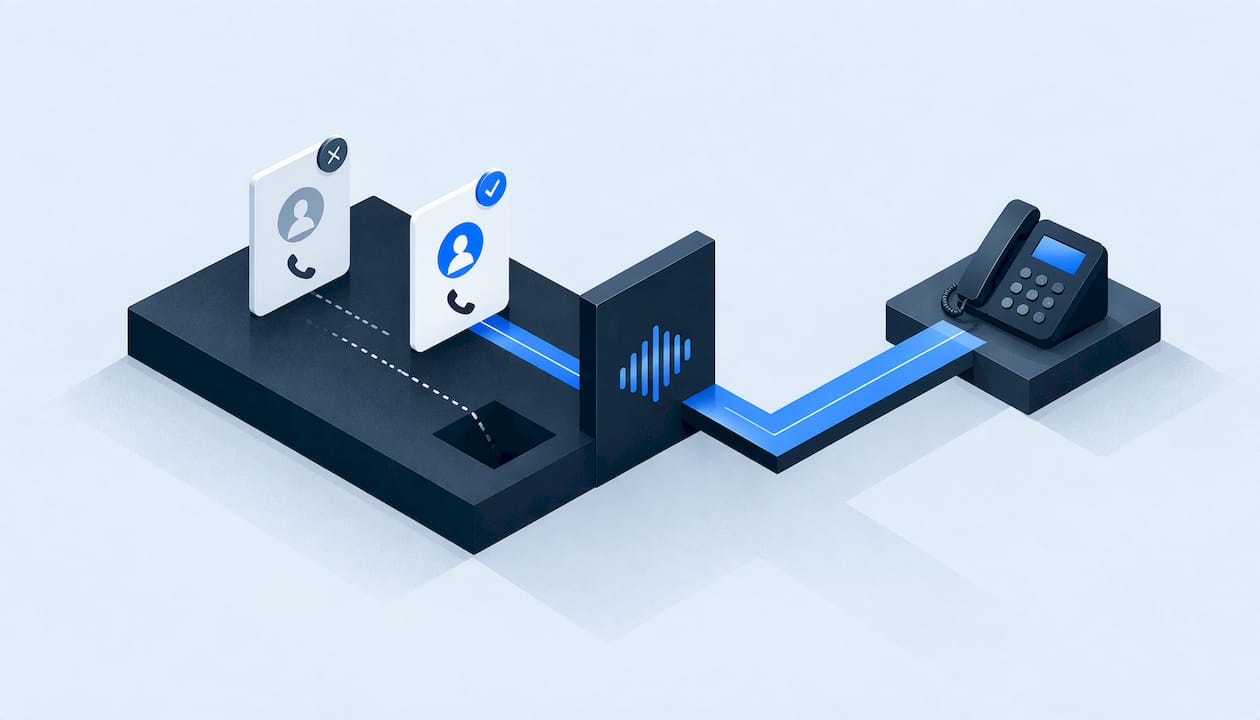
AI call screening works in two directions for a service business. Your customers' phones now screen calls from numbers they don't know, including your callbacks. Meanwhile, an AI voice agent on your own line can answer, qualify and route every inbound call so no lead goes unanswered. The businesses that win handle both: they open every callback so it passes a screen, and they put an answering layer in front of the phones that records what the caller needs.
TL;DR
- AI call screening is an assistant that answers a call before a person does, asks who is calling and why, and shows the answer as text.
- Phones from Google, Samsung and others now screen unknown numbers. Your callback to a new lead can be screened before the customer ever sees it ring.
- Open every call with your name, company and reason, and follow up by text so the lead has a second way to reach you.
- On your side, an AI voice agent can answer, qualify and book jobs when your crew is on a roof or under a sink.
- Security and consent come first: disclosure, call recording rules and written data handling decide whether the setup is safe to run.
Table of Contents
- What AI call screening is
- Why it matters now: the pressure behind screening
- How a phone screens your callback
- Using AI screening on your own line
- Set it up in the right order
- Security, consent and recording rules
- Perspective
- Where we fit
- FAQ
- Sources
What AI call screening is
AI call screening means software picks up a call first. It asks the caller for a name and a reason, turns the reply into text, and lets a person decide whether to take the call, decline it or send it to voicemail.
On a consumer phone, this is a built-in feature. Google's Phone app help page says Call Screen lets you find out who is calling and why before you pick up, and that it works on the device without using Wi-Fi or mobile data. Samsung describes the same idea for Galaxy phones: AI filters and manages incoming calls. Apple's iPhones have added a comparable feature, so most of your customers now carry a phone that can do this.
In a business, the same pattern runs on your line instead. The assistant answers for you, asks for the caller's name, address and problem, and passes a summary to your team. Same technology, opposite seat.
Why it matters now: the pressure behind screening
People screen calls because most unknown calls are unwanted. A US congressional hearing record states that in April 2025 nearly 2,000 robocalls were placed to US consumers every second, and that fraud by illegal robocallers costs about $25 billion a year.
A September 2026 arXiv study measured the problem from the receiving end. Researchers recorded 10,987 calls over 66 days on US honeypot numbers, and of the 7,233 calls that were greeted, 26.9% opened with a replayed recording or synthetic voice. Only a tiny share of calls, 0.44%, disclosed that they were automated. The same paper found synthetic openings were more common in lead-generation spam (33.8%) than in fraud (21.1%).

That is the world your customer lives in. When a homeowner with a burst pipe or a leaking roof submits a form, your callback arrives from a number they don't recognize, in a stream of calls that mostly are junk. The screening feature is a reasonable response to that, and it is why your first five seconds matter.
How a phone screens your callback
The Google help page describes the flow clearly. Call Screen answers unknown or suspicious calls silently, asks who is calling and why, and hangs up on detected spam. Otherwise it rings the user and shows the caller's response. The page also notes three things worth knowing:
- Saving a number as a contact stops it being screened.
- Screening does not always transcribe everything a caller says.
- Screened calls aren't forwarded if call forwarding is in use.
For a service business, each point has a practical use.
Contacts skip the screen. If a lead texts back or replies to a message, your number can be saved, and the next call goes straight through. A short text that includes your company name and a line such as "save this number for your appointment" gives you that.
Transcription is imperfect. A name mumbled over a noisy truck engine may read as nonsense. Say your company name slowly and plainly.
Forwarding changes behavior. If your office line forwards to a mobile and the customer returns your call, check how screening and forwarding interact on your own numbers before you rely on them.
What to say in the first five seconds
A screening assistant asks the caller to state who they are and why they are calling. If your caller replies with silence or a canned pitch, the call looks like a robocall. A good opener is short and specific:
"Hi, this is Dana from Ridgeline Roofing, returning the call about the storm damage estimate you requested this morning."
That gives the assistant a name, a company and a reason tied to something the customer did. A vague opener such as "calling about your recent inquiry" reads like a spam script, because the 0.44% disclosure figure above shows that automated callers rarely identify themselves honestly and real people get lumped in with them.
Pair every callback with a text
If the call is screened and declined, a text gives the lead a second path. Send one that names your company, the service they asked about and a way to reply. An AI messaging agent can hold that conversation for you, which matters because the customer's reply is often the thing that gets your number saved. Keep outbound texts and calls within consent rules; our TCPA checklist for AI outbound calling covers the pilot steps for US operations.
Using AI screening on your own line
The other half of the story is inbound. Think about who answers your phone. A plumber is under a vanity. A roofer is on a ladder. A restoration crew is pumping out a basement at 2 a.m. The front desk, if you have one, is juggling walk-ins, scheduling and a ringing line. Calls that go to voicemail are often not returned in time, because the customer has already called the next company on the list.
An AI voice agent fixes that by answering every call, screening it the way a good dispatcher would, and routing it by what the caller says. Instead of "leave a message," the caller gets a conversation: what is happening, where, how urgent, and the best number to reach them.
What screening looks like for each trade
The screen should ask the questions your estimator or dispatcher would ask, in the order they would ask them.
| Trade | What the agent should capture | Typical routing |
|---|---|---|
| HVAC | No heat or no cooling, system type, address, urgency, occupants at risk | Emergency to on-call tech; maintenance to scheduling |
| Plumbing | Active leak or backup, shutoff status, address, access | Active water to on-call; quotes to the office |
| Water damage restoration | Source of water, time since loss, affected rooms, insurance carrier | Immediate dispatch; documentation sent to the project manager |
| Roofing | Leak or storm damage, roof type, claim status, address | Estimate booking; urgent tarping to crew lead |
| General contracting | Project type, scope, timeline, budget range, address | Estimate booking with the right project lead |
Spam, sales calls and wrong numbers are filtered out. Real jobs go to a person, or to a calendar slot, with the details already written down.
For a deeper look at how this works in practice, see our guide to AI voice receptionists and secure intake and our explainer on AI appointment setting for US service businesses.
Qualify, then route
Screening is only valuable if it ends in an action. Decide in advance what each answer triggers:
- Emergency: ring the on-call phone and text a summary at the same time.
- Estimate request: offer open calendar slots and confirm by text.
- Existing customer: match the number to the customer record and send the call to the right person.
- Not a fit: a polite close, with the details saved in case the caller returns.
- Spam or robocall: end the call and log nothing.
When the agent finishes a call, a written record should land where your team already works. Our piece on AI call summaries explains what a good summary contains and how to use it, and the guide to voicemail transcription routes shows how transcripts become tracked leads.
Follow up without dropping anything
Most leads are lost after the first contact, not before it. A caller who didn't book gets a text within minutes. A quote sent on Tuesday gets a nudge on Thursday. A missed call from a number that later shows up in your records is matched to the right customer. That requires the phone agent, the messaging, the calendar and the customer record to share one source of truth. Field crews add another layer, since where your people are and what they are doing decides who can take a job; AI analytics for field teams shows how teams use data to run that side.
Set it up in the right order
An answering agent is a routing and governance project as much as a technology one. A sequence that works:
- Decide the number path. Which numbers ring where, and what happens when nobody picks up.
- Write the knowledge base. Service areas, hours, services you do and don't offer, and how you handle emergencies.
- Write the disclosure. The agent should identify itself as automated at the start of the call and offer a person on request.
- Connect the calendar and customer records. Map fields such as name, phone, email, service type, address and notes, so nothing gets retyped.
- Set escalation rules. Define which situations go straight to a human and how fast.
- Test live. Call from different phones, at different hours, with noisy backgrounds and difficult callers.
The cost side belongs in the plan early. Our breakdown of AI receptionist costs for small businesses shows the range and the items that cause surprise bills.
Security, consent and recording rules
A call screen listens to people and stores what they say, so treat it like any system that holds customer data.
Recording consent. Some states require every party to a call to consent to recording. If your agent records or transcribes calls, disclose it at the start. Rules differ state to state, and our state-by-state guide to call recording laws walks through them for service businesses. If you have questions about your specific situation, speak with a licensed attorney in your state.
Outbound contact. Callbacks and texts to leads need documented consent, and a STOP request or a spoken request to stop must be honored. A lawyer who handles telephone consumer protection law can confirm the details for your marketing flow.
Caller identity. Callers on emergency lines often ask you to act on their behalf, to unlock access, release an invoice or change an appointment. The agent should verify before it shares anything. Our guide to caller identity verification covers a security-first approach.

Data handling. Know where recordings and transcripts live, who can read them and how long they are kept. Access should be limited to the people who need it.
Perspective
Most of the call-handling tools we see are sold as single features: an answering bot here, a texting tool there, a form plugin somewhere else. Each one works on its own, and none of them agrees with the others about who the customer is.
That is why we build the whole path. A call comes in, the agent answers, the details are qualified, the job lands on a calendar and the customer record updates. Every project is scoped and documented before we start. Access is least-privilege, the data map is written down, consent flows are explicit and there is a rollback plan if something needs to be undone. One accountable technical lead owns the work.
Call screening makes the stakes plain. Customers' phones now decide in seconds whether you deserve a ring. Your answer to that is a business that picks up every time, speaks clearly, follows up fast and keeps the customer's data safe. That is a systems problem, and systems are what we build.
Felix
Where we fit
We build lead response systems for US service businesses: AI voice and messaging agents that answer and qualify inquiries, done-for-you automations that handle follow-up, and unified customer records, calendars and reporting underneath. When standard platforms can't match how your operation runs, we build custom software from your brief.
If calls are going unanswered or leads are falling between tools, start with a look at our services and process.

Support after launch is available as an ongoing monthly plan, so the system keeps pace as your business changes. You can see everything we offer at equinox-strategies.llc.
FAQ
How do I turn on AI call screening on my phone?
On Android, open the Phone app settings and turn on automatic call screening, then tap the screening notification to see the live transcript. Google notes that it doesn't work while roaming and advises against combining automatic screening with call forwarding. On iPhone, the feature in iOS 26 is off until you enable it in settings.
Is Google call screening free?
Google describes Call Screen as a feature of the Phone app, and it runs on the device without using Wi-Fi or mobile data. Availability depends on your phone and country, so check the Phone app help page for your device.
Will call screening hurt my callbacks to new leads?
It can, if your call looks like a robocall. Open with your name, company and a reason tied to what the customer asked for, and follow up with a text. Once a lead saves your number as a contact, Google's help page says it stops being screened.
Can an AI agent screen calls for my business?
Yes. An AI voice agent can answer every inbound call, ask the questions your dispatcher would ask, filter out spam and send real jobs to your team or your calendar. Disclose that the caller is speaking with an automated assistant, and check your state's recording rules first.
Sources
- Screen your calls before you answer them, Phone app Help (Google)
- Use Call screening on your Samsung phone (Samsung)
- Stopping Illegal Robocalls and Robotexts, congressional hearing record (govinfo.gov)
- The Machines Are Calling: Measuring Automated and Synthetic Calls (arXiv)
- AI Labor Analytics for Field Teams