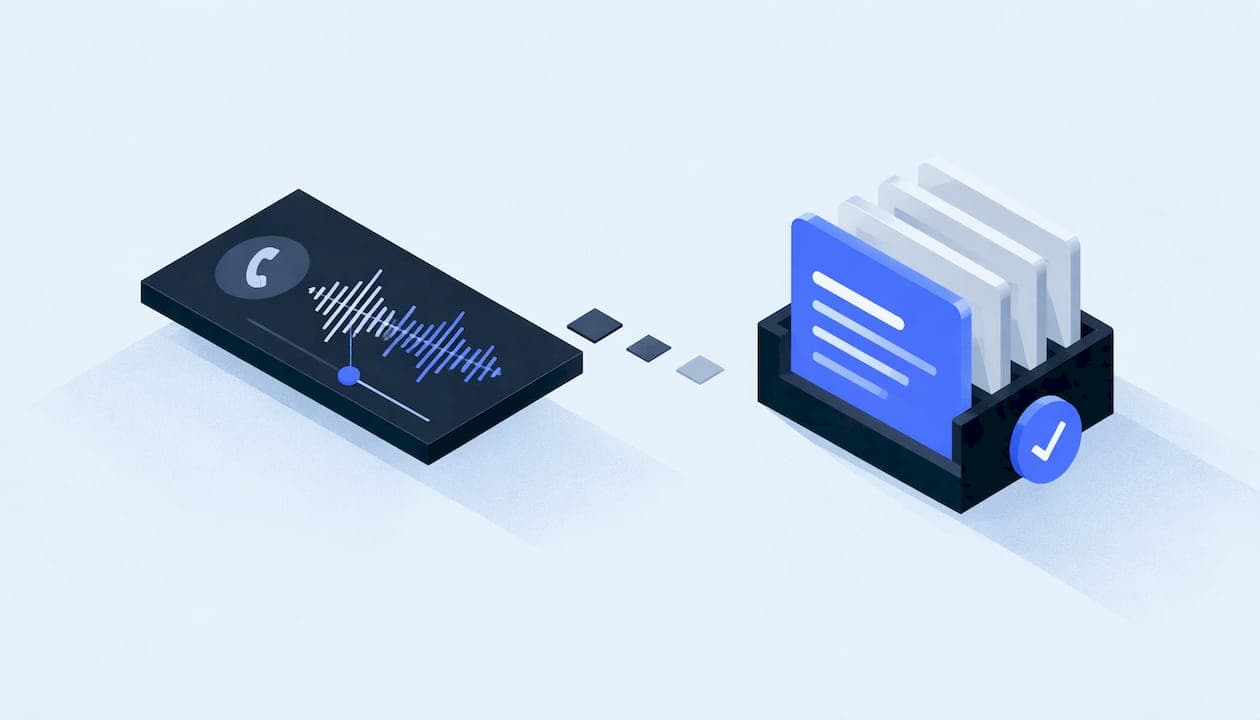
An AI call summary is a short written recap of a phone call, produced automatically after the call ends. It states why the customer called, what was said or done, and what happens next. For a service business, the value is practical: no lead sits in a voicemail box, no job detail lives only in a dispatcher's memory, and every follow-up has a note behind it. This guide explains how the technology works, what a good summary contains, how to check it, and how to wire it into the tools you already use.
TL;DR
- AI call summaries transcribe the call, then use a language model to condense it into the reason for the call, actions taken and next steps.
- The best summaries are structured: caller, job type, urgency, address, promised callback, and an evidence link back to the transcript.
- Accuracy is good but not perfect. Names, numbers, dates and negations need a check, and risky outputs should go through human review before they update your CRM.
- Voice data is regulated territory. Get consent right, limit who can see recordings, and never overstate what your system does with them.
- The payoff comes from connecting summaries to your CRM, calendar and follow-up automations, not from reading them in isolation.
Table of Contents
- What an AI call summary actually is
- How a phone call becomes a summary
- What a useful summary contains
- Where service businesses get the most from call summaries
- Connecting summaries to your CRM and workflows
- How accurate are AI call summaries, and how do you check them?
- Privacy, consent and security
- Questions to ask before you choose a setup
- How we can help
- FAQ
- Sources
What an AI call summary actually is
A call summary is not a transcript. A transcript is every word, and nobody on a busy front desk reads a 12-minute transcript of a burst-pipe call. A summary is the compressed version. Amazon's Transcribe documentation defines generative call summarization as a concise summary of the entire call that covers the reason for the call, the steps taken to resolve the issue, and the next steps.
That three-part shape is a useful template for any service business:
- Why they called. "Water heater leaking in garage, started this morning."
- What was done. "Gave arrival window, confirmed homeowner will be present, took card on file."
- What happens next. "Technician callback within 30 minutes, estimate to follow by text."
So, can AI summarize phone calls? Yes. The same documentation notes that call summaries can reduce manual note-taking, improve agent efficiency and speed up supervisor review, because a summary is quicker to read than a full transcript. The question that matters is not whether it can, but how you set it up so the output is trustworthy enough to act on.
How a phone call becomes a summary
Most systems follow the same two-stage pattern. A technical explainer from Reson8 describes the process: speech recognition first creates a speaker-labeled transcript, then a language model condenses it.
In practice, the pipeline looks like this:
- Capture the audio. Either a single recording or separate channels for caller and staff member. Separate channels make it much easier to know who said what.
- Transcribe. Speech-to-text converts the audio into words.
- Label speakers. The system separates speakers through diarization or through the separate channels, so "I'll be there at 3" is attributed to the right person.
- Clean and format. Filler words are trimmed, punctuation is added, and the transcript is structured.
- Summarize. A language model produces the recap from the cleaned transcript.
- Deliver. The summary lands in a CRM record, a text message, an email or a dispatch board.
For teams that build on cloud tooling, this is often a setting rather than a project. Amazon's documentation shows generative summaries switched on in a post-call analytics job by setting a single parameter, GenerateAbstractiveSummary, to true. The harder work is everything around it: where the summary goes, who can see it, and what it is allowed to trigger.
What a useful summary contains
A generic summary ("customer called about plumbing") is nearly worthless. A useful one carries the details your team would otherwise have to call back and ask for. Amazon's call analytics can add talk time, interruptions, talk speed, issues, outcomes, action items, speaker sentiment, custom categories and PII redaction, according to its documentation. Not every business needs all of that. Here is what we would put in a service-business summary, and why.
| Field | Example | Why it matters |
|---|---|---|
| Caller and callback number | "Dana R., 555-0142" | Lets anyone pick up the thread without re-asking |
| Service address | "Confirmed, matches customer record" | Prevents dispatch to the wrong location |
| Job type and urgency | "Roof leak, active, ceiling stain growing" | Sorts emergencies from estimates |
| Insurance or payment mentions | "Homeowner filing a claim" | Changes who you bill and what documentation you need |
| Commitments made | "Promised callback by 4 p.m." | Turns a promise into a tracked task |
| Action items with owner | "Office: send estimate by text" | Stops follow-ups from falling through |
| Sentiment or concern | "Frustrated about a previous no-show" | Warns the next person to handle the call carefully |
| Evidence reference | "Quote at 02:14 in the recording" | Lets a human verify any claim in seconds |
The last row is the one most teams skip, and it is the one that makes everything else safe to trust. OpenAI's developer cookbook shows a workflow that produces speaker-labeled segments, decisions, risks, action items, evidence references and a follow-up email draft. The design principle carries over to a plumbing or roofing office: every extracted item should point back to the moment in the call that supports it.
Where service businesses get the most from call summaries
The use cases below are the ones we see matter most for HVAC, plumbing, roofing, water damage restoration and general contractors.
Fast, consistent lead response
A lead that calls at 6:40 p.m. and reaches voicemail often calls the next company on the list. When an AI voice agent or a human answers, the summary makes sure the next person to touch the lead knows exactly what was said. If you are weighing automated answering, our buyer's guide to AI voice agents for service businesses covers what to look for, and our piece on AI voice receptionists and secure intake covers the U.S. rules small firms need to know.
Cleaner handoffs between office and field
A dispatcher takes the call, a technician takes the job, and an estimator takes the follow-up. Each handoff loses information when it is verbal. A summary that lives in the job record means the technician sees "customer has a dog in the backyard, gate code 4471" before arriving, not after.

Follow-ups that actually happen
When action items are extracted as tasks with owners, the follow-up becomes a checklist instead of a good intention. Summaries also feed appointment confirmation. Our overview of AI appointment setting for U.S. service businesses shows how a booked slot and a call note can be part of the same workflow.
Faster supervision and coaching
Owners and office managers cannot listen to every call. A summary lets a manager scan twenty calls in the time it takes to listen to one, then open the recording only where something looks off. That is the same efficiency gain Amazon describes for supervisor review.
Marketing attribution
Summaries also tell you which calls were real jobs and which were wrong numbers or vendors. That matters if you pay for leads. Tying call outcomes back to ad spend is the heart of call tracking for ads, and when you do it with summaries, you can count booked jobs instead of just ring volume. For the data plumbing, see our walkthrough of secure Google Ads call tracking with CRM integration.
Connecting summaries to your CRM and workflows
A summary that sits in a dashboard nobody opens does little. The value shows up when it flows into the system your team already works in.
The pattern is simple. An AWS reference architecture shows that a call-end event can trigger transcript summarization, and a post-call hook can then update a CRM such as Salesforce. The same idea applies to whatever CRM or field-service platform you use:
- Call ends. The phone system fires an event.
- Summary is generated. Transcript and recap are produced.
- Record is matched. The caller is matched to an existing customer or a new lead is created.
- Fields are filled. Job type, urgency, address and notes populate the record.
- Tasks are created. Callbacks and estimates are assigned to an owner with a due time.
- Customer is contacted. A confirmation text or email goes out.
Two cautions apply to the matching and writing steps. First, caller identity is not the same as caller ID, so be careful about letting a summary overwrite a customer record on the strength of a phone number alone. Our guide to security-first caller identity verification explains the checks that make sense. Second, automation that places calls back to leads carries its own legal exposure, which we cover in our AI outbound calling pilot checklist for TCPA risk. If your outbound numbers get flagged as spam, your follow-ups never reach anyone, so it also pays to check caller ID reputation before automating fixes.
There is also a broader efficiency case. If you want to see how teams think about operational benefits of AI in general, the logic is the same: remove repetitive note-taking and routing, and spend the saved hours on work that needs a person.
How accurate are AI call summaries, and how do you check them?
Good, not flawless. Be direct about this with your team, because a summary that is 95 percent right can still send a crew to the wrong address.
A few findings help calibrate expectations:
- OscarAI, a health-insurance technology team, published an evaluation in which AI summaries had 8.24% fewer errors than Care Guide summaries across four categories, while still trailing human summaries on accuracy.
- The same evaluation traced problems mostly to poor source transcripts, interpreter situations, mispronounced names, and generic summaries that missed details such as payment amounts.
- An academic survey from 2025 notes that evaluating speech summaries is difficult because people differ in what they select and how they phrase it, and that quality takes lexical, semantic and factual checks. No single overlap score is enough, and factual correctness has to be assessed separately.
- Earlier research shows the same pattern. A NIST TREC 2020 podcast-summarization submission from Spotify reported its best system scoring 1.58 against 1.49 for creator descriptions and a baseline, yet some generated summaries still contained hallucinated content.
The takeaway for a service business: faithfulness matters more than polish. Reson8's technical view is that a summary should say only what the call supports, especially for names, numbers, dates, negations and identifiers. In your world, that means street numbers, phone numbers, appointment times, dollar amounts, and words like "not" and "don't."
A review gate that fits a small team
You do not need a big quality department. OpenAI's example pipeline uses a guardrail and review gate that redacts sensitive fields, verifies evidence references, optionally moderates content, and routes risky outputs for review before they enter CRM, ticketing or knowledge systems. It also says that extracted items should carry evidence references and that missing evidence should trigger human review before anything is written downstream.
A practical version for a ten-person shop:
- Require evidence. Any address, time, price or promise in the summary should link to the transcript line it came from.
- Auto-approve the routine. A confirmed appointment with matching address and phone can write straight to the calendar.
- Flag the risky. Emergencies, insurance claims, complaints, anything with a dollar figure, and any item without evidence goes to a person first.
- Spot-check weekly. Pull five random calls, compare recording to summary, and note the error types. If names are the problem, add a spelling-confirmation step to the call script.
- Fix the source. Since poor transcripts cause many errors, improve audio quality, headsets and call routing before blaming the summarizer.
Privacy, consent and security
A call recording is voice data, and voice data draws regulator attention. The FTC finalized orders in 2026 against several firms over deceptive claims, and said that, had the service worked as advertised, collecting and using consumers' voice data without adequate consent would have violated the FTC Act. In the MindSift order, the FTC defines voice data broadly: full or partial audio, voice communications, and transcripts of those recordings. The order also prohibits misrepresenting how voice data is collected, used, disclosed, and consented to.
Two points follow for you. A transcript counts as voice data, so a summary pipeline that stores transcripts needs the same care as the recordings. And whatever you tell customers about what you do with their calls must match what the system actually does.
Safe-use habits that hold up:
- Tell callers. Use a clear recording and AI notice at the start of the call. Recording consent laws vary by state, so ask your attorney which rules apply where your callers are located.
- Redact what you do not need. Card numbers and Social Security numbers should not end up in a summary. Redaction of text and audio is an option in tools such as Amazon's call analytics API.
- Limit access. Give each role only the records it needs, and keep an access log.
- Set retention. Decide how long audio, transcripts and summaries live, and delete on schedule.
- Document the data map. Write down where call data goes: phone system, transcription service, model provider, CRM.
Our view: summaries are an operations layer, not a gadget
Most businesses meet AI call summaries as a feature bolted onto a phone app. That is where the trouble starts. A summary that cannot reach your CRM, your calendar, or your follow-up rules is just another place to look, and a summary that writes to those systems without a safety net is a liability.
We build these as part of one scoped, documented system. Every project has a written data map, least-privilege access, explicit consent flows and a rollback plan, and it is delivered by a single accountable technical lead. That matters for call summaries in particular, because the pipeline touches voice data, customer records and automation all at once.
Our approach is to make every summary checkable. Items link back to the call, risky items wait for a person, and everything that writes to a record can be undone. We would rather you trust ten summaries you can verify than a thousand you cannot.
Felix
Questions to ask before you choose a setup
You will find a few types of products: summaries built into a business phone system, summaries inside a call-tracking platform, summaries in a contact-center suite, and custom pipelines built on cloud speech and language services. Each fits a different business. Instead of comparing brand names, compare on what matters to a service company:
| Question | What a good answer looks like |
|---|---|
| Where do summaries go? | Directly into your CRM or job system, matched to the right customer |
| Can fields be customized? | Yes: job type, urgency, address, insurance and your own categories |
| Is there an evidence link? | Each extracted item points to a spot in the recording |
| Who can see recordings? | Role-based access and an audit trail |
| What happens to the data? | Documented retention, redaction options and clear terms on model use |
| Can it be rolled back? | Automated writes can be reviewed and reversed |
| What happens when it is unsure? | Routes to a human instead of guessing |
If your answers point to a standard product, use one. If your operation has quirks a standard platform cannot handle, such as storm-surge call volume, insurance workflows, multiple crews, or a field-service system with few integrations, custom work starts to make sense.
How we can help
We design lead response and call-handling systems for U.S. service businesses: voice and messaging agents that answer and qualify, automations that follow up, and a unified layer for customer records, calendars and reporting. When a standard platform cannot meet your needs, we build custom software from your brief.

If missed calls and scattered notes are costing you jobs, see our AI automation and lead systems and how our process works, or start from the Equinox Strategies home page.
FAQ
Can AI summarize phone calls?
Yes. The usual approach transcribes the audio, labels who is speaking, and then has a language model condense the transcript into a short recap. Cloud providers document this as a standard feature, and it works best with clear audio and a review step for names, numbers and dates.
What is an AI call summary?
It is a short, automatically generated recap of a call. A typical summary covers the reason for the call, what was done, and the next steps, and many tools also add action items, sentiment and categories.
How accurate are AI call summaries?
They are often competitive with manual notes but not perfect. Published evaluations show that errors tend to come from poor transcripts, mispronounced names and missing details such as payment amounts. Requiring evidence links and routing risky items to a person keeps those errors from reaching your records.
Do I need to tell callers that a call is being summarized?
Yes, tell them. The FTC treats voice data, including transcripts, as sensitive, and it expects what you say about collection and use to be accurate. Recording consent rules differ by state, so have an attorney confirm what applies to your callers.
Can call summaries update my CRM automatically?
Yes. A call-end event can trigger summarization, and a follow-on step can write the result to a CRM. Start with low-risk fields, keep a review gate for anything unusual, and make sure writes can be reversed.
Sources
- Post-call analytics, Amazon Transcribe
- Enabling generative call summarization, Amazon Transcribe
- StartCallAnalyticsJob, Amazon Transcribe API reference
- Powering multiple contact centers with GenAI, AWS architecture diagrams
- Conversation summarization, Reson8 Wiki
- Build a speaker-aware meeting intelligence pipeline, OpenAI Cookbook
- Call summarization: comparing AI and human work, OscarAI
- Summarizing Speech: A Comprehensive Survey, arXiv
- Spotify at TREC 2020, NIST
- FTC finalizes orders with Cox Media Group and two other firms
- MindSift: Final Decision and Order, FTC
- Call tracking for ads: setup and optimization guide
- AI for agencies: productivity results