
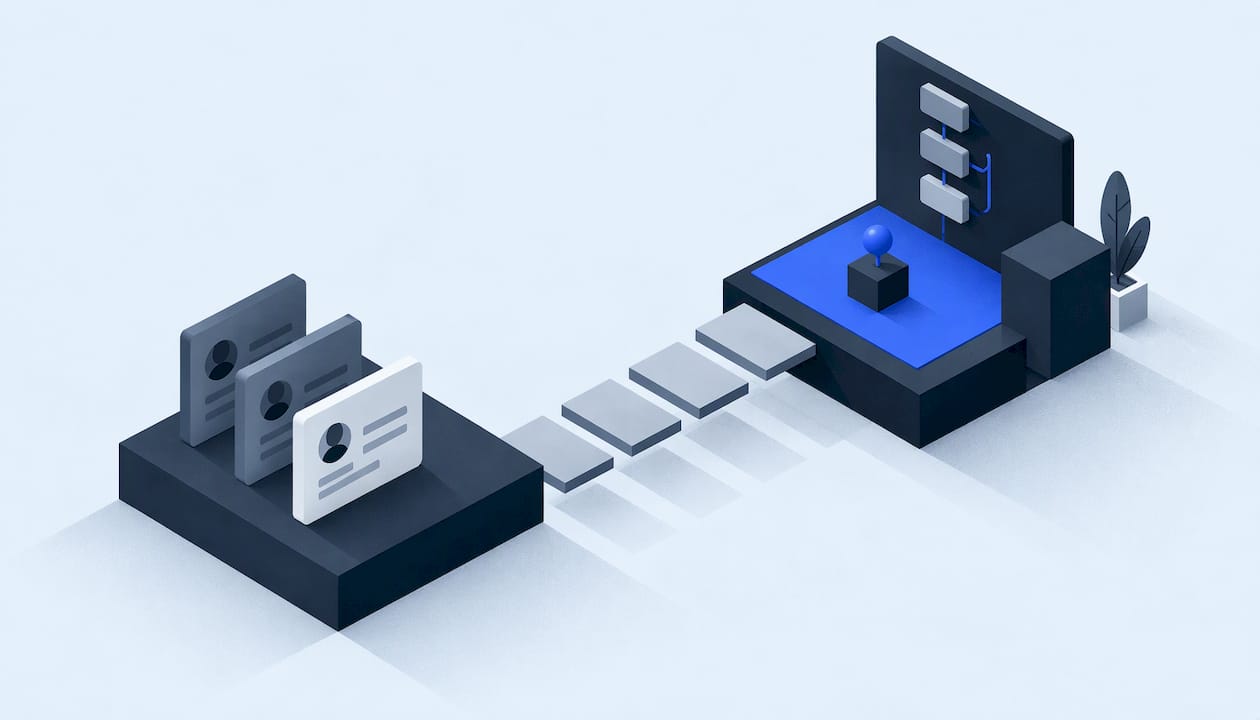
Follow-up automation is a set of rules that reply to every new inquiry within seconds, keep nudging until the lead books or opts out, and alert a person when a human is needed. For an HVAC, plumbing, roofing or restoration company, the working version is simple: capture the lead, acknowledge it by text or email, ask one next question, log everything in one record, and create a task if nobody has booked or called back. This guide shows how to build that, in what order, and where the legal edges are.
TL;DR
- Automate the first reply and the reminders. Keep the conversation, the quote and the judgment calls with a person.
- Use triggers (form submitted, missed call, quote sent, job finished) with clear exit rules, not a blind calendar blast.
- Pair a fast text with a slightly longer email. Each has a different job and a different set of compliance rules.
- Get consent and opt-out handling right before the first message goes out: TCPA for texts and calls, CAN-SPAM for email.
- Measure time to first response, contact rate, booking rate and leads stuck in each stage. Test with a small batch before going live.
Table of Contents
- What follow-up automation actually covers
- Design the workflow from inquiry to booking
- When to send, and how many messages
- Email and text follow-up: how they work together
- Consent, opt-out and privacy rules to settle first
- Connect it to your CRM, forms, phones and calendar
- Track progress, test, and improve
- Our perspective
- Get a follow-up system built for your operation
- FAQ
- Sources
What follow-up automation actually covers
Most pages on this topic are about email drip sequences for marketers: a welcome series, a webinar follow-up, a coupon. A service business has a different problem. A homeowner with a burst pipe or a leaking roof contacts three companies and usually talks to whoever answers first. Follow-up here is less about nurturing and more about not losing the lead in the first hour, then not losing the quote in the following week.
So it helps to split the topic into four jobs:
- Instant acknowledgment. A text or email within seconds of a form, chat, missed call or voicemail.
- Qualification. One or two questions: what is the problem, what is the address or ZIP, how urgent is it.
- Persistence. Reminders to the team and to the customer when nothing has happened.
- Lifecycle touches. A review request after the job, a maintenance reminder months later.
Automation handles all four well. What it should not do is improvise pricing, promise arrival windows nobody approved, or keep messaging someone who said stop.
Design the workflow from inquiry to booking
Start on paper. Draw the path a lead takes and write down what must happen at each step. A workable skeleton, consistent with how local-service guides describe it, looks like this:
- Capture the lead from every source: web form, phone call, text, chat, ad lead form.
- Acknowledge it immediately, using the customer's name and the service they asked about.
- Ask one next question that moves toward booking, such as a preferred time or a photo of the problem.
- Save the source and context in one shared system, so nobody asks the customer to repeat themselves.
- Alert the right person based on service type, territory or urgency.
- Create a task if there is no booking or callback after a set time.
- Track the status: contacted, booked, lost or waiting.
That sequence, along with a 15-minute no-response alert during business hours and a next-morning callback task for after-hours inquiries, is a sensible starting point. Treat the numbers as defaults to tune against your own call volume, not as laws of nature. A restoration company taking emergency calls at 2 a.m. needs a different after-hours path than a roofer who books estimates on weekdays.
Decide the stages before you decide the tools
Every automation hangs off a pipeline stage, so vague stages produce vague automation. If "Contacted" can mean a left voicemail or a real conversation, your reminders will fire at the wrong times. We cover how to define stages that a service business can actually act on in our guide to pipeline stage design. For teams in a recruiting-style process with many hand-offs, a walkthrough of recruitment workflow automation stages shows the same principle: name each stage, define what moves a record forward, then automate the move.
Route to a person, not to a shared inbox
An alert that goes to "the office" is an alert nobody owns. Assign each new lead to one named person or a rotation. If you split leads among several dispatchers or sales reps, test the assignment logic on a sample of real records first. Our piece on round robin lead assignment walks through a 500-row test for exactly that.
When to send, and how many messages
There is no single correct cadence. Published advice ranges from a simple day one, day three, day seven pattern to longer multi-week sequences. Zoom's guidance makes the more useful point: tie messages to behavior or stage changes where you can, and define clear entry and exit conditions, rather than sending on fixed dates regardless of what the lead did.
For a service business, a trigger-based sequence might look like this:
| Trigger | First action | Follow-up if no response | Stop when |
|---|---|---|---|
| New web form or chat | Text and email within seconds | Staff alert at 15 minutes; second touch next day | Lead replies or books |
| Missed call | Text asking how you can help | Callback task for the assigned person | Call connects or customer replies |
| After-hours inquiry | Acknowledge, state when you will call | Callback task first thing next business morning | Callback completed |
| Quote or estimate sent | Confirmation message | Reminder after one to two days, one more later | Customer accepts, declines or opts out |
| Job completed | Thank-you and review request | One reminder | Review left or customer opts out |
| Months after the job | Maintenance reminder | None, or one | Customer books or opts out |
Two rules keep this from turning into spam. First, every sequence has an exit: a reply, a booking, a decline or an opt-out ends it. Second, cap the total. Some content sites advise five or six touches for inbound leads, and the reasoning is sound, but the right number for a homeowner shopping for a water heater is lower than for a commercial roofing bid with a long decision cycle. Start conservative and extend only if your data shows replies arriving late.
Email and text follow-up: how they work together
Text and email do different things, so give each a job.
Text is for speed and scheduling. Keep it short, name your company in the first line, and ask one question that is easy to answer. "Hi Dana, this is Alex at Summit Heating. Got your request for a furnace check. Are mornings or afternoons better this week?" Texts are the right channel for confirmations, arrival windows and reschedules.
Email is for detail and record. Use it for what a text cannot carry: scope of work, what to expect on the visit, financing information, a written estimate, a link to book online. Subject lines should say what the message is, plain and specific.
A practical pairing:
- Seconds after inquiry: text acknowledges and asks the one question.
- A few minutes later: email confirms the request and links to your scheduling page.
- If there is still no response the next day: a second text, not a second email, because it is more likely to be seen.
- After the estimate: email carries the document, text carries the nudge.
Each message should include who you are, what the customer asked about, one clear next step, and a way out. That last element is a legal requirement, not a courtesy, as the next section explains. If your scheduling is part of the flow, see how automated appointment scheduling fits in so "book a time" is a link and not a back-and-forth.
Where AI voice and messaging fit
A missed call is a lead that is already warm. A voice agent can answer, collect the problem and address, and hand the record to your team, while a messaging agent can carry on the text thread. The same rules about consent, recording and honest identification apply. Our explainer on AI appointment setting covers how that hand-off works in practice.
Consent, opt-out and privacy rules to settle first
This is the part that gets skipped and then gets expensive. The following is a practical overview, not legal advice; have an attorney review your consent language and your messaging program before launch, especially if you text prospects for marketing.
Email: CAN-SPAM
The FTC states that the law covers all commercial email, with no exception for business-to-business messages. Its requirements include accurate header information, subject lines that reflect the content, clear identification of the message as an ad where applicable, a valid physical postal address, and an opt-out mechanism that you honor promptly. Purely transactional messages, such as confirming an appointment the customer requested, have lighter requirements, but anything promotional in nature is covered. If you want a closer look at how to word honest email subject lines for business buyers, that is a good companion read.

Text and calls: TCPA
Automated texts and calls fall under the Telephone Consumer Protection Act. Carrier-focused guidance says consent should be contextual, specific to the messages you plan to send and documented. In plain terms, a phone number typed into a quote form is not blanket permission for promotional texting. Put a short consent statement next to the phone field, store the timestamp and the wording the customer saw, and keep it with the lead record. The same guide recommends double opt-in as a best practice, and says to honor STOP and other reasonable opt-out requests.

Rules also move. In September 2026 the FCC approved changes to how consent revocation works, including letting senders designate certain exclusive opt-out methods and addressing category-specific revocations. Check with counsel or the FCC for the effective dates and what they mean for your setup.
For outbound AI calling specifically, see our TCPA pilot checklist. If your flow records calls, state rules differ, and our call recording laws guide summarizes them for service businesses.
A short compliance checklist
- Consent wording sits beside every phone and email field.
- Consent is stored with a timestamp, source and the exact text shown.
- Every text can be answered with STOP, and the opt-out is applied across every workflow, not just the one that sent the message.
- Every marketing email has a working unsubscribe and your postal address.
- Opted-out contacts are suppressed in the CRM so a new sequence cannot restart them.
- Quiet hours are set so no automation messages a customer at night unless they requested emergency service.
Connect it to your CRM, forms, phones and calendar
Follow-up breaks most often at the seams, where one tool has the lead and another has the calendar. Aim for one record per customer that every tool reads and writes.
- Forms and ads. Every form, ad lead form and landing page should post to the same place with the same fields. Include the source, so you can later see which channel produces booked jobs. If you run paid search, our write-up on call tracking integration with your CRM covers passing call data in safely.
- Phone system. Missed calls, voicemails and answered calls should create or update a record automatically, with the recording or transcript attached where law and consent allow.
- Calendar. The booking link should show real availability by technician or crew and write the appointment back to the record.
- Messaging. Text and email threads should be logged on the customer record, so an office worker sees the full history before calling.
- Data quality. Duplicates and missing fields break routing and reminders. A test on a sample of real rows, like the one in our lead data enrichment test, catches this before customers do.
When off-the-shelf tools cannot do something your operation needs, such as matching a job type to a crew, the answer is usually a small custom piece of software rather than another subscription stacked on the pile.
Track progress, test, and improve
Automation without measurement just hides problems. Keep a small dashboard with these numbers:
- Time to first response, split by business hours and after hours.
- Contact rate: share of leads that had a real two-way conversation.
- Booking rate by source and by service type.
- Stuck leads: how many sit in each stage past your threshold.
- Opt-out and complaint rate, a sign that messages are too frequent or poorly targeted.
- Review rate after completed jobs.
Test before you go live
- Submit test leads through every form, call the main line after hours, and text the business number. Confirm each one creates a record.
- Reply STOP to a test text and confirm everything halts, including sequences in other workflows.
- Book an appointment from the link and confirm it appears on the right calendar.
- Run the sequence on a small group of real leads for a couple of weeks, with a person reading the replies.
- Review the threads where the lead went quiet, and find the message after which people stopped answering.
Change one thing at a time: the wording of the first text, the timing of the second touch, the question you ask. Otherwise you cannot tell what helped.
Our perspective
We see the same failure in service businesses over and over: the leads are there, but the response is scattered. A form goes to one inbox, a missed call goes to voicemail, the calendar lives somewhere else, and a follow-up depends on whoever remembers.
Our view is that follow-up automation should be built as one system, not as a pile of tools. That means a scoped plan, a written data map showing where each piece of customer information goes, explicit consent flows, least-privilege access for every connected tool, and a rollback plan if a workflow misbehaves. It also means one accountable technical lead who can explain exactly what was built and why.
We would rather show you the logic and the code than hand you marketing promises. If the automation is documented and checkable, your team can trust it, and trust is what lets a front desk stop worrying about every missed inquiry.
Felix
Get a follow-up system built for your operation
If you would rather not wire this together yourself, this is what we build for US service businesses: lead generation, AI voice and messaging agents, done-for-you automations, and the operating layer that keeps customer records, calendars and reporting in one place. Each project is scoped and documented first, with security and consent designed in from the start. See the full list on our services overview, or look at how we work.

If your inquiries are slipping through the cracks, talk to us about your follow-up setup and we will map where leads are being lost.
FAQ
How do I automate follow-ups without sounding robotic?
Write messages the way your best dispatcher would, short and specific to the service requested. Use the customer's name and job type, ask one question, and keep a way for a person to take over. Review the actual replies every few weeks and rewrite the messages that get silence.
How many automated follow-ups are too many?
There is no universal number, but every sequence should end when the lead replies, books, declines or opts out. Start with a few touches over a week or two for a typical residential inquiry, watch the opt-out rate, and extend only for longer sales cycles such as commercial bids.
Can I text a customer who filled out my web form?
Only if your form gave clear, documented consent for the kind of texts you plan to send, and you honor STOP requests. A phone number alone is not blanket permission for promotional texting. Have an attorney review your wording, particularly for marketing messages.
Should follow-up start with email or text?
For speed, start with a text, since it is read faster, and send an email alongside it for detail and a booking link. Use email for estimates and documents, and text for quick questions and reminders.
What should I measure first?
Begin with time to first response and the share of leads that end up booked. Those two show quickly whether your automation is closing the gap between an inquiry and a conversation.
Sources
- CAN-SPAM Act: A Compliance Guide for Business (FTC)
- FCC Revises TCPA Consent Revocation Rules (Kelley Drye)
- Guide to US Messaging Compliance (Twilio)
- How to build an automated follow up system that works (Zoom)
- How to Automate Lead Follow-Up for a Local Service Business