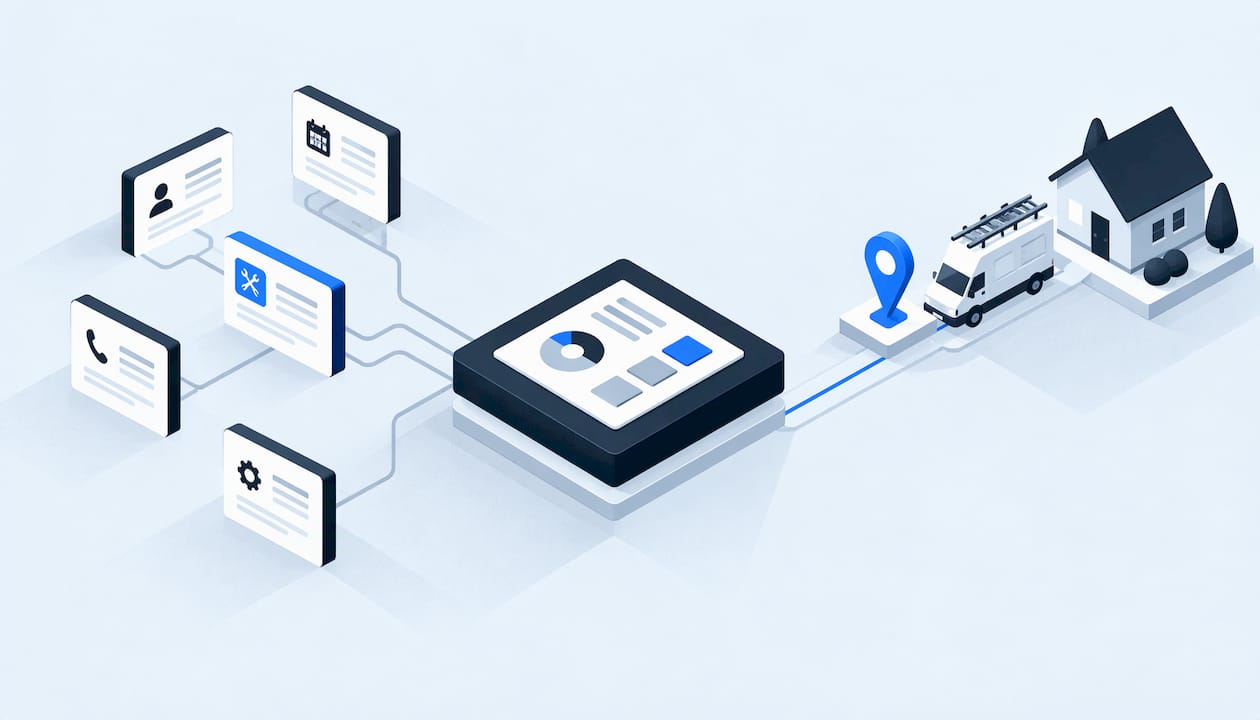
Custom CRM development means building the customer system around the way your jobs actually move: the call comes in, someone qualifies it, a tech is booked, the estimate goes out, and the follow-up happens without anyone remembering to do it. For an HVAC, plumbing, roofing, restoration or general contracting company, the goal is simple: no inquiry goes unanswered, and every record, calendar and report lives in one place. We build that kind of system at Equinox Strategies, with scoped, documented, security-led projects run by one accountable technical lead. This guide explains what a custom build includes, how integration and automation fit in, and how to run the project so it works on a Monday morning with a full inbox.
TL;DR
- A custom CRM is software shaped around your intake, dispatch, estimate and follow-up routine, instead of a generic sales pipeline.
- The value is in three layers: lead capture and response, integration with the tools you already run, and workflow automation that handles handoffs and follow-ups.
- A sound project starts with a written scope, a data map and a rollback plan, before any code or configuration.
- Clean your data and define your pipeline stages first, because a new system only repeats the mess it inherits.
- Ask for documentation and code transparency up front, so the system stays yours to run and extend.
Table of Contents
- What custom CRM development actually means
- When a bespoke build makes sense
- Features worth tailoring first
- How CRM integration connects the pieces
- Workflow automation: where the hours come back
- Prepare your data before the build
- How a custom CRM project runs
- Our point of view
- What Equinox builds for service businesses
- FAQ
- Sources
What custom CRM development actually means
A CRM (customer relationship management system) is where your contacts, conversations, jobs and follow-ups are recorded. Most service companies begin with a standard product, a spreadsheet, or a field-service app, and that works while the volume is low and the process is simple.
Custom CRM development is the work of designing and building the system around your own process. That can mean a fully bespoke application. It can also mean a carefully built layer of records, rules and connections over the tools you already use. What matters is the result: the system mirrors how your office really handles a lead, rather than forcing the office to mirror the software.
For a service business, that difference shows up in small, daily places:
- An emergency water loss call at 11 p.m. needs a different path than a routine gutter quote.
- A repeat HVAC maintenance customer should never be treated as a cold lead.
- A roofing estimate that sits for six days needs a nudge, with the right message for the right stage.
- A plumber on the road needs the job notes the front desk just typed, not a stale copy.
Our own approach to this is covered in more depth in our piece on custom software for small business, including when it pays for itself.
When a bespoke build makes sense
The honest test is whether your operating model is distinct enough that the standard workflow keeps getting in the way. Signs that point to a custom build:
- Leads arrive through many doors. Phone, web forms, text, ad platforms, directory listings and referrals all land in different places, and no one can say how many were answered.
- Your stages do not match a sales funnel. Inspection, scope approval, insurance sign-off, scheduling and completion are real stages for you, and a generic board has no place for them.
- Staff keep a shadow system. If the front desk keeps a notebook or a private spreadsheet beside the CRM, the CRM is not fitting the work.
- Reports require manual stitching. Booked jobs, source of lead and revenue sit in three tools, and someone exports and merges them every month.
- Handoffs leak. Between the call taker, the estimator, the scheduler and the crew, information gets retyped or lost.
If two or three of these describe your week, a scoped build is worth pricing. If only one does, a smaller integration or automation project may close the gap, and a good scoping phase will tell you which it is.
Features worth tailoring first
Do not start with a feature list copied from a software vendor. Start with the points where you lose money, and tailor these in order.
Lead capture and instant response
Every inquiry source should create one record, with the source tagged. The first response should go out in seconds, by text, voice or email, depending on how the person reached you. This is where AI voice and messaging agents earn their place: they can answer, ask the qualifying questions you define, and pass a complete record to the right person. Our work in this area includes voice answering and inquiry qualification, built to your rules.

Qualification and routing
Decide in writing what makes a lead worth a same-day callback: service type, location, urgency, property type, whether insurance is involved. Then route by those rules. If you assign leads across a team, our guide to round robin lead assignment shows how to test an assignment rule against real rows before it goes live.
Pipeline stages that match the job
Your stages should describe real states of a job, each with a clear exit condition. Vague stages such as "in progress" hide stalled deals. We lay out five criteria for this in our article on pipeline stage design.
Unified records, calendars and reporting
One customer, one record: contact details, property, job history, estimates, messages and calls. The calendar should read from and write to the same record, and reporting should answer the questions an owner asks: where did the booked jobs come from, how fast did we respond, what is waiting on a follow-up.
Follow-up that does not depend on memory
Estimates, unanswered quotes, past customers due for service and reviews after completion all need a scheduled touch. Our follow-up automation build guide walks through how to structure these sequences.
How CRM integration connects the pieces
Most service companies already run several tools: a phone system, a scheduling or field-service app, accounting software, an ad account, a website form tool. Integration is the work that makes those tools share one version of the truth.
In practice, integration usually involves:
- Connections between systems. Many platforms expose an API (a documented way for programs to exchange data) or send webhooks (automatic notifications when something happens, such as a new form submission).
- Field mapping. A written data map says which field in one system equals which field in another, who owns the master value, and what happens on a conflict.
- Permissions. Each connection should get only the access it needs, no more. This is the least-privilege principle, and we apply it to every build.
- Error handling. When a connection fails at 2 a.m., the system should retry, alert someone and never silently drop the lead.
Integration is also a security question, since every connection is a door. Chicago Technology Group's overview of AI integration services and how to choose them is a useful companion if you want to think through the architecture and protections around connected systems.
We cover the service-company side of this in business software integration for service companies.
Workflow automation: where the hours come back
Automation is the layer that acts on your records so people do not have to. For a service business, the highest-value workflows are usually these:
| Trigger | Automated action | Who gets pulled in |
|---|---|---|
| New inquiry from any channel | Instant reply, record created with source | Assigned coordinator |
| Missed call | Text-back and task created | Front desk |
| Qualified emergency lead | Immediate alert with job details | On-call dispatcher |
| Estimate sent, no reply | Timed follow-up sequence | Estimator, if the customer responds |
| Job completed | Review request and service reminder scheduled | Nobody, unless an issue is flagged |
| Lead idle past a set limit | Escalation to a manager | Operations manager |
Two habits keep these flows trustworthy. First, every automation has a named owner and a written description of what it does. Second, every message that goes to a customer respects consent: the person agreed to be contacted by that channel, and the record shows it. Our guide to workflow automation services goes through how to evaluate a provider on these points.
Prepare your data before the build
A new system loaded with duplicate contacts, inconsistent job types and half-filled fields will look broken from day one. Before migrating, set quality rules: how to identify a duplicate, which record wins in a merge, which fields are mandatory, and how addresses and phone numbers are formatted. Our article on CRM data cleanup sets out the rules to agree on before you merge anything.
If you also buy or enrich lead data, test it on a sample first. The 500 row match test is a practical way to check match quality without a dedicated revenue operations team.
How a custom CRM project runs
The stages are similar across good projects. Here is how we think about each one, and where it tends to go wrong.
- Scoping. Write down the problems, the users, the systems involved and what "done" means. The common failure is a scope that is a wish list. A scope should be specific enough that two people would build roughly the same thing from it.
- Data map and access plan. List every data type, where it lives, who can see it and what consent covers it. Skipping this is how projects end up with over-broad access and surprises later.
- Design of stages and workflows. Sketch the pipeline, the routing rules and the automations on paper with the people who do the work: front desk, dispatchers, estimators. Their corrections save weeks.
- Build in increments. Ship the lead capture and response layer first, because it affects revenue immediately. Add reporting and secondary automations after.
- Testing with real cases. Run last month's actual inquiries through the system: the after-hours call, the duplicate contact, the lead with a missing address. Test failure paths as carefully as the happy path.
- Launch with a rollback plan. Know in advance how to return to the previous process if something misbehaves. A rollback plan is what lets you launch without fear.
- Documentation and handover. The system should come with written documentation of how it works, so your team and any future developer can run and change it.
- Ongoing support. Rules change, staff change, tools update. An optional monthly support plan keeps the system aligned with the business.
Costs and timelines
Cost depends on how many channels, systems and workflows are involved, and whether the build is a layer over existing tools or a fully bespoke application. We do not publish fixed prices, because a scoped engagement is priced against the scope. The most reliable way to get a number you can trust is to ask for it against a written scope, with setup and any recurring support shown separately.
Risks to manage
- Scope creep. Control it with a written scope and a change process.
- Unclear ownership. One accountable technical lead beats a handoff chain.
- Weak security. Insist on least-privilege access, a written data map and explicit consent flows.
- Black-box delivery. Ask for transparent code and process, so you are never locked in by something you cannot inspect.
- Staff adoption. Involve the front desk early, since they use the system most.
Our point of view
Most service owners do not come to us wanting a CRM. They come because leads are slipping: a call goes to voicemail, a form submission sits unread, an estimate is never chased. The CRM is just where the fix lives.
We build from the process outward. We scope the work in writing, map the data, define who and what can touch it, and plan the rollback before launch. One technical lead is accountable from the first call to the handover, so you never wonder who owns a problem.
We would rather show you something checkable than promise something big: the documentation, the code and the process are open to you. If the standard tools cannot meet how you run jobs, bespoke software is the right answer, and we build it. If a tighter integration and a few automations are enough, we will scope that instead.
Felix
What Equinox builds for service businesses
Our work covers lead generation, AI voice and messaging agents, done-for-you automations, the operating layer that ties records, calendars and reporting together, and custom software from your brief. Each project is scoped and documented, with security-led design and optional ongoing support after launch.
If your front desk is overwhelmed or leads are going cold, the quickest way to see what we would build is to look at our services and process and send us the problem.

You can also read how our process runs from scope to handover, or review the common questions before you reach out.
FAQ
Is custom CRM development only for large companies?
No. Small and mid-sized service businesses often benefit most, because a single missed lead or a retyped job note is a visible cost. The build can be sized to the problem, starting with lead response and follow-up before anything broader.
What is the difference between CRM integration and CRM automation?
Integration connects your systems so they share data, such as a form, a phone line, a calendar and your CRM. Automation uses that shared data to act, for example sending a reply, creating a task or escalating a stalled lead. Most useful projects need both.
Can an AI voice agent work with a custom CRM?
Yes. A voice agent can answer calls, ask your qualifying questions and write a complete record into the CRM, so staff pick up a lead with the details already captured. The rules it follows, including consent, are defined in the scope.
What should I have ready before a scoping call?
Bring a list of your lead sources, the tools you use today, your job stages from first contact to completion, and the three points where leads or information most often get lost. Real examples from the last few weeks are more useful than a general description.