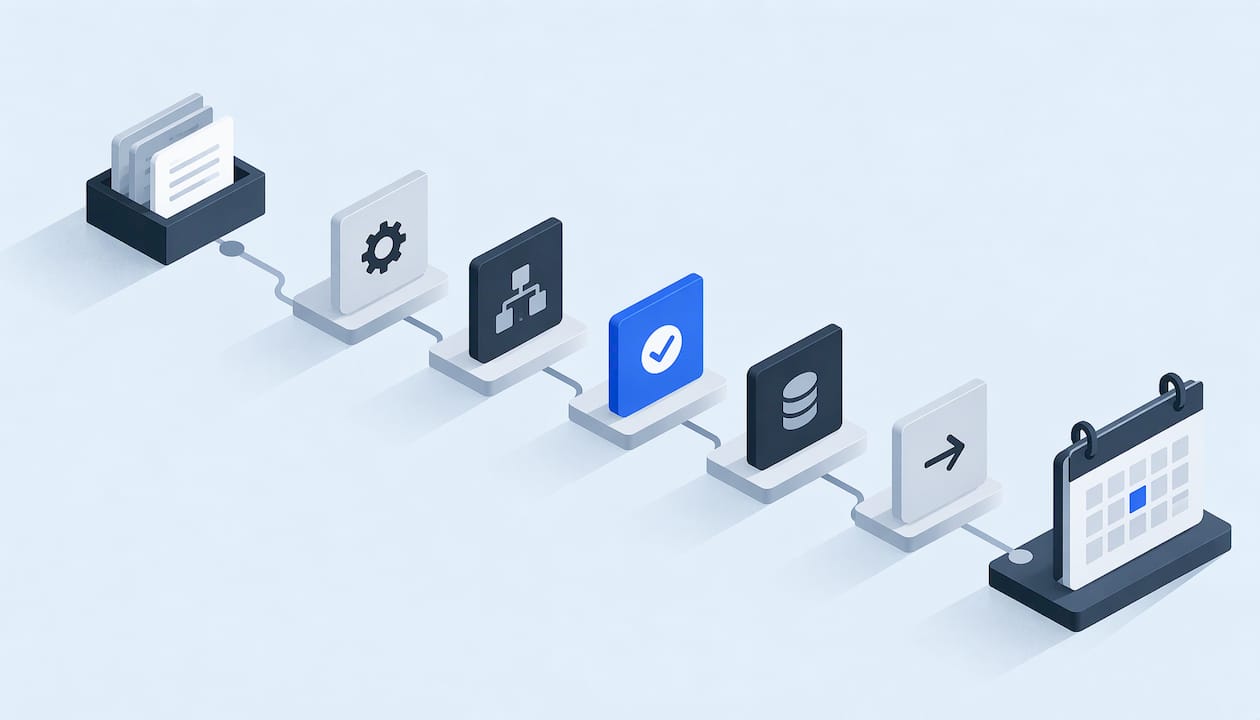
For an HVAC, plumbing, roofing, restoration or general contracting company, the best workflow automation service is one that builds and documents the whole path from the first call or form fill to the booked job and the follow-up, rather than handing you one more app to wire up yourself. That is the approach we take at Equinox Strategies: every build is scoped, documented and security-led, and one accountable technical lead delivers it. Below you will find the kinds of providers you can choose from, a comparison table, the questions to ask before you sign, and a way to test any proposal on one real process first.
TL;DR
- Workflow automation services build and maintain the automations for you. Workflow automation software is a toolbox you operate yourself.
- Service businesses usually lose money at the handoffs: a missed call, a slow reply, a lead that never gets a follow-up, records that live in three places.
- Compare four options: DIY platforms, enterprise suites, lead-generation agencies and an integrated custom build. Only the last one covers voice answering, follow-up, records and reporting as one system.
- Before signing, check integrations, security, support, total cost over time and how you get your data out. Ask for a proof of concept on one real workflow.
- Our build method is scoped and documented, with least-privilege access, written data maps, explicit consent flows and rollback plans.
Table of Contents
- What workflow automation services actually include
- Where a service business should automate first
- The four kinds of options, compared
- What to check before you sign anything
- Test one real workflow before you commit
- What workflow automation services cost, and how to compare quotes
- Why a documented, security-led build holds up
- Our view
- Put the system to work on your leads
- FAQ
- Sources
What workflow automation services actually include
Workflow automation means software carries out a repeated business process by rules: a new inquiry arrives, gets recorded, gets an answer, gets a follow-up, and lands on a calendar without someone retyping it. A service wraps that in people and process. Someone maps your current routine, builds the automations, connects them to the systems you already use, tests them and keeps them running.
That difference matters because software alone does nothing about the hard parts. The Digital NSW guide to choosing an automation supplier, published by the New South Wales government in Australia, treats platform capabilities such as bot development, orchestration, reporting, security and deployment options as one group of considerations, and implementation, training, maintenance and support as separate ones. A tool can score well on the first group and still leave you alone on the second.
For a company with a front desk of two people and a phone that rings during every job, the second group is where the work is. A complete service typically covers:
- Process mapping: writing down what happens today, step by step, before anything is built.
- Lead capture and response: answering calls, texts and web forms, and qualifying the inquiry.
- Follow-up: quotes, reminders and reviews that go out on schedule without anyone remembering them.
- Integration: one customer record, one calendar and one set of reports, instead of separate tools that do not talk to each other.
- Custom software: built when no standard platform fits how you operate.
- Ongoing support: someone who fixes and adjusts the system after launch.
Where a service business should automate first
Start where revenue leaks. In field service, that is almost always the front end of the business.
Lead response. A homeowner with a burst pipe or a leaking roof calls the first company that picks up. If your team is on a job site or on another line, that call is gone. Automated voice and messaging agents answer, ask the qualifying questions you would ask and pass the details on.
Inquiry qualification. Not every inquiry is a job you want. Rules can sort by service type, location, urgency and job size so your dispatcher sees the real work first.
Follow-up. Quotes go cold when nobody chases them. Our guide to follow-up automation for service businesses walks through building the sequence.
Scheduling. Booking into a real calendar, with confirmations and reminders, removes a lot of phone tag. See how automated appointment scheduling works for US service businesses.
Reviews. Asking happy customers for a review is easy to forget and easy to get wrong on consent. We cover it in compliant review request automation.
Before any of these are built, map the current process. A broken manual routine becomes a broken automated one, only faster. Our walkthrough on process mapping for automation shows how to do it in an afternoon.
The four kinds of options, compared
When a small business searches for a workflow automation company, the results mix very different things. Sorting them by type makes the choice clearer.
| DIY automation platforms | Enterprise workflow suites | Lead-generation agencies | Integrated custom build (Equinox) | |
|---|---|---|---|---|
| Typical examples | No-code connectors such as Zapier and Make | Large platforms such as ServiceNow | Agencies that buy ads and deliver inquiries | Scoped project with ongoing support |
| Who does the work | You or a staff member | Your IT team or an implementation partner | The agency, for the lead source only | One accountable technical lead |
| Built for field service | General purpose | Large organizations | Marketing, not operations | Service businesses such as HVAC, plumbing, roofing and restoration |
| Voice answering and qualification | Pieced together from other tools | Possible, with heavy setup | Rarely included | Included as a service |
| Follow-up after the lead arrives | You build every sequence | Custom project | Usually outside scope | Included as a service |
| One customer record, calendar and report | You manage the connections | Yes, at enterprise scale | No | Yes, a core part of the build |
| Documentation and security design | Depends on how you build it | Strong, at enterprise cost | Not the focus | Written data maps, least-privilege access, consent flows, rollback plans |
| Ongoing support | Community and help pages | Contract-based | Campaign reporting | Optional monthly support |
DIY platforms
Tools like Zapier advertise connections to thousands of apps and are a sensible way to link two systems on a small scale. The catch for an owner is time. Every trigger, every error path and every change in an app's settings becomes your job. When a connection fails silently on a Friday afternoon, the lead that fell through is yours to find.
Enterprise suites
Platforms built for large organizations offer governance, audit trails and deep integrations. They are priced and staffed for companies with an IT department. A twelve-truck plumbing company does not need that overhead.
Lead-generation agencies
Agencies are good at getting inquiries to arrive. They generally do not fix what happens next. If your callbacks are slow or your records are scattered, paying for more leads sends more money into the same leak. Our landing page for contractors makes the point that you are already paying to get leads, and the return depends on how they are handled.
Integrated custom build
An integrated build treats lead capture, voice answering, follow-up, records, calendars and reporting as one system with one owner. That is the model we offer: lead generation, AI voice and messaging agents, done-for-you automations, the operating system underneath them, and custom software when a standard platform cannot meet your needs. For a service company that wants the outcome rather than a project to manage, it is the first option to price.
What to check before you sign anything
The Digital NSW supplier selection guide is written for government buyers, but its checklist applies to any small business buying automation. Its main points, in plain terms:
- Define the objective first. Know which process you are fixing and how you will tell it worked, for example the share of calls answered or the time to first reply.
- Check integration. The guide says to confirm the solution works with your current applications, databases, APIs and data formats. In practice: your phone system, your scheduling tool, your accounting or job-management software and your CRM.
- Look at implementation, training and support. Who sets it up, who trains your front desk and who answers when something breaks?
- Confirm security. Ask how data is encrypted, who can see what and which compliance needs apply to you.
- Compare full lifecycle cost. More on this below.
- Plan the exit. The guide also recommends a plan for data portability, so your records are not trapped if you change providers.
An API is simply the way one piece of software lets another read or write its data. A data format is how that information is laid out, such as which field holds a phone number. If those do not line up between two systems, the automation fails quietly, which is why we write data maps for integrations before connecting anything.
Test one real workflow before you commit
The same guide recommends a proof of concept on a sample process, tested for performance, ease of use and suitability. For a service business, pick one concrete routine: what happens when a web form arrives at 9 p.m. on a Saturday. Run it end to end and watch where it stops.
The same sample-first logic applies to any automated process, including website publishing and search content: automating SEO publishing for a Webflow site, for example, is easier to judge when you validate it on a representative sample before rolling it out.
For acceptance, use a written checklist so "it seems to work" becomes "it passed these cases." Our user acceptance testing checklist includes a template you can paste into a document. Good cases for a field service company include:
- A call that comes in while all lines are busy.
- A caller who gives an address outside your service area.
- A job described as an emergency.
- A customer who replies STOP to a text.
- A duplicate inquiry from the same phone number.
What workflow automation services cost, and how to compare quotes
In most cases the price of a service engagement depends on scope, so you will see scoped project fees plus, optionally, a monthly support plan. We do not publish prices for our services. We scope each engagement and quote it against your process.
To compare quotes fairly, use the total cost of ownership approach the Digital NSW guide describes: implementation, licenses, training, deployment and ongoing support, with pricing, support and service-level terms spelled out in the contract. A table in your own spreadsheet helps:
| Cost line | Question to answer |
|---|---|
| Setup | What exactly is built, and what is out of scope? |
| Software licenses | Which subscriptions are required, and who pays for them? |
| Training | Is it included for your front desk and dispatchers? |
| Support | What does it cover, and how fast is a fix? |
| Changes | What does it cost when your process changes? |
| Exit | Can you take your data and documentation with you? |
A cheap DIY stack can turn expensive once you count the hours of whoever maintains it. A quote that leaves out support can do the same. Compare the three-year picture, not the first invoice.
Why a documented, security-led build holds up
Automation touches customer names, phone numbers, addresses and, in restoration or insurance work, sometimes claim details. A casual setup spreads that data across tools with broad access. Our builds are designed differently: least-privilege access so each part of the system sees only what it needs, written data maps so you can see where information goes, explicit consent flows for calls and texts, and rollback plans so a change that misbehaves can be undone.

We also write runbooks, the step-by-step procedures for what to do when something fails. If you want to see what that looks like, read our automation runbook guide and the incident response playbook for field operations. Transparency about code and process is part of how we work, so what is built can be checked.
Our view
We built Equinox around a simple observation about service businesses: the problem is rarely a lack of software. It is a lack of connection between the pieces you already have.
A phone system, a calendar, a CRM and a texting tool can each work fine and still lose a lead, because nothing carries the inquiry from one to the next. Buying a fifth tool does not fix that. Owning the whole path does.
That is why we scope every project, document it, and keep it under one accountable technical lead. You should know who built your system, what it can access and how to reverse a change. We would rather give you checkable technical detail than marketing promises.
If you run HVAC, plumbing, roofing, restoration or general contracting, start with the first minute after an inquiry arrives. Make that minute reliable, and the rest of the workflow has something solid to stand on.
Felix
Put the system to work on your leads
We build lead generation systems, AI voice and messaging agents, done-for-you automations, the operating system underneath them and custom software from your briefs, for US service businesses. Projects are scoped and documented, and optional monthly support keeps the system running after launch.
If missed calls, slow replies or scattered records are costing you jobs, see how we work and what we build.

You can also read how the process unfolds and the common questions before you get in touch.
FAQ
What is the difference between workflow automation services and consulting?
Consulting mainly designs: it maps your processes and recommends what to automate. Services go further and build, connect, test and support the automations. For a small business without a technical team, a provider that does both under one roof avoids a gap between the plan and the working system.
Which processes should a small service business automate first?
Start with lead response: answering calls and web inquiries, qualifying them and booking them. Next come follow-up on quotes, appointment reminders and review requests. These sit closest to revenue and are repeated every day, so they pay back the effort soonest.
How long does it take to see whether an automation works?
You can judge a well-scoped workflow on a sample process quickly, by running real scenarios through it and checking each result against a written acceptance list. A proof of concept on one routine tells you more than a general demo, and it shows how the provider handles problems.
Can I get my data back if I change providers?
You should be able to. The Digital NSW guidance recommends an exit plan covering data portability, so ask for it in writing before the project starts. Documented data maps and process write-ups make a handover much easier.
Do I need custom software, or will standard tools do?
If your routine fits what standard platforms already do, integrating them is enough. When your dispatch rules, job types or reporting needs do not fit, custom software built from your brief keeps the process as you run it rather than bending it to a tool.