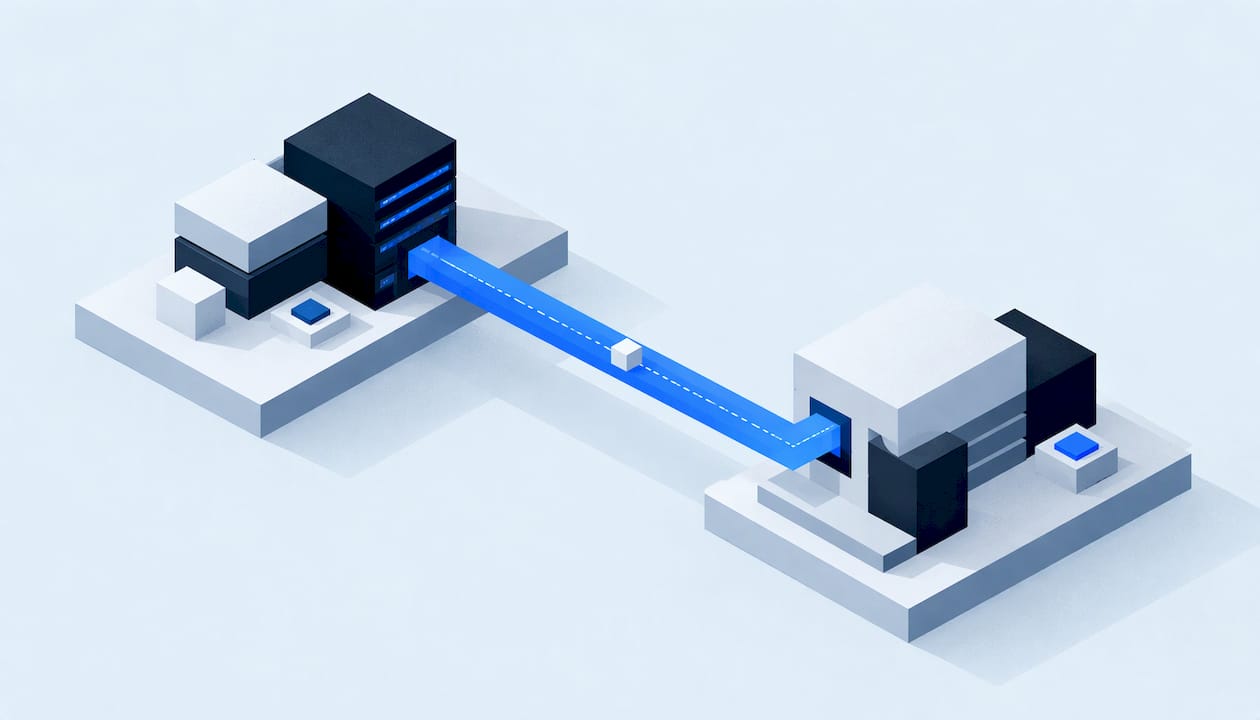
Business software integration means connecting the tools you already run, such as your phone line, web forms, CRM, calendar and invoicing, so they pass data to each other without anyone retyping it. For an HVAC, plumbing, roofing or restoration company, the payoff is concrete: a lead that arrives at 9 p.m. is logged, answered and scheduled by the same connected chain that handles a lead at noon. The best results come from a scoped, documented build with one accountable owner, not a pile of one-off connections. That is how we build at Equinox Strategies.
- ✓Tailored lead generation
- ✓AI voice agents
- ✓Custom software solutions
TL;DR
- Integration connects separate tools so data moves on its own, which removes manual entry and the handoffs where leads get lost.
- For service businesses, start with the lead path: form or call, then record, then reply, then calendar, then job and invoice.
- Your options are plugins, no-code connectors (iPaaS), custom code and UI automation. The right one depends on how many connections you need and how much control you want.
- Write a data map, give each connection its own limited-access account, and test with real records before going live.
- Measure the result with response time, missed-lead count and hours of retyping, compared before and after.
Table of Contents
- What business software integration actually means
- Where integration pays off for service businesses
- The four ways to connect your software
- A plan that works for a small or midsize shop
- Security is part of the integration, not an add-on
- How to tell if the integration worked
- What a good build looks like when you hire it out
- Getting this built for your business
- FAQ
- Sources
What business software integration actually means
Most service companies grow their software by accident. A call-tracking tool arrives, then a CRM, then a scheduling app, then accounting. Each works. None of them talk.
Amazon Web Services describes business system integration as combining separate business software into one cohesive operation with minimal human intervention, so data can be exchanged and reused. IBM puts the benefit in plain terms: application integration prevents data silos and removes manual data entry. A data silo is simply information trapped in one tool that other tools and people cannot see.
SAP explains why this happens: organizations use systems introduced at different times, and without integration data becomes inconsistent, processes break at handoffs and teams build manual workarounds. For a front desk, that workaround is the sticky note, the spreadsheet and the second screen.
One distinction is worth knowing. Oracle separates application integration, which follows a workflow between apps one transaction at a time (a new lead becomes a new job), from data integration, which pulls information from many sources into storage for analysis. Service businesses usually need the first kind first.

Where integration pays off for service businesses
Big-company guides talk about ERP and supply chains. Your version is smaller and more urgent: the gap between a customer reaching out and someone acting on it.
Here is the chain most service companies need, and where it usually breaks.
| Step | What should happen automatically | Where it breaks without integration |
|---|---|---|
| Inquiry arrives (call, text, form, ad click) | Contact is created in one customer record | Form entries sit in an inbox; missed calls are never logged |
| First response | Reply goes out and the lead is qualified | Reply depends on whoever is free |
| Scheduling | Open slots come from the real calendar | Double bookings, phone tag |
| Follow-up | Quotes and no-answers trigger timed reminders | Follow-up lives in someone's memory |
| Job and invoice | Work order and billing data flow from the same record | Retyping between field and office tools |
| Reporting | Source, response time and outcome sit in one place | Numbers are reassembled by hand each month |
Published examples of the pattern are simple. A typical lead capture flow has a website form adding the contact to the CRM, an automated welcome email going out, and a sales rep being notified in a task tool. HubSpot's list of Zapier workflows includes notifying the sales team the moment a form comes in so they can follow up immediately. For field work, Zentid's guide lists quote-to-work-order, parts allocation, work-order-to-invoice and renewals feeding service history back into the CRM as the core flows to automate.
If follow-up is your weakest link, our follow-up automation build guide walks through it. For scheduling, see automated appointment scheduling for US service businesses, and for how requests move from first contact to dispatch, see service request management.
The four ways to connect your software
Stripe's overview of SaaS integration methods names three main paths: custom builds written against each system's API, iPaaS platforms with prebuilt connectors, and robotic process automation (RPA) as a fallback for systems with no API. An API is the doorway a program offers so other programs can read and write its data. iPaaS, short for integration platform as a service, is a cloud tool where you link apps with prebuilt connectors and visual flows. Rutter describes Zapier as an example: drag-and-drop, no extensive custom code per connection.
Alumio adds plugins and middleware to the list and lays out the trade-offs: custom code gives maximum flexibility at high cost, plugins are simple but fragile when platforms update, and iPaaS is config-first with governed monitoring. Its rule of thumb is that a business typically needs iPaaS over plugins at three or more active integrations that need consistent management.
What that means for a service company:
- Plugins. Fine for one standard link, such as a form tool into a CRM. They are the first to break when either side updates.
- iPaaS connectors. Good for a handful of standard flows between popular tools. You still own the logic, the monitoring and the fixes.
- Custom code. The right call when your dispatch rules, pricing or compliance needs do not fit any standard connector. It needs documentation, or it becomes a black box only one person understands.
- UI automation (RPA). A last resort for old software with no API. It mimics clicks, so any screen change can stop it.
Most real operations end up with a mix. The risk is not the mix, it is a mix nobody mapped. SAP's advice for mature setups is to favor shared patterns and reusable flows over one-off connections, because that makes systems easier to evolve or replace. For a ten-person company, that translates to a short written map of what connects to what.
A plan that works for a small or midsize shop
This is the routine we use as a baseline for service businesses. Each step is short, but skipping any of them is where integrations fail.
1. Pick one workflow, not the whole company
Start with the path from inquiry to booked job. It is where missed revenue hides and where results show fastest. Leave payroll and inventory for a second phase.
2. Name the source of truth for each field
Decide which system owns the customer's name, phone, address, job status and balance. When two tools both think they own the phone number, they overwrite each other. A systems integration checklist from Megabite makes the same point: define who owns the data and how duplicates get merged before choosing a connector.
3. Write the data map
A data map lists every field that moves, where it comes from, where it lands and how it is reformatted (for example, "(555) 010-2030" versus "5550102030"). It takes an afternoon and prevents weeks of cleanup. We publish a data mapping guide with a template you can adapt. Our builds include written data maps as part of the scope.
4. Limit access
Give each connection its own service account with only the permissions the workflow needs, never a former employee's login. Zentid recommends OAuth or single sign-on for users, dedicated service accounts for system-to-system traffic and role-based permissions, designed in from the start. Store API keys in a proper secrets tool, not a spreadsheet. We design builds around least-privilege access, explicit consent flows for customer messaging, and rollback plans.
5. Test with real records
Run a few hundred real or realistic records through before going live. Check that counts match, that duplicates are handled, and that a failed step raises an alert instead of silently dropping a lead. Zentid's list includes unit tests, end-to-end tests, user acceptance testing, data reconciliation checks and a pilot before full rollout. For examples of this approach on specific tasks, see our 500-row test for lead assignment and lead data enrichment match test.
6. Launch small, with a way back
Turn the workflow on for one service line or one phone number first. Keep the old process available for a short period so a problem means a rollback, not an outage.
7. Document it
Write down what each automation does, who owns it and what to do when it fails. Undocumented automation is a liability the day the person who built it leaves.
If you also want a broader view of the surrounding marketing workflow, this marketing automation checklist for SMBs covers CRM-linked lead steps. For choosing someone to build it, see how to choose workflow automation services.
Security is part of the integration, not an add-on
Every connection is a new door into customer data: names, addresses, phone numbers, sometimes insurance or payment details. Three habits cover most of the risk. Give each connection the smallest permission set it needs. Keep a written record of which data goes where. Log activity so you can see what a connection did and undo it if needed.
Call tracking is a good example. Passing call and conversion data from ad platforms into a CRM is valuable, and it is also where careless setups leak data. Our write-up on secure Google Ads call tracking into a CRM shows how we approach it.
How to tell if the integration worked
Set the baseline before you change anything, then compare the same measures afterward. Useful measures for a service business:
- Time to first response. From the moment an inquiry arrives to the first reply or call back, split by business hours and after hours.
- Missed or unlogged inquiries. Compare calls and forms received against records created in the CRM. The gap is the number to shrink.
- Booked-job rate by lead source. Only possible when source data survives from the first touch to the invoice.
- Follow-up completion. Share of quotes that received every scheduled follow-up.
- Hours of retyping per week. Ask the front desk, then ask again after launch.
As Apollo's guide notes, modern teams want real-time data flow so signals trigger immediate action, such as an automated follow-up, an alert or a task. If your numbers do not show faster action, the integration is moving data but not changing behavior, and the workflow needs another pass.
What a good build looks like when you hire it out
When the in-house route runs out of time, hold any provider to the same standard you would use yourself: a written scope, a data map, limited-access accounts, a rollback plan, and documentation you keep. Ask who is accountable for the whole build, not just one piece of it. Fragmented tools tend to come from fragmented vendors, each solving one slice.
Our perspective
Most integration problems we see described in service businesses are not technology problems. They are ownership problems. Nobody owns the path a lead takes from first ring to booked job, so every tool is tuned on its own and the handoffs between them go unwatched.
That is why we scope every build first and write it down: the workflow, the data map, the access each connection gets, the consent flow for customer messaging and the rollback plan. One accountable technical lead carries the project end to end, so there is a single person answering for how the pieces fit together.
We also think integration should be checkable. Code and process are transparent to the client, so you can verify how your own system works instead of taking our word for it. When standard platforms cannot meet a real operational need, we build custom software from the client's brief rather than bending the business around the tool.
The goal is plain: no lead missed, and follow-ups handled consistently, whether the office is open or not.
Felix
Getting this built for your business
Equinox Strategies builds lead generation systems, AI voice and messaging agents, done-for-you automations, the operating layer underneath (unified customer records, calendars and reporting) and custom software from client briefs, for US service businesses such as HVAC, plumbing, roofing and water damage restoration. Every project is scoped and documented, security-led, and run by a single accountable technical lead, with optional ongoing support.

If your leads are slipping between tools, see how we scope an engagement or start from our services overview.
FAQ
What is the difference between integrating software and automating a workflow?
Integration connects tools so they share data. Automation uses that shared data to do work, such as sending a reply or creating a task. You usually need integration first, because automation built on disconnected data produces mistakes faster.
How many integrations does a small service business need?
Start with the lead path: phone or forms into a CRM, the CRM into your calendar, and the CRM into invoicing. Alumio suggests that at three or more active integrations a business generally needs a managed platform rather than standalone plugins. That is a signal to map and document what you have.
Do I need custom software, or will standard connectors do?
Standard connectors work when your process matches what popular tools expect. Custom software makes sense when dispatch rules, pricing logic or reporting needs do not fit any platform. We scope that decision during the first stage of a project so you are not paying for custom work you do not need.
How do I keep customer data safe across connected tools?
Give each connection its own limited-access account, keep keys out of spreadsheets and shared documents, document where each field travels, and test before launch. Zentid's guidance on service accounts and role-based permissions is a solid reference for the access design.
Sources
- AWS: What is Business System Integration?
- IBM: What Is Application Integration?
- SAP: What Is Enterprise Integration and Why It Matters
- Oracle: What Is Application Integration?
- Lark Suite: CRM Integrations Guide
- HubSpot: The 16 Best Zapier Integrations
- Zentid: How to Integrate FSM with ERP and CRM Systems
- Stripe: SaaS Integration Methods
- Rutter: Unified APIs vs iPaaS
- Alumio: Pros and Cons of Integration Plugins
- Megabite: Systems integration checklist
- Apollo: What Are CRM Integrations