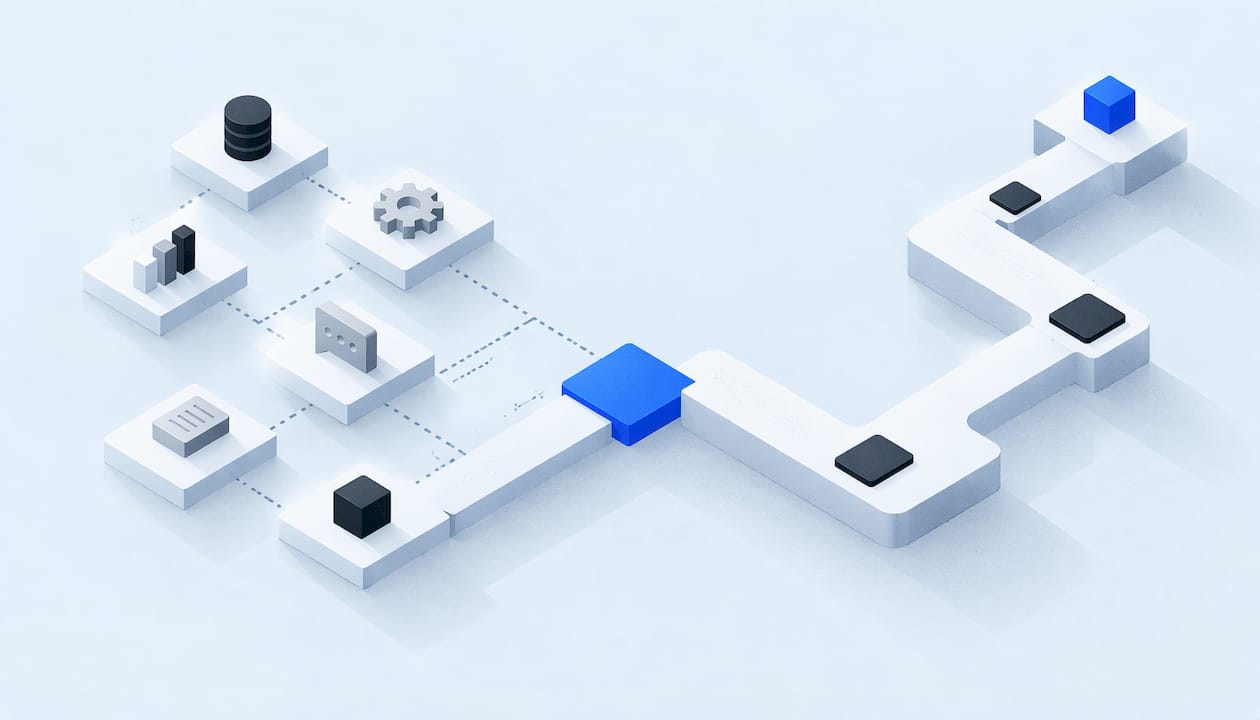
For an HVAC, plumbing, roofing or restoration company, the best custom workflow software is the kind that runs your actual job: a call or web form comes in, gets answered, qualified, booked and followed up, and every step lands in one record. Generic tools can cover pieces of that. A scoped, documented build covers the whole chain. That is what we do at Equinox Strategies: lead response, AI voice and messaging agents, done-for-you automations and custom software, built by a single accountable technical lead.
Below, we compare six real options on what matters to a service business: fit, integration, security, cost model and who maintains it.
TL;DR
- "Custom workflow software" is not a tight category. It can mean a configured no-code platform or software written for your process, so compare what each option actually does for your lead-to-job chain.
- Configurable platforms such as Jotform, Power Automate, Asana, Lindy and ShareFile are strong at forms, approvals, tasks and documents. A scoped build is the fit when lead response, scheduling, customer records and reporting must work as one system.
- Judge any option on integration quality (right fields, failure alerts, clear owners), not connector counts.
- Ask for written scope, least-privilege access, a data map and a rollback plan before anything touches customer data.
- Measure results against a baseline: median time to first personal response, uncontacted-lead rate and booked jobs.
Table of Contents
- What "custom workflow software" actually means
- What a service business needs the workflow to do
- Six options compared
- Configure a platform or commission a build?
- Security and reliability checks before you commit
- How to tell whether it is working
- Where we come in
- Our perspective
- FAQ
- Sources
What "custom workflow software" actually means
A workflow is a set of tasks organized to complete a business process, with the order, conditions and flow of information defined. Carnegie Mellon researchers pointed out in 1995 that the word "workflow" can mean the process, its specification, or the software that runs it. That ambiguity is why search results for this keyword mix very different products.
Three labels are worth separating:
- Workflow automation uses rules and triggers to handle repetitive tasks. Workflow management is broader: design, execution, monitoring and optimization.
- Workflow management answers what must be done, who does it, when and how. Vendors note that these systems commonly bundle automation, reminders and follow-ups, so the terms overlap.
- Custom can mean a low-code platform where you define your own forms, rules, approvals and integrations, or software built to your brief.
Capterra's 2026 analysis also draws a useful line: recurring, repeatable workflows are different from finite projects. A job intake that happens forty times a week is a workflow. A one-off office renovation is a project. Buy accordingly.
What a service business needs the workflow to do
Your reader is not a software team. It is an owner, an ops manager or a front desk that is already overwhelmed. The workflow has to:
- Catch every inquiry, whether a call, text, web form or ad lead, including after hours.
- Qualify it: what service, what address, how urgent.
- Book or route it to the right person and calendar.
- Follow up automatically until someone answers or the lead is closed out.
- Write everything to one customer record, so reporting is not stitched together from three tools.
The last step is where most setups break. Guidance on connected workflows says to assign one authoritative system to each record type, define stable identifiers and field ownership, and avoid unrestricted two-way syncing. Duplicate leads and silent failures come from skipping that design work. Integration quality is about reliable transfer of the required event and fields, failure visibility and clear ownership, not the number of connectors.
We go deeper on this in our guide to business software integration for service companies and on data mapping for integrations, which includes a template.
Six options compared
Prices below are the published figures from each vendor's page, which change over time. Check the vendor page for the current plan.
| Option | Best at | Cost model | What you still have to do |
|---|---|---|---|
| Equinox Strategies | End-to-end lead response, voice agents, automations and custom software for US service businesses | Scoped engagement, with optional monthly support plan; no published price | Share your process and brief |
| Jotform Workflows | Forms, approvals, payment requests | Free tier, then paid plans | Build and maintain flows yourself |
| Microsoft Power Automate | Enterprise automation across Microsoft systems | Per user or per bot | Design flows and governance in-house |
| Asana | Task and project coordination | Tiered per-seat plans | Adapt it to lead handling |
| Lindy | AI assistant for inbox, meetings, follow-up | Credit-based | Configure agents and credits |
| ShareFile | Document-heavy client work, e-signatures | Per user per month | Connect to dispatch and CRM |
Equinox Strategies: built around the lead-to-job chain
Our offer covers lead generation, AI voice and messaging agents, done-for-you automations, the operating system underneath (unified customer records, calendars and reporting) and custom software from client briefs. When a standard platform cannot meet an operational need, we write the software.
The approach is what separates it from a patchwork of tools. Every build is scoped and documented, with least-privilege access, written data maps, explicit consent flows and rollback plans, delivered by one accountable technical lead. Workflows are integrated end to end, and the code and process are transparent. Pricing is set per scoped engagement, with an optional monthly operations and support plan after launch.
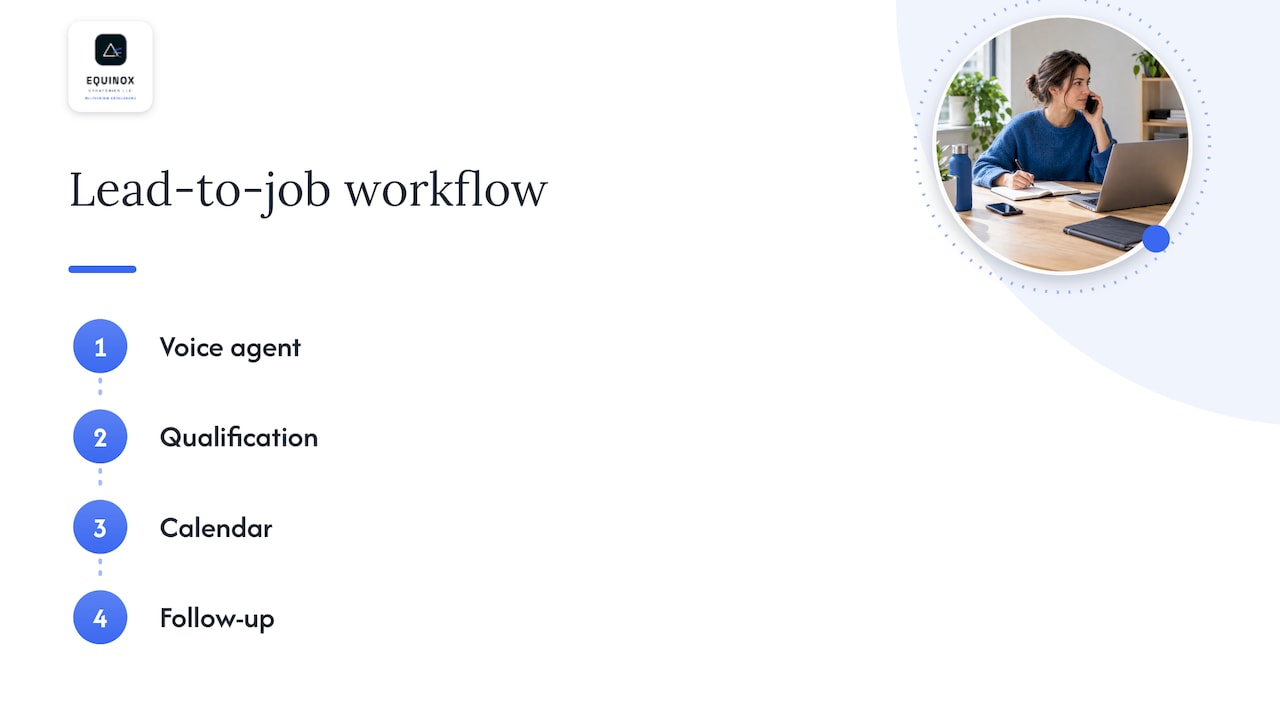
For a company where the phone is the revenue source, that means the voice agent, the qualification, the calendar and the follow-up are designed as one system rather than four subscriptions.
Jotform Workflows: strong for forms and approvals
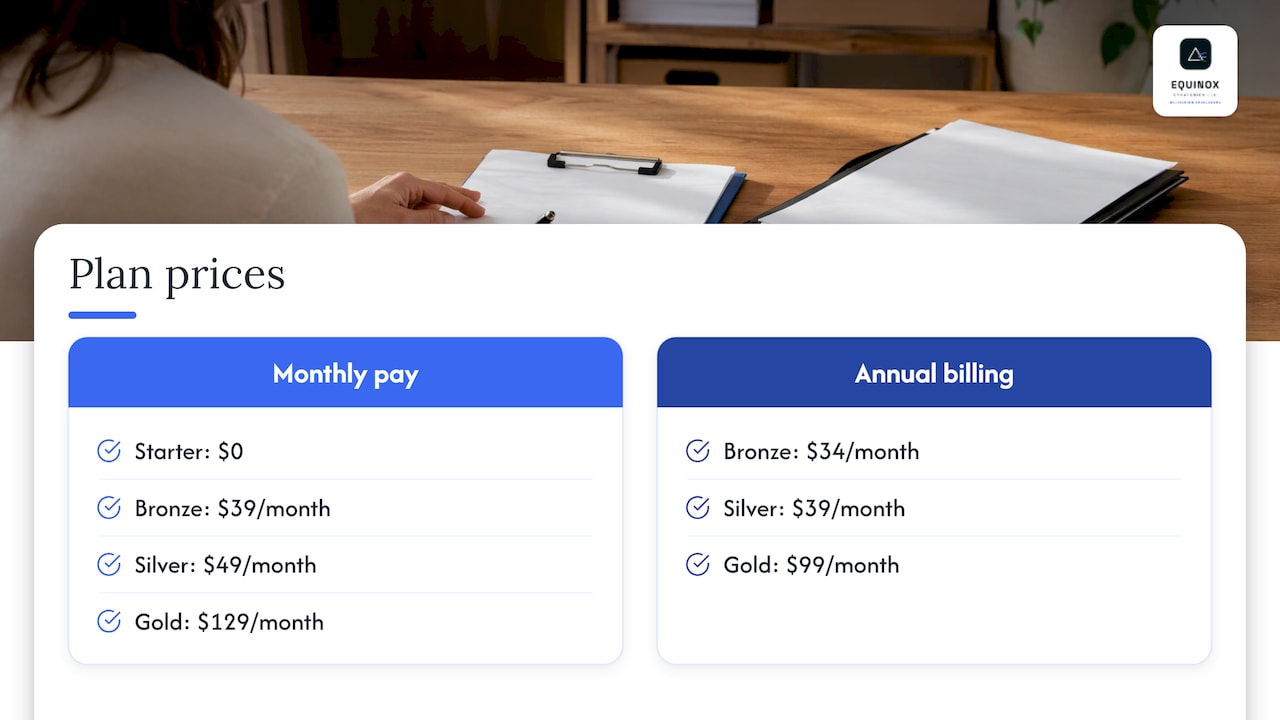
Jotform Workflows is a no-code builder with drag-and-drop design, conditional logic, built-in approvals, and integrations with tools like Slack, Airtable and QuickBooks. Its published plans start with a free Starter tier (100 monthly submissions, 1 user), then Bronze at $39/month ($34 billed annually), Silver at $49/month ($39 annually) and Gold at $129/month ($99 annually, with HIPAA-enabled features available). Enterprise pricing is custom.
It suits intake forms, estimate approvals and payment requests. Voice answering, calendar-aware booking and a unified customer record are outside what the tool is built for.
Microsoft Power Automate: powerful, with a learning curve
Power Automate combines cloud flows, desktop robotic process automation and process mining, with 1,400+ prebuilt connectors and a 30-day free trial. On its pricing page, Premium is $15.00 per user per month (paid yearly), Process is $150.00 per bot per month, and Hosted Process is $215.00 per bot per month.
It fits organizations already living in Microsoft 365 with someone to own governance. A ten-person plumbing company usually has nobody in that role, which is where a managed build helps.
Asana: coordination, not lead response
Asana is a work-management platform for tasks, projects, goals and AI features, with Personal, Starter, Advanced and Enterprise plans; Enterprise is by contacting sales. It organizes the team well. Answering a homeowner's 9 p.m. call about a flooded basement is a different job.
Lindy: AI teammate with credit-based pricing
Lindy offers an AI assistant covering inbox management, scheduled routines, meeting notes and follow-up. Its pricing page lists a free credit trial, Team from $29.99/month for 3,000 credits, and custom Enterprise pricing. Because pricing is credit-based, usage drives the bill, and credit-using actions pause when the pool runs low. That matters when a storm sends a spike of inquiries.
ShareFile: documents and signatures
ShareFile handles secure document workflows, client portals and e-signatures. Advanced is $16.50 per user per month billed annually, Premium $26.00 and Enterprise $35.00, each with a three-user minimum. It fits contract and paperwork flow after the job is won, such as roofing contracts or restoration authorizations.
Configure a platform or commission a build?
The honest dividing line is not price. It is how much of your process the tool has to bend around.
Configuring a platform fits when the workflow is one self-contained task: an approval, a form, a document handoff.
A scoped build fits when:
- the process crosses phone, text, web forms, calendar and customer record;
- your dispatch or job-tracking rules do not match a standard template;
- you need explicit consent flows for texting and calls;
- you want one owner who knows the whole system and documents it.
Implementation cost depends on how many systems the workflow touches and how much of your logic is unusual, so we scope each engagement in writing before work starts. A sensible build also plans for upkeep: change control, so nobody edits production workflows without a record. Our guide to the change control process shows how, and our workflow automation services guide walks through choosing a provider. If your core need is a customer database that fits how you dispatch, see custom CRM development for service businesses.
The same logic applies outside the field. Even automating a repeatable workflow like keyword research pays off only after the steps are defined. Map first, automate second.
Security and reliability checks before you commit
Workflows touch customer names, addresses, phone numbers and sometimes payment details. Whichever route you pick, an evaluation guide recommends checking system-of-record integration, identity and access controls, separation of users and environments, exportable audit logs, failure alerts and retries, and named workflow owners.
In practice, ask these questions of any provider:
- Who can edit production workflows? Fewer people is safer. Credentials should be least-privilege and have a named owner.
- What happens when a step fails? Look for controlled retries for temporary errors, an exception queue for persistent ones and idempotent processing so repeated events do not create duplicate leads.
- Is the data path written down? Source, destination, direction, schedule, owner and fields for every connection.
- Can you roll back? A change that breaks lead capture on a Monday morning needs an undo.
- Is consent captured? Texting and AI calling need explicit consent flows.
Our builds include least-privilege access, written data maps, explicit consent flows and rollback plans as standard. For more, read our guides on automation security and security-first automation runbooks.
How to tell whether it is working
Lead response is the clearest scorecard. The InsideSales.com 2014 Lead Response Report tested 14,061 companies, successfully submitted 9,538 test leads and found that 47% of those companies did not respond. The study is old and covered its own mix of industries, so read it as a reminder that missed leads are common, not as a benchmark for your market.
Record a baseline before launch, then track:
- median time to first personal response;
- share of leads never contacted;
- follow-up completion rate;
- bookings and attended bookings;
- opt-outs and complaints;
- how often a human had to step in;
- failures and retries;
- admin hours and cost per booked job.
Segment by lead source, report automated and human responses separately, and change one factor at a time so you know what moved the numbers.
Where we come in
If your leads, calls and follow-ups live in different tools, the fix is usually one designed system, not another subscription. We build lead generation systems, AI voice and messaging agents, done-for-you automations and custom software for US service businesses, each scoped and documented before it goes live.

See the full list on the Equinox Strategies services page, or start from the lead response overview if you are already paying for leads that go unanswered.
Our perspective
Most service businesses do not have a software problem. They have a handoff problem. The call comes in, someone is on a roof, the text goes unanswered, and the lead is in a spreadsheet nobody opens.
That is why we build the chain, not the widget. We scope the process in writing, map the data, limit access to what each step needs, and keep a rollback plan so a change never takes down lead capture. One technical lead stays accountable for the whole thing.
We do not lean on case-study claims. We show the code and the process, so you can check the work directly.
A form builder or a task board does its job well. When the job is "never miss a lead, and make sure every one is followed up," we think a documented, integrated build is the stronger answer.
Felix
FAQ
What is the difference between custom workflow software and workflow automation?
Workflow automation uses rules and triggers to handle repetitive tasks. Custom workflow software is the wider idea: a system shaped to your process, either configured on a platform or built to your brief. Many products blend management, automation and reminders, so judge them by what they do for your process.
Is bespoke workflow software worth it for a small service company?
It is worth considering when your process crosses several systems, such as calls, texts, scheduling and customer records, and no template matches how you dispatch. We scope each build in writing, so you see what is included before work begins.
What should I ask a provider about security?
Ask who can edit production workflows, how credentials are scoped, what happens when a step fails, whether there is a written data map, and whether you can roll back a change. Each of these should have a written answer.
How do I connect lead generation, scheduling and my customer records?
Map each handoff, pick one system as the source of truth for each record type, and define field ownership and failure alerts. Our integration guides cover the steps, and we handle the build for service businesses.
Sources
- An Overview of Workflow Management, Carnegie Mellon University
- What is workflow automation, Zoho
- What is Workflow Management, ServiceNow
- Custom Workflow Software, Kissflow
- Best Workflow Management Software 2026, Capterra
- Connected SaaS Workflow guide
- Jotform Workflows features
- Jotform Workflows pricing
- Microsoft Power Automate
- Power Automate pricing
- Asana pricing
- Lindy pricing
- ShareFile plans and pricing
- Workflow automation platform buyer's guide, Engini
- Marketing Automation Integration Guide for 2026
- Lead Response Report, InsideSales.com